The delay usually isn’t contract review — it’s finding the latest version, chasing whose approval is pending, and answering questions about agreements signed months ago.
These 7 platforms automate different workflows: CLM, practice management, litigation, legal ops, and eDiscovery. Buying the wrong category means paying for automation your team never uses.
Identify where work actually stalls before comparing tools — organizations already spread contract information across an average of 24 systems.
If you’re a General Counsel, legal operations manager, or head of procurement at a company with 100–1,000 employees, you know your biggest delays probably don’t come from reviewing contracts.
They come from finding the latest version, figuring out whose approval is pending, following up on signatures, or answering questions about agreements that were signed months ago.
This is because, for many growing in-house legal teams, contracts are still drafted in Microsoft Word, negotiated over email, approved through Slack or Teams, signed in DocuSign, and stored in Google Drive or SharePoint.
Every handoff between those tools adds another delay, another status update, or another opportunity for information to get lost. In fact, organizations maintain contract information across an average of 24 different systems, leaving legal teams to piece together contract history, approvals, and key obligations from multiple sources.
The impact shows up in day-to-day legal work. Around 34% of legal professionals spend 2–4 hours every week simply locating documents, while another 31% spend at least 8 hours responding to recurring legal questions over email.
Legal workflow automation software brings those processes into a structured workflow, reducing manual coordination and helping contracts move without constant follow-ups.
The challenge is that not every platform solves the same problem. Some focus on contract lifecycle management, while others specialize in legal practice management, litigation, eDiscovery, or legal operations.
This guide compares 7 legal workflow automation tools, explaining their core capabilities, where they fall short, and the type of organization they are built to support.
Which Type of Legal Workflow Automation Do You Need?
The “best” legal workflow automation software depends on where work gets stuck. A contract approval process has very different requirements from an eDiscovery review or a law firm’s day-to-day case management.
Before comparing platforms, identify the workflow you need to automate first.
If your challenge is…
Workflow category
Best tool(s)
Managing the entire contract lifecycle, from request and drafting to approvals, e-signatures, repository management, and post-signature obligations
Contract lifecycle management (CLM)
Aline
Managing legal cases while keeping documents, deadlines, billing, and client communication on track
Legal practice management
Clio, Smokeball, Litify
Coordinating litigation matters with structured workflows, task management, and document collaboration
Litigation case management
Filevine, Litify
Automating enterprise legal requests, approvals, compliance, and legal operations workflows
Enterprise legal operations
Onit, Litify
Reviewing large volumes of evidence, emails, and documents during investigations or litigation
eDiscovery and litigation review
Everlaw, Filevine
7 Top Legal Workflow Automation Tools
Every legal workflow tool promises to save time, but they don’t automate the same work. As you now know, some help legal teams draft, negotiate, approve, and manage contracts, while others specifically focus on litigation, legal practice management, investigations, or eDiscovery.
The 7 tools below cover each category, helping you identify the platform that best matches your legal workflow.
Tool
Best fit for
Key strength
Pricing
Aline
SMBs and mid-market businesses (50–500+ employees) managing scaling contract volumes
AI-powered end-to-end contract lifecycle management with drafting, approvals, e-signatures, reporting, and repository in one platform
From $200/month (10 users)
Clio
Solo and small law firms focused on day-to-day practice management
Combines client intake, matter management, calendaring, billing, and document management
From $49/user/month
Filevine
Litigation-focused law firms with structured case workflows
Configurable case management, workflow automation, and matter collaboration
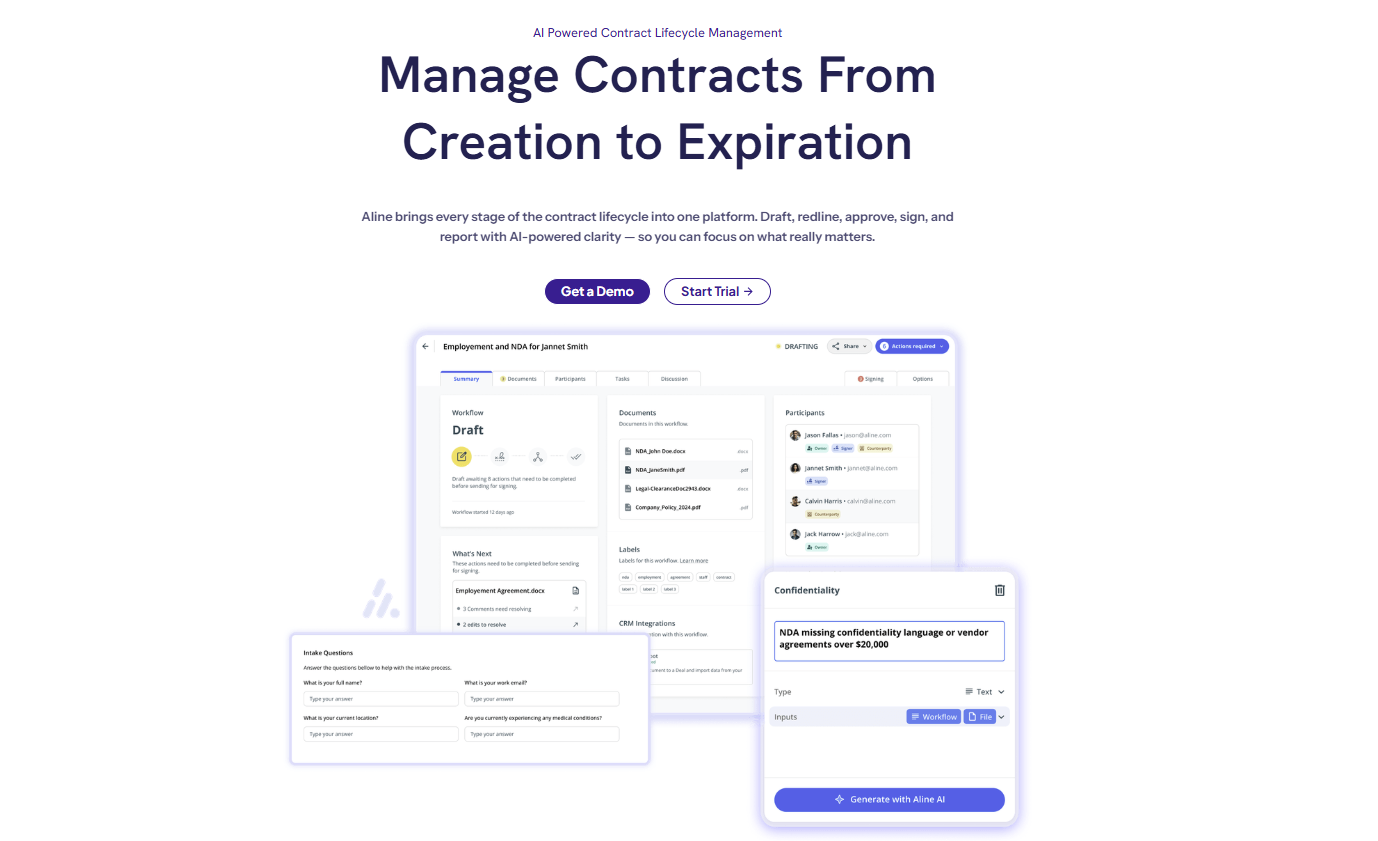
If your legal team is reviewing the same fallback clauses for the tenth vendor agreement this week, following up with approvers to find out whose turn it is, and checking spreadsheets to see which contracts renew next month, that’s the kind of contract workflow Aline is built to automate.
It keeps every stage of the contract lifecycle connected, from the initial request through drafting, review, approvals, signing, and post-execution tracking, reducing routine legal review by 50–75%.
Through this, Aline replaces the use of 5–7 fragmented tools such as Word for drafting, email for approval follow-ups, Google Drive or SharePoint for contract storage, and spreadsheets for renewal and obligation tracking, helping save 10–15 hours per legal user.
Another big differentiator is its approach to AI. Aline runs Claude, ChatGPT, and Gemini in parallel, cross-checking before applying your approved playbook positions, helping your legal teams use reliable AI outputs and eliminating the risk of single-model hallucinations.
Customer contracts, playbooks, and deal terms are never used to train AI models, giving teams the confidence to use AI without exposing sensitive legal data.
The platform also has a quick implementation and adaptation timeline, with most teams up and running in under a week compared to legacy platforms that typically take 3–6 months to roll out.
Best Features
AI-driven drafting and redlining: Draft full agreements or review third-party contracts using prebuilt multi-point playbooks that reflect your approved language and negotiation positions. This helps reclaim 15–20+ hours every week that would otherwise be spent on repetitive contract work.
End-to-end contract lifecycle management: Connect intake, negotiation, approvals, signing, renewals, and reporting into a single workflow, reducing delays caused by fragmented processes and manual handoffs. This comprehensive approach helps improve contract cycles by 30–50%.
Configurable AI workflows: Configure approval workflows for NDAs, MSAs, SOWs, and other agreements with customizable permissions, routing logic, and parallel reviews across legal, finance, sales, and procurement. This reduces approval bottlenecks while ensuring every contract follows a consistent review and approval process.
Native e-signature (AlineSign): Send unlimited agreements for signature with no per-envelope fees, while keeping signing embedded within the contract workflow. Every executed agreement automatically lands in the correct contract record with its version history, audit trail, obligations, and reporting fields intact, eliminating the administrative work of reconnecting executed contracts to the rest of the lifecycle.
AI contract reporting and portfolio insights: Replace manual contract reporting with portfolio-wide intelligence across 1,000+ agreements, helping legal and finance teams respond to board requests and renewal reviews in minutes. Customers report saving 100+ hours and up to $30K on large contract analysis projects.
Central AI repository: Consolidate contracts from Google Drive, Dropbox, Box, SharePoint, and other storage systems into a single AI repository. Analyze 1–10K+ agreements in real time, helping your legal teams answer portfolio-wide questions without manually reviewing individual contracts.
Multi-team collaboration: Leave comments, tag stakeholders, and update contracts in real time while legal, procurement, finance, and sales work from the same live agreement. This eliminates version control issues, reduces email back-and-forth, and keeps contract reviews moving without losing context.
Security and compliance controls: Protect sensitive contract data with SOC 2 Type II, GDPR compliance, enterprise-grade encryption, and role-based access controls. This helps your teams meet security and vendor risk requirements.
Hear from our clients:
“Aline’s AI redlining saves us so much time! It redlines our contracts against our playbooks, so first turns come back faster and more consistent. We’ve gone from line-editing every contract to just spot-checking the outliers.”
Julie Shullman, GC & Chief Privacy Officer at Telly
JS
“There are 8,400 contracts in the Aline platform. Answering questions about our data or risk used to take hours, days, even weeks. Now I can just ask.”
Kimberly Paine, General Counsel at TRG Screen
Pros
Strong automation for routine tasks tied directly to contract management
AI-assisted redlining helps legal teams spend less time on manual drafting
Combines drafting, workflows, reporting, and signing in one platform
Works well with existing tools rather than forcing a full tech overhaul
Useful for legal operations teams that need portfolio-level visibility.
3 Questions to Ask Before Choosing Aline
I mainly want to generate contracts faster. Why should I invest in a CLM?
If your only goal is to generate standard agreements, a document automation tool is a practical choice. As legal operations expand, however, you’ll likely need additional tools for approvals, e-signatures, contract storage, reporting, and AI-assisted review. Aline combines those capabilities in one platform, helping your legal, sales, and procurement teams avoid a fragmented tech stack while reducing contract cycle times by 30–50%.
Our team drafts contracts in Microsoft Word. Will we have to change how we work?
Aline’s drafting experience is built into the platform. Teams can continue working with .docx files, as Aline doesn’t provide a Microsoft Word plug-in because of its rich-text editing AI capabilities. Contracts stay connected to workflows, approvals, and audit history throughout the process, without additional upload steps.
Templates don’t hallucinate. Why should I trust AI drafting?
Templates work well for standard agreements, but they can’t review third-party paper, explain deviations, or adapt to negotiated language. Aline combines Claude, ChatGPT, Gemini, and other leading AI models to review contracts against your approved playbooks, while your contracts and deal terms are never used to train AI models. Contracts are processed through secure, isolated API connections, supporting your legal teams’ AI-assisted drafting and review without exposing confidential legal data.
Best Fit For
Small and mid-sized businesses (50–500+ employees) looking to replace disconnected tools for drafting, approvals, e-signatures, contract storage, and reporting without the cost and complexity of traditional enterprise CLM platforms.
In-house legal teams that need to manage increasing contract volumes, standardize reviews, and reduce routine legal work without hiring additional legal staff.
Legal, procurement, sales, and finance teams that frequently collaborate on contracts and need structured approval workflows, AI-assisted review, and portfolio-wide contract visibility.
Not Ideal For
Law firms focused on litigation or legal practice management, where case management, court deadlines, billing, and matter tracking are the major requirements.
Businesses with very low contract volumes that can manage agreements without dedicated contract workflows or AI-driven contract management.
Pricing: Aline gives you a 30-day free trial. It has 2 pricing plans.
Team plan starts at $200/month for 10 full users. $50 per support user/month.
The Enterprise plan provides customized pricing and includes additional features such as SSO, bespoke onboarding, and 10+ leading integrations.
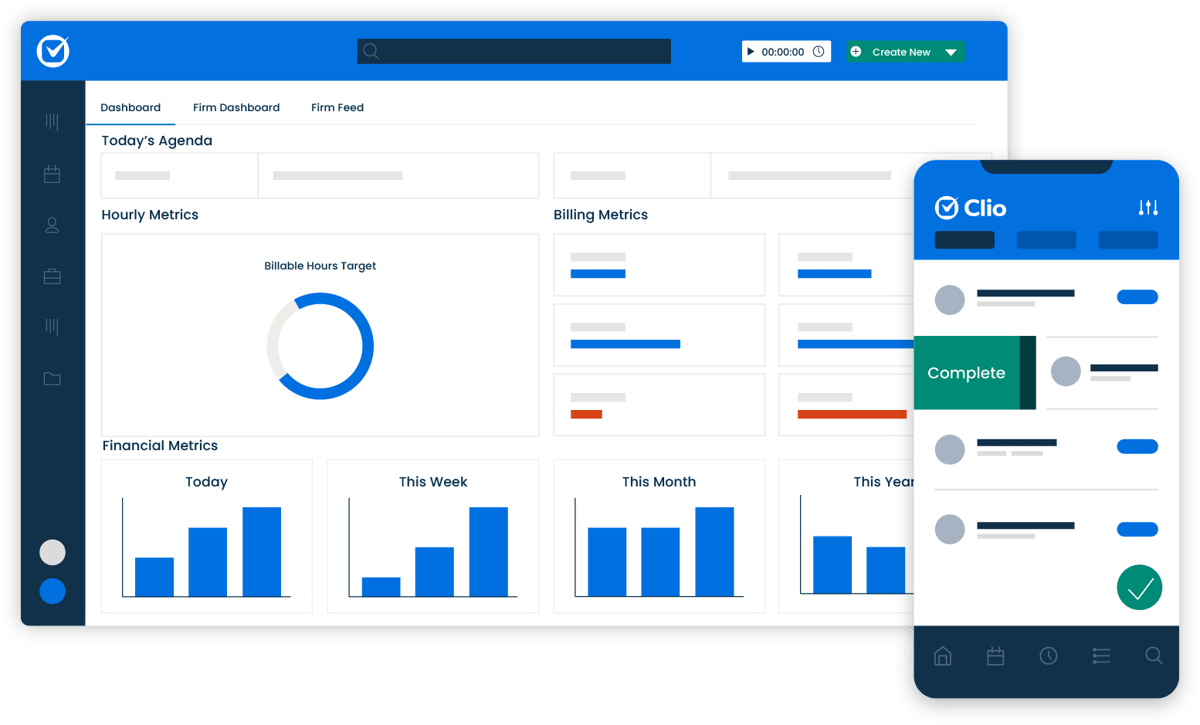
Clio is a cloud-based legal workflow software platform designed for law firm practice management. It helps firms manage matters, deadlines, billing, documents, and the client intake process in one centralized system.
Source: G2
Law firms handling active cases, tracking court dates, processing invoices, and managing new client requests use Clio to bring structure to daily operations.
Tasks, time entries, and case details stay connected to each matter, which reduces manual data entry and cuts down on administrative burdens.
For teams looking to simplify administrative tasks while giving legal ops teams clearer visibility into firm performance, Clio provides a practical and widely adopted solution.
Best Features
Automated client intake workflows: Custom intake forms create matters automatically and assign follow-up tasks.
Task and deadline automation: Set recurring tasks and court reminders tied directly to case stages.
Time tracking and billing integration: Log work activity inside each matter and generate invoices without re-entering data.
Document management: Store and organize case files within a structured matter-based system.
Reporting dashboards: Track firm performance, billing metrics, and case status in real time.
Pros
Reduces administrative burdens tied to intake data and case management
Minimizes manual data entry with integrated workflows
Strong fit for firms focused on day-to-day practice management.
Best Fit For
Solo practitioners and small law firms that need practice management software to organize client matters, calendars, documents, billing, and payments within a single platform.
Law firms adopting cloud-based practice management to replace paper files or disconnected software.
General practice law firms handling areas such as family law, immigration, estate planning, criminal defense, or civil litigation that require matter-centric workflows.
Not Ideal For
Business teams that need contract lifecycle management. Clio is built around law practice management, making it less suitable for teams that need to manage contract workflows from request through post-signature obligations.
Organizations expecting more functionality in lower-tier plans. Features such as document and workflow automation and custom reporting are available only with Clio’s Advanced plan and require an upgrade as firms expand their workflows.
Pricing: Clio offers a 1-month free trial and has 4 pricing plans. The base plan (EasyStart) pricing starts at $49/user; other plans (Essentials, Advanced, and Expand) have a customized pricing model.
3. Filevine
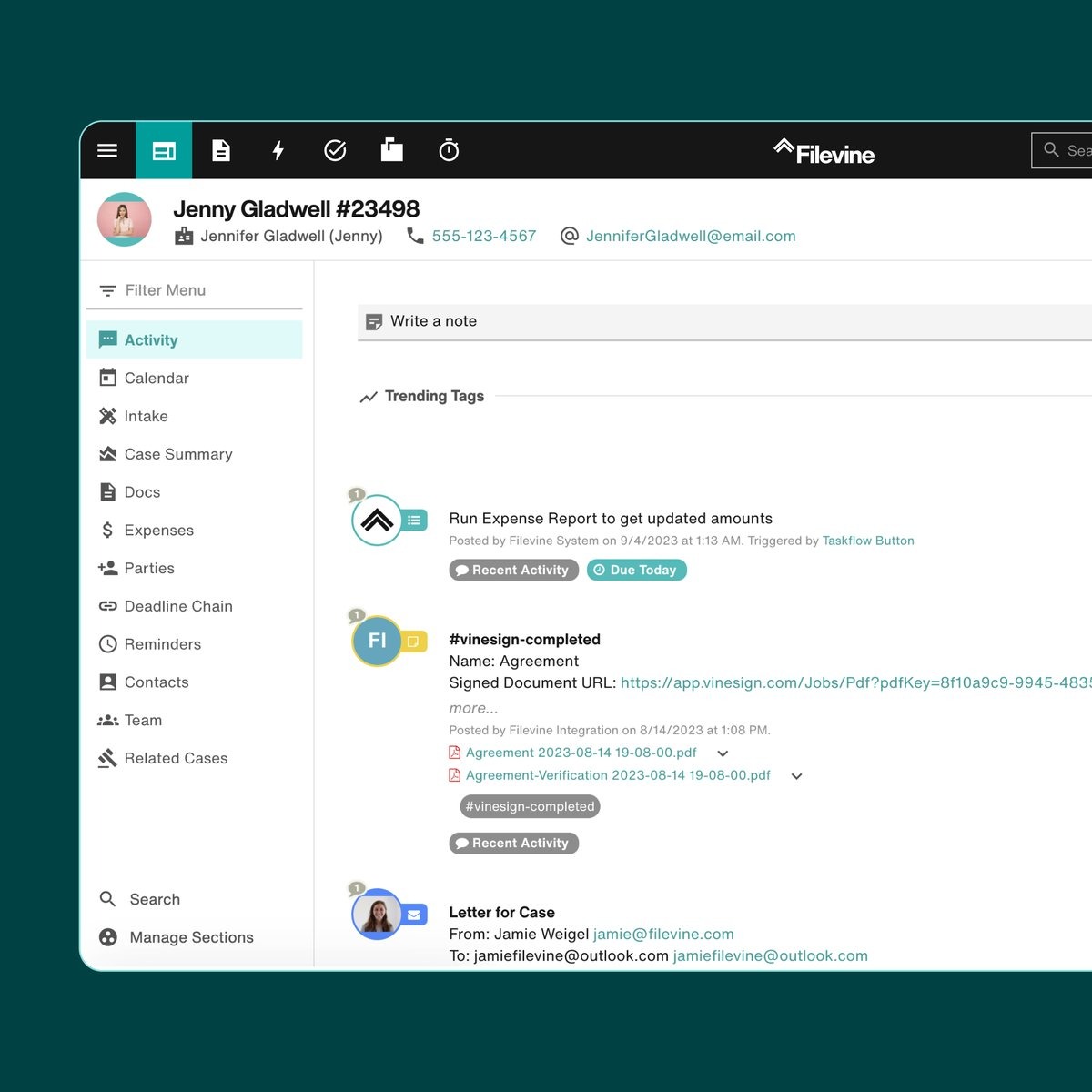
Filevine is a case and matter management platform built for litigation practices. It organizes cases, deadlines, documents, and communication inside one structured system so legal professionals can see exactly where each matter stands.
Source: G2
The platform centers on automated legal workflows. Case stages trigger predefined task lists, reminders, and internal updates without constant manual oversight. That setup helps streamline repetitive tasks and cuts down the need to track work in multiple systems.
More time goes toward practicing law, less toward managing spreadsheets or chasing internal updates.
Best Features
Customizable case workflows: Build automated task chains tied to specific matter types and litigation stages.
Deadline and court date tracking: Connect key dates directly to case progress with automatic reminders.
Centralized document management: Store files, notes, and communications within each matter.
Performance dashboards and reporting: Monitor caseload distribution, timelines, and productivity metrics.
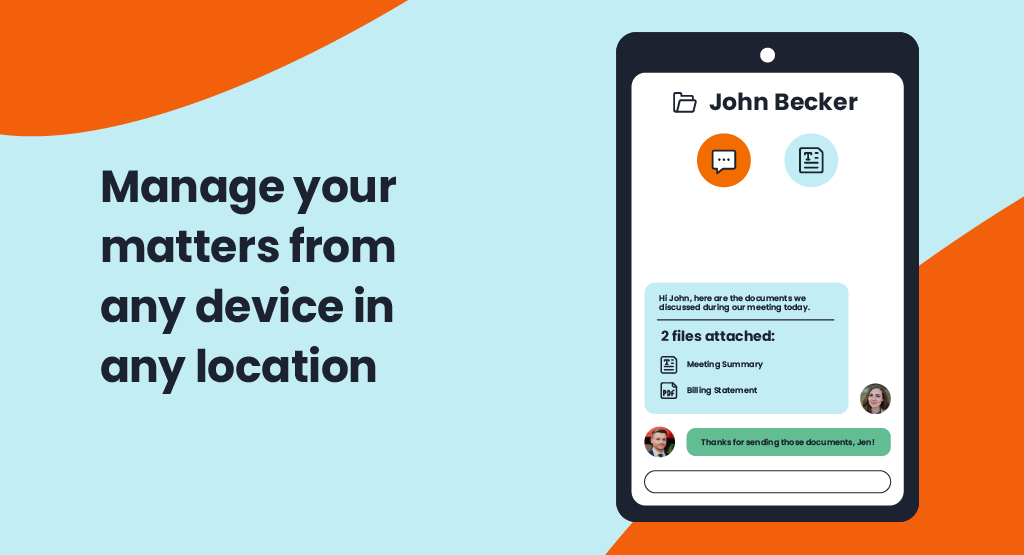
Client collaboration tools: Share updates and documents securely through built-in portals.
Pros
Strong automated legal workflows for litigation environments
Reduces repetitive administrative coordination
Consolidates case data that would otherwise live in multiple systems.
Best Fit For
Personal injury, litigation, and other process-driven law firms that manage high volumes of cases and need structured workflows, document management, and task automation.
Growing law firms that have outgrown basic practice management software and need more configurable matter management workflows.
Legal teams looking for configurable workflows and Microsoft 365 integrations to standardize case management, automate repetitive tasks, and improve visibility across matters.
Not Ideal For
Organizations looking for a ready-to-use solution. Filevine requires more setup and workflow configuration before teams can experience its real value.
Organizations with advanced reporting needs. Reporting flexibility may be limited for more complex operational and analytical requirements.
Pricing: Filevine doesn’t offer a free trial and only provides a demo. It has a customized pricing model. Third-party estimates put pricing at $50–$150 per user/month.
4. Smokeball
Smokeball is a practice management and matter management platform designed primarily for small and mid-sized law firms. What sets it apart from many other legal workflow tools is its focus on automatic activity tracking tied directly to billing.
Source: G2
While some platforms center on complex workflows or enterprise-level automation, Smokeball leans into practical day-to-day operations.
As work happens inside a matter, emails, document edits, and time spent are captured automatically. That reduces the need for manual time entry and makes it easier to see where effort is going.
It also supports legal intake and task automation, but its real differentiator is the tight connection between automating processes and revenue tracking. The workflow structure exists to support productivity and billing accuracy at the same time.
Best Features
Automatic time and activity tracking: Records work activity within matters without requiring constant manual input.
Matter management system: Organizes documents, contacts, tasks, and communication in a structured file.
Legal intake automation: Convert inquiries into matters with predefined task lists and assignments.
Built-in billing and invoicing: Connect tracked activity directly to invoice creation.
Pros
Strong link between workflow automation and billing visibility
Reduces manual time entry and administrative effort
Well-suited to firms that prioritize structured matter management.
Best Fit For
Small and mid-sized law firms looking for an integrated practice management platform that provides automated document creation, billing, calendaring, and client communication.
Firms handling family law, estate planning, conveyancing, or personal injury matter data, where automated forms, precedents, and court documents are used every day.
Law firms that rely on Microsoft 365, Outlook, and legal accounting software and want these tools integrated into their daily practice management workflows.
Not Ideal For
Organizations with complex reporting requirements. Smokeball may not provide the flexibility needed for highly configurable analytics.
Firms working closely with external law firms. Shared access between firms depends on compatible Smokeball licensing, which may require external file-sharing tools.
Pricing: Does not offer a free trial and follows a customized pricing model. G2 mentions its starting price as $49 per user/month.
5. Litify
Litify is a legal workflow and case management platform built on Salesforce. It combines matter management with CRM-style visibility, which makes it different from traditional practice management tools.
Source: G2
Because it runs on Salesforce, Litify connects legal work to broader internal processes and strategic initiatives. Case data, client communication, reporting, and performance metrics all live in one structured environment.
That setup gives teams a clearer view of how each practice area performs and how cases move from intake to resolution.
Litify is commonly used in litigation-heavy environments, though its Salesforce foundation also appeals to in-house legal teams that want tighter alignment between legal operations and business reporting.
The platform places a strong emphasis on structured intake, workflow automation, and measurable outcomes tied to client satisfaction.
Best Features
Salesforce-based matter management: Manage cases within a CRM-driven framework with detailed reporting and visibility.
Automated intake and assignment workflows: Route new matters through defined approval and task paths automatically.
Client communication tracking: Log calls, messages, and updates directly within each case record.
Performance and KPI dashboards: Monitor productivity, case timelines, and practice area performance.
Customizable workflow builder: Design workflows tailored to specific litigation types or internal processes.
Pros
Strong alignment between legal workflows and business reporting
Structured legal document automation for standardized matter workflows
Robust visibility into case performance and client satisfaction.
Best Fit For
Organizations already using Salesforce that want to extend their CRM with legal case management rather than implementing a separate platform.
Mass tort, insurance defense, and litigation-focused practices that rely on structured case workflows, document management, and collaboration.
Law firms with standardized legal processes that want to automate matter intake, document generation, task management, and case workflows across the firm.
Not Ideal For
Organizations looking for quick deployment. Litify implementations can take up to 6 months before the platform is fully operational.
Teams managing commercial contracts. Litify focuses on litigation and matter management rather than end-to-end contract lifecycle management.
Pricing: Litify does not provide a free trial and has a custom pricing model. Third parties estimate the starting price to be $150/user/month.
6. Onit
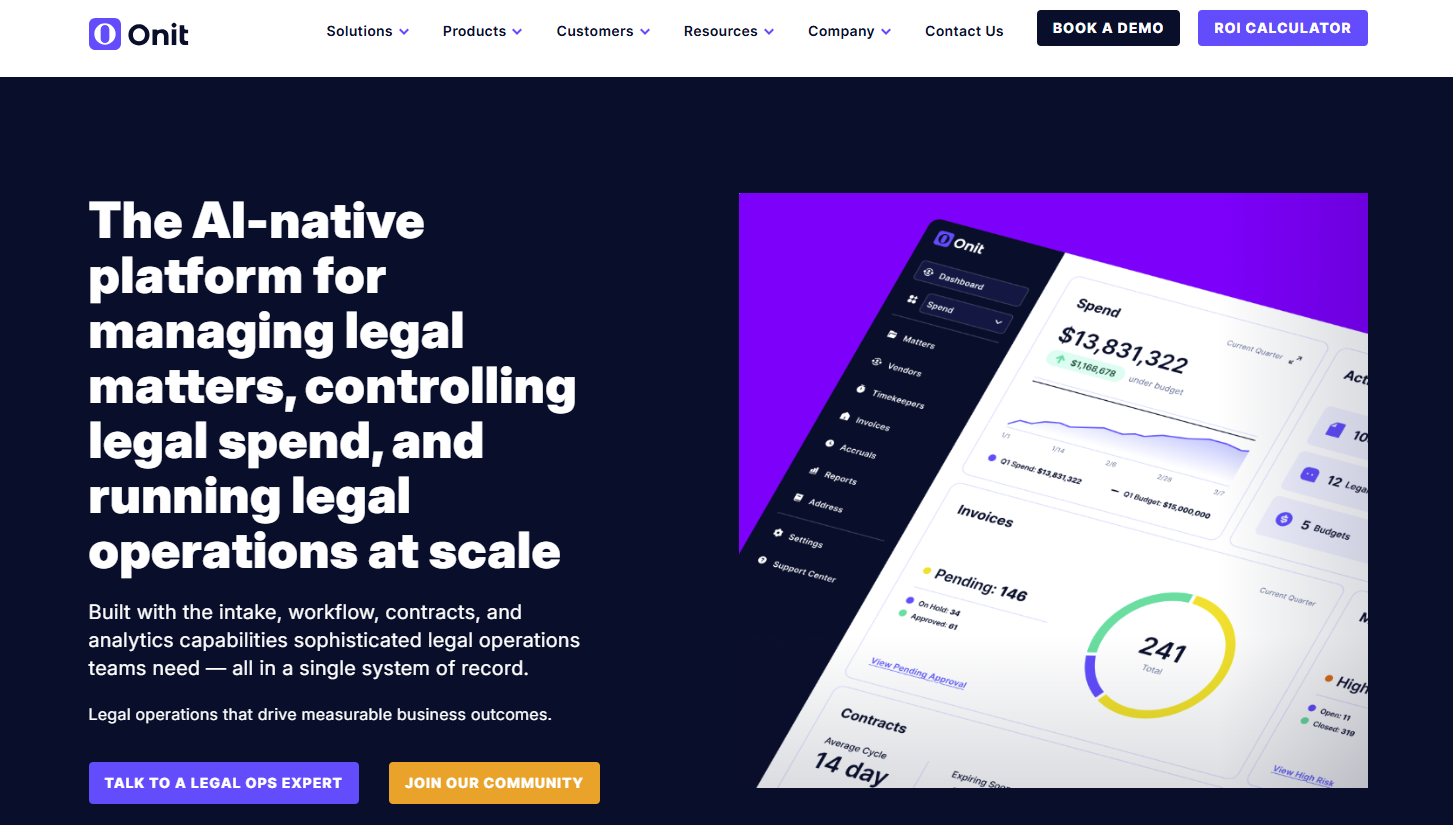
Onit is a legal operations and enterprise workflow platform designed to manage legal requests, matters, spend, and vendor oversight in one structured system.
It’s often used inside corporate legal departments that handle high volumes of internal requests and need tighter control over processes.
Source: G2
The platform focuses on automating internal workflows such as intake, approvals, and budget tracking.
Automated approval routing directs requests to the right reviewer based on predefined rules, which reduces manual errors and cuts down administrative overhead. Instead of tracking requests through email chains or spreadsheets, everything moves through a visible workflow.
Onit also stands out for its integration capabilities. It connects with finance systems, CRM platforms, and other enterprise tools, which support productivity improvements and clearer reporting across the business.
Best Features
Automated routing and approval workflows: Direct legal requests to the appropriate stakeholders using configurable rules.
Matter and spend management: Track legal work alongside budgets, invoices, and vendor activity.
Custom workflow builder: Design structured processes tailored to different types of legal requests.
Enterprise integrations: Connect with finance, procurement, and CRM systems for synchronized data.
Analytics and reporting dashboards: Monitor workload distribution, cost trends, and operational metrics.
Pros
Strong integration capabilities for enterprise environments
Reduces administrative overhead through structured automation
Supports measurable productivity improvements in legal operations.
Best Fit For
Corporate legal departments that need to manage legal spend, contracts, vendors, and matter management from a single platform.
Organizations with complex legal and regulatory requirements that need configurable workflows, role-based permissions, and integrations.
Global organizations managing high volumes of legal work across multiple teams, business units, or jurisdictions that require centralized visibility into legal operations.
Not Ideal For
Organizations looking for rapid implementation. Onit typically requires extensive configuration and integrations, ending up in longer deployment timelines.
Teams that prefer transparent pricing, as Onit uses custom quote-based pricing, requiring buyers to contact sales before comparing licensing and implementation costs.
Pricing: Does not provide a free trial or public pricing. Third-party estimates pricing at $15,000+ per annual license.
7. Everlaw
Everlaw is an eDiscovery and litigation platform built to manage large volumes of legal documents during investigations and disputes. This tool focuses heavily on document review and structured collaboration, which makes it different from general matter management tools.
Source: G2
When cases involve thousands or even millions of files, manual processes quickly become unmanageable. Everlaw organizes review stages, tagging, production sets, and collaboration into clear, organized workflows.
Moreover, teams can assign reviewers, track progress, and adjust resource allocation in real time.
It’s especially useful in matters that carry strict regulatory requirements or court deadlines, where visibility and auditability matter.
The platform emphasizes speed and clarity during review, helping legal teams move from raw data to defensible production with immediate productivity improvements.
Best Features
Advanced document review tools: Filter, tag, annotate, and prioritize large sets of legal documents efficiently.
Structured review workflows: Assign stages and permissions to maintain organized workflows throughout discovery.
Collaboration and annotation tools: Allow teams to comment and coordinate within the platform during review.
Production and compliance tracking: Maintain audit trails and documentation that support regulatory requirements.
Analytics and visualization tools: Identify key themes, timelines, and connections within large data sets.
Pros
Strong capabilities for large-scale document review
Reduces reliance on manual processes during discovery
Improves visibility and resource allocation in complex litigation matters.
Best Fit For
Law firms, corporate legal departments, and government agencies managing litigation, investigations, or regulatory matters that require cloud-based eDiscovery and document review.
Teams handling large volumes of electronically stored information (ESI) that need advanced search, analytics, AI-assisted review, and document production from a single platform.
Legal teams that need collaborative document review across multiple reviewers while maintaining centralized case data, coding, and evidence management.
Not Ideal For
Organizations looking for contract lifecycle management (CLM). Everlaw is built for litigation, investigations, and eDiscovery rather than commercial contract management.
Organizations working with very large datasets. Bulk actions and large document sets may result in slower performance during review.
Pricing: Everlaw doesn’t give you a free trial and provides customized pricing. Industry estimates base pricing at $2,000–$5,000 per month + $18–$35/GB.
How to Build the Right Tech Stack For You
No single platform solves every workflow inside a legal team. Contract analysis, litigation tracking, intake, spend management, and approval chains often require different tools.
The key is choosing technology that fits how your business processes actually run, not how a vendor says they should run.
Start with clarity. Map your highest-friction workflows first. Then evaluate tools based on how well they automate those specific steps and how easily they connect to your existing systems.
Here’s what to look for:
Clear workflow coverage: Identify which processes you want to automate, such as contract lifecycle management, intake, or approval chains, and select tools built for those tasks.
Seamless integration: Make sure platforms connect cleanly with CRM, finance, document storage, and communication systems to avoid siloed workflow data.
AI-powered automation and intelligent automation: Look for tools that reduce manual review and repetitive tasks through structured automation rather than surface-level features.
No code tools for flexibility: Workflow builders should allow changes without engineering support.
User adoption focus: Enterprise legal departments need systems people will actually use. Clean design and clear visibility matter.
Remember: The right stack supports your workflows, integrates with your environment, and evolves as your needs grow.
Why Do Growing Legal Teams Replace Point Solutions with Aline?
If your legal team only needs document generation or e-signatures, a point solution may be enough. But as contract volume grows, you’ll often add separate tools for approvals, AI review, storage, reporting, and renewals. Before long, you’re managing documents across multiple systems instead of a single workflow.
Aline helps you avoid it by bringing all the contract lifecycle management stages to one platform.
You can draft, review, negotiate, approve, sign, search for, and report on contracts without switching between disconnected tools. It also automatically structures 100% of your executed agreements, supports portfolios of 10,000+ contracts, and helps reduce diligence and contract reporting work by up to 10x.
The impact is reflected in how legal teams use it.
“Aline has transformed how we report on contracts. It gives our legal team a single, dependable view across our agreements, helping us find critical obligations and risk details in minutes rather than the long, manual reviews we used to run.”
Shirley Paley, Chief Legal Officer at Muon Space
SP
“Outside counsel is expensive. Having them double-check something costs as much as creating ten contracts in Aline.”
Mike Quattrochi, CEO at WarehouseNow
MQ
WarehouseNow reports a 10x cost advantage over outside counsel with Aline.
With 97% customer retention, Aline helps 2,000+ users in 10+ countries. Book a demo to see how we can optimize drafting, approvals, AI review, and post-signature management for your team.
FAQs About Legal Workflow Automation Software
Why does legal workflow automation matter?
Legal workflow automation matters because it reduces time spent manually tracking requests, approvals, and deadlines. Clear processes improve visibility, limit bottlenecks, and give in-house teams better control over workload and turnaround times.
Is legal workflow automation only useful for large organizations?
No. Small firms, growing companies, and enterprise legal departments all benefit from structured workflows. The scale may differ, but the need to organize tasks, approvals, and documentation stays the same.
How do these platforms protect sensitive data?
Most reputable platforms use encryption, audit logs, and role-based access controls to safeguard sensitive data. Access controls limit who can view or edit documents, which helps maintain confidentiality and compliance standards.
Will my team need to change how they work?
Adoption depends on the tool. Platforms that integrate with familiar tools like Microsoft Word or offer customizable templates tend to see smoother transitions. The goal is to reduce friction, not force a complete overhaul of how legal work gets done.
A master service agreement is a legally binding agreement that outlines the responsibilities and expectations of each party. Find out all about them here.