If you work in-house, there’s a good chance AI is already coming up in conversations about how your team handles legal work.
Adoption is moving quickly too: 26% of legal organizations were already using generative AI in 2025, up from 14% in 2024, according to Thomson Reuters.
The harder part is figuring out which tools actually fit your day-to-day work. Legal AI covers very different areas, from contract management and research to e-discovery, spend management, and litigation support, so one platform may be far more useful to your team than another.
In this guide, we’ll look at seven AI tools for in-house legal teams, what each one does best, and where it may fit into your current legal tech stack.
AI can take a lot of repetitive legal work off your plate, but the useful part is how it fits into the work you already do. Depending on the tool, it can help you review documents faster, find relevant information, draft content, keep legal work easier to manage, and so on.
Some common uses include:
The applications vary quite a bit. For instance, a contract tool may help you review clauses or manage approvals, while an e-discovery platform can sort through large document sets. Research tools can help you get to relevant cases or legal sources faster.
For an in-house team, choosing the right mix of AI tools comes down to finding software that fits your existing legal tech stack and supports the work your team handles most often.
The right AI setup will look different depending on the work your legal team handles most often. The options below cover several parts of in-house legal work, so you can compare where each tool fits and which ones make sense for your current stack:
Aline is an AI-powered contract management software built for in-house legal teams that want contract work to feel less fragmented.
If your team is reviewing agreements, drafting documents, managing approvals, and answering contract questions in different places, Aline brings those parts of the process into one system.
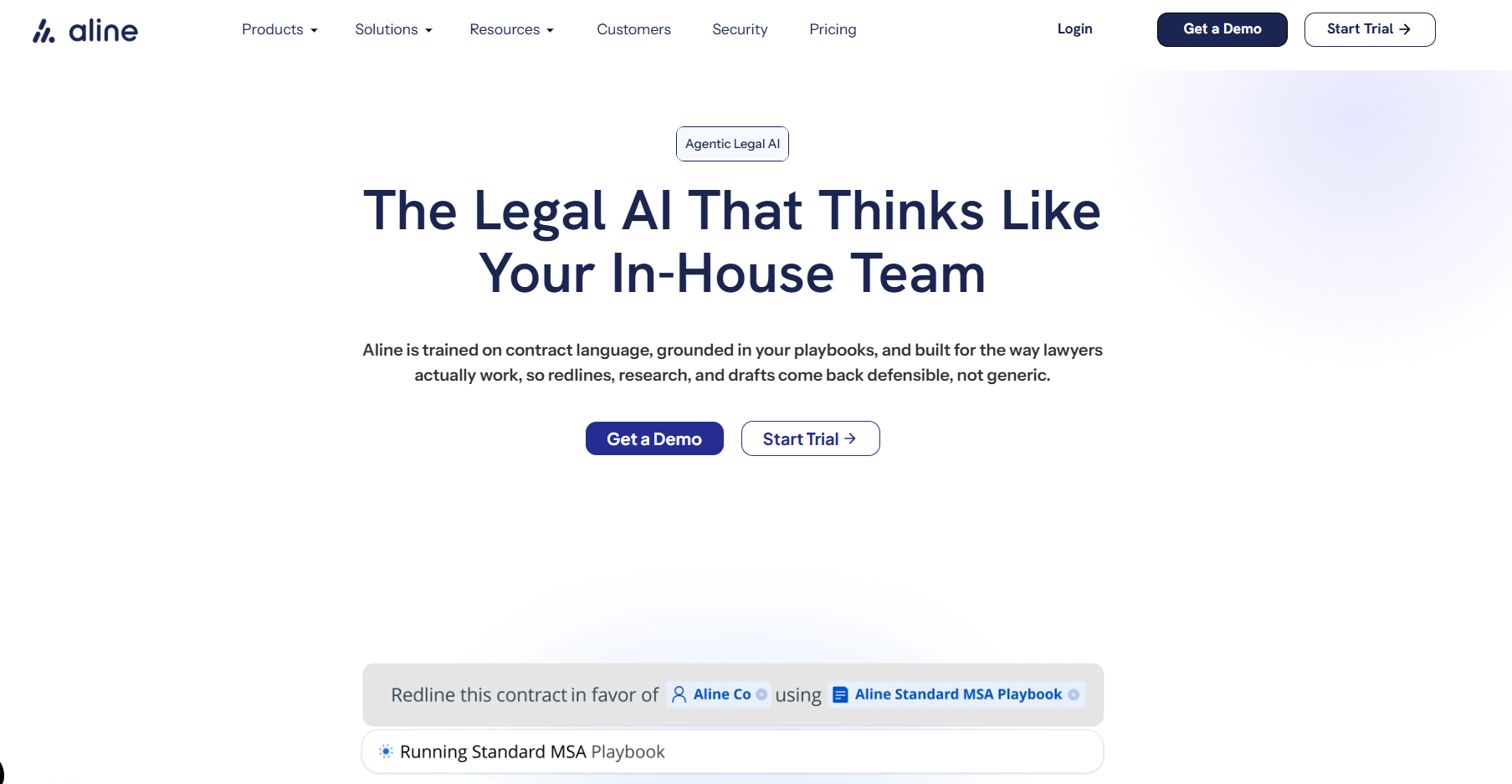
Its AI capabilities sit directly inside the contract lifecycle management workflow, so you can use them during real legal work rather than treating AI as a separate add-on.
The platform can help with document drafting, contract review, contract analysis, legal research, and ongoing contract management, while still giving legal professionals control over the final output.
Aline can also work from your own playbooks, approved language, and existing contracts. That makes the AI more relevant to the way your corporate legal department already operates and gives you a stronger starting point for review and negotiation.
Beyond the AI features, the platform includes workflow automation, reporting, a searchable contract repository, and native e-signatures through AlineSign, which helps keep the broader contract process connected.
Brightflag is an AI-powered legal operations platform focused on legal spend management, matter management, and outside counsel.
It’s designed to give in-house teams a clearer view of the business side of legal work, especially where external firms, budgets, and billing are involved.
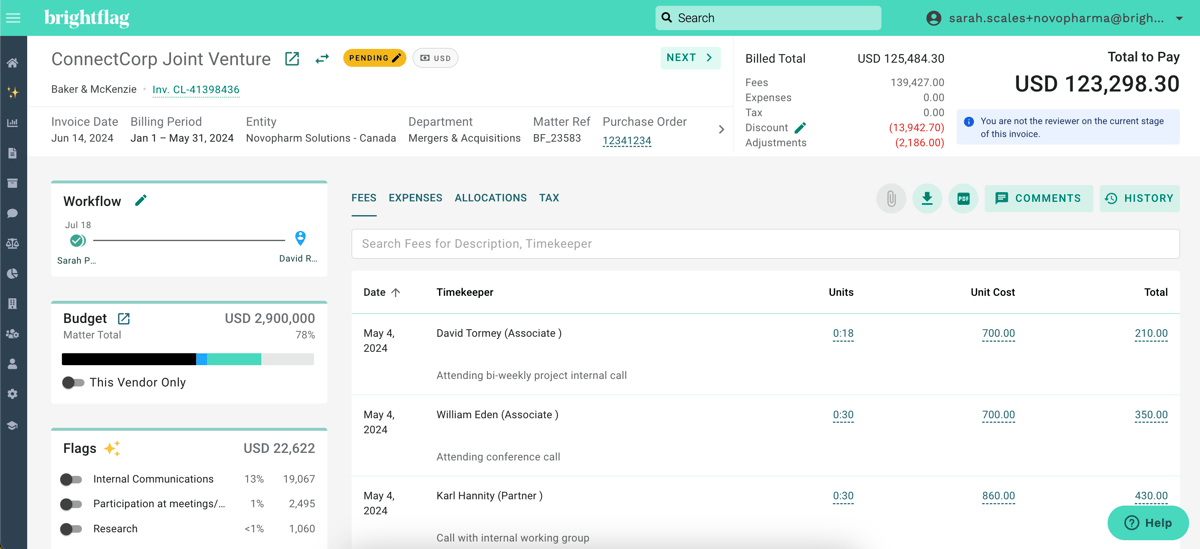
A lot of its AI functionality sits around analysis and oversight. Brightflag can review legal invoices, flag possible billing issues, and help surface patterns in spend that would otherwise take time to find manually.
Its AI assistant can also answer questions about matter and spend data in plain language, which makes the platform easier to use when you need quick context for planning, reporting, or conversations with outside counsel.
Compared with tools centered on legal document creation or contract review, Brightflag is much more focused on how legal work is managed and paid for. That makes it a natural fit for in-house counsel and legal operations teams that rely heavily on law firms and want better control over external legal costs.
Harvey is an AI-powered legal platform built for lawyers and in-house teams that want broader AI assistance beyond one specific workflow.
It can support legal research, document analysis, drafting, and other day-to-day work, which makes it useful when your team handles a mix of requests rather than one narrow type of task.

You can use Harvey to draft legal documents, summarize large files, research legal questions, and work with internal materials your team already relies on.
Its Vault feature lets you bring approved documents into the platform for analysis, while custom workflows can help make repeatable legal processes easier to manage.
Additionally, Harvey connects with tools commonly used in legal operations, including Microsoft Word and Outlook, so you can bring AI assistance closer to the systems your team already works in.
Thomson Reuters CoCounsel is an AI legal assistant built for professional legal work, with a strong focus on research, document analysis, and drafting.
The platform draws on Thomson Reuters legal data and specialist tools, so it fits well for in-house teams that need AI support grounded in established legal sources rather than general web content.
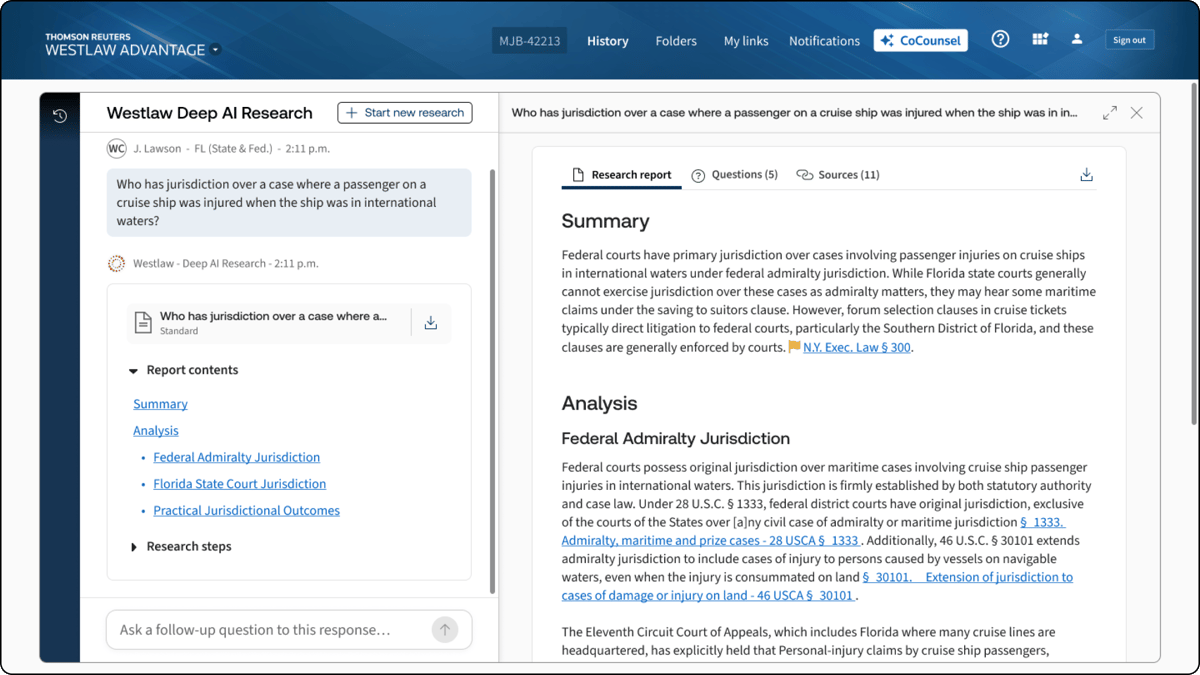
Its legal research capabilities are one of the main reasons teams look at it. CoCounsel can help work through case law, summarize legal authorities, review documents, and draft work product based on the materials you provide.
The platform also uses machine learning to help surface relevant information from large document sets, which can be useful when your team needs to get up to speed on an issue quickly.
For in-house counsel, CoCounsel can sit alongside existing research and knowledge tools and give lawyers a faster starting point for analysis without changing the way the legal profession handles final review and judgment.
Relativity is a legal technology platform best known for e-discovery, investigations, and large-scale document review.
It’s commonly used when legal teams need to work through substantial collections of emails, files, and other case data without reviewing every item manually.
Relativity can be especially useful during litigation, internal investigations, or regulatory work that involves heavy document volumes.
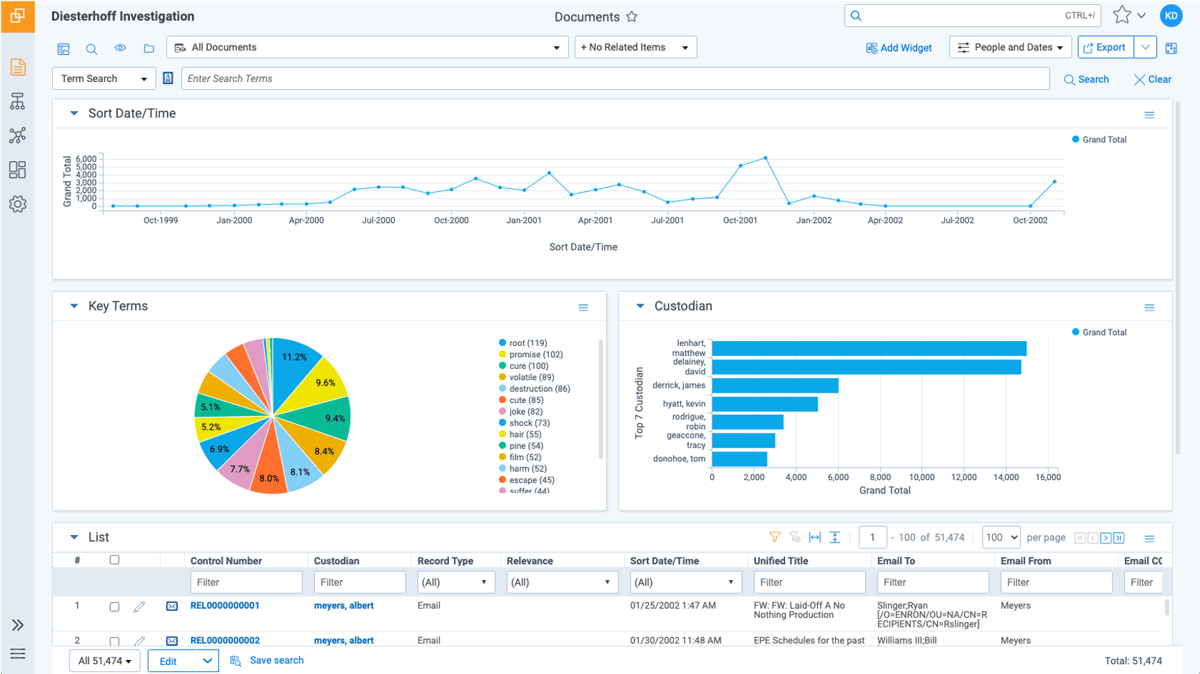
Its AI capabilities help organize and prioritize material so lawyers can focus their attention on the information most likely to be relevant.
Plus, Relativity supports legal requests tied to discovery and case preparation, giving your team a structured place to manage documents that may later support court filings or outside counsel work.
If you’re comparing the best legal AI tools for document-heavy work, Relativity stands out for its e-discovery focus rather than traditional research or general drafting.
Everlaw is an AI-powered e-discovery and litigation platform built for teams that need to make sense of large evidence sets.
It’s a common tool for investigations, discovery, and dispute work where the challenge is finding the important material quickly and keeping it connected to the broader legal issue.
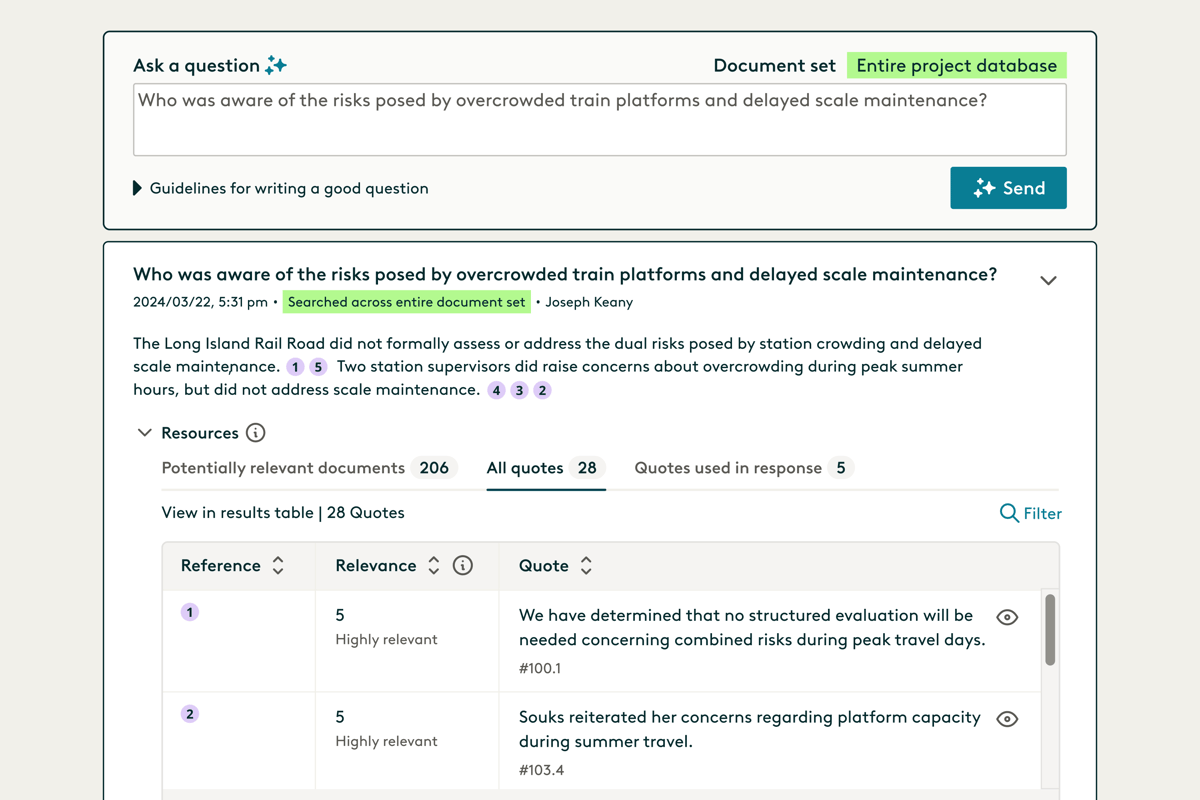
Its AI features help with document review, summarization, and evidence analysis, but the platform is also geared toward the reasoning that happens after relevant material has been found.
You can ask questions about a document set, trace answers back to the source material, and organize key evidence into a clearer case narrative.
That makes Everlaw a practical option for in-house teams dealing with complex disputes or investigations. Rather than acting like a general AI legal assistant, it gives attorneys a focused analysis tool for evidence-heavy work and helps turn raw case data into something more useful for legal strategy.
Lexis+ AI, now offered as Lexis+ with Protégé, is an AI-powered legal research, drafting, and analysis platform from LexisNexis.
Basically, it brings generative AI into the research process while grounding answers in established legal sources, which makes it useful for in-house teams handling questions that need reliable authority behind them.
Protégé can help with legal writing, research, document analysis, and summarization. You can use it to work through a legal issue, prepare an initial draft, review uploaded material, or check the authorities supporting an answer.
The platform can also connect with internal knowledge sources, giving attorneys a way to bring company documents into the research and drafting process.
For teams thinking seriously about AI adoption, Lexis+ AI offers a familiar starting point because it builds AI assistance into an established legal research environment. Human oversight still plays an important role, particularly when checking citations, reasoning, and final legal conclusions.
The best AI setup depends on where your team actually needs help. A tool that can save time on research may offer little strategic value if most of your workload sits in contracts, litigation, or something else entirely, so start with the work you want to improve and build from there.
A few areas are worth looking at closely:
AI can help with a lot of legal work, but you’ll get the most from it when the software fits naturally into the way your team already operates.
Contracts are one area where that fit can make a noticeable difference, especially when review, approvals, signatures, and follow-up work are spread between separate tools.

Aline brings those pieces into one contract management platform. You can use its AI for drafting, review, and contract analysis, then keep the rest of the process connected through workflows, playbooks, AlineSign, reporting, and a searchable repository.
If contract work takes up a large part of your team’s time, Aline gives you a practical way to bring AI into the process without adding another disconnected system.
See how it works. Start your free trial of Aline today.
The best choice depends on the work you want help with. Aline is geared toward contract management, while Harvey and CoCounsel support broader research and drafting. Brightflag focuses on legal spend, and Everlaw and Relativity are better suited to discovery-heavy work. Many teams use a mix based on where AI can save time in their legal industry.
Yes. Tools such as Harvey, CoCounsel, and Lexis+ with Protégé offer a similar conversational experience but are built around legal sources, documents, or workflows. That makes them better suited to professional legal work than a general chatbot on its own.
There’s no single answer for every legal team. Both can support tasks like drafting, summarization, and analysis, but the better option depends on your security requirements, existing systems, and the work coming from different business units.
Good prompts give the AI enough context to understand the task and the expected output. You might ask it to summarize key takeaways from an agreement, compare a clause against an approved position, explain a legal issue for a non-legal audience, or review a draft for specific risks. Avoid sharing sensitive financial data unless the tool is approved for that information, and always review the output before relying on it.