Juro is solid for early-stage contract work, but legal teams scaling 2–5x volume often outgrow its templates, reporting, and integrations.
Switching to a more flexible CLM cuts contract cycle times, raises visibility, and stops manual workarounds across Word, email, and drives.
Pick Aline for AI-driven full-lifecycle work, or DocuSign, Ironclad, PandaDoc, Linksquares, etc. based on volume, complexity, and budget.
Once you hit the growth phase, it's certain the team will scale, but the contract volume doesn’t scale linearly with headcount.
When this difference shows up, Juro will feel more like a friction: Restricted customization in contract templates and workflows, gaps in advanced reporting and analytics, and constrained integrations that make it harder to connect contract data across systems.
The result is operational drag, which means longer contract cycles, limited visibility into key metrics, and increasing dependence on manual workarounds.
This is typically the point where teams start evaluating Juro alternatives.
The need becomes most visible for:
In-house legal teams and paralegals at 10–500 employee companies managing 2–5x contract growth without adding headcount
Founders and operations leaders who are still manually handling contracts across tools like Word, email, and shared drives, often spending 5–10 hours per week on admin-heavy workflows
Legal ops and RevOps teams at scaling companies that need contract data to flow into finance, CRM, and reporting systems, not sit siloed in documents.
However, not all Juro alternatives solve the same problem.
Some tools improve specific parts of the workflow, like e-signatures or repository management, reducing contract turnaround time by 20–30% in isolated stages.
Others take a more integrated approach.
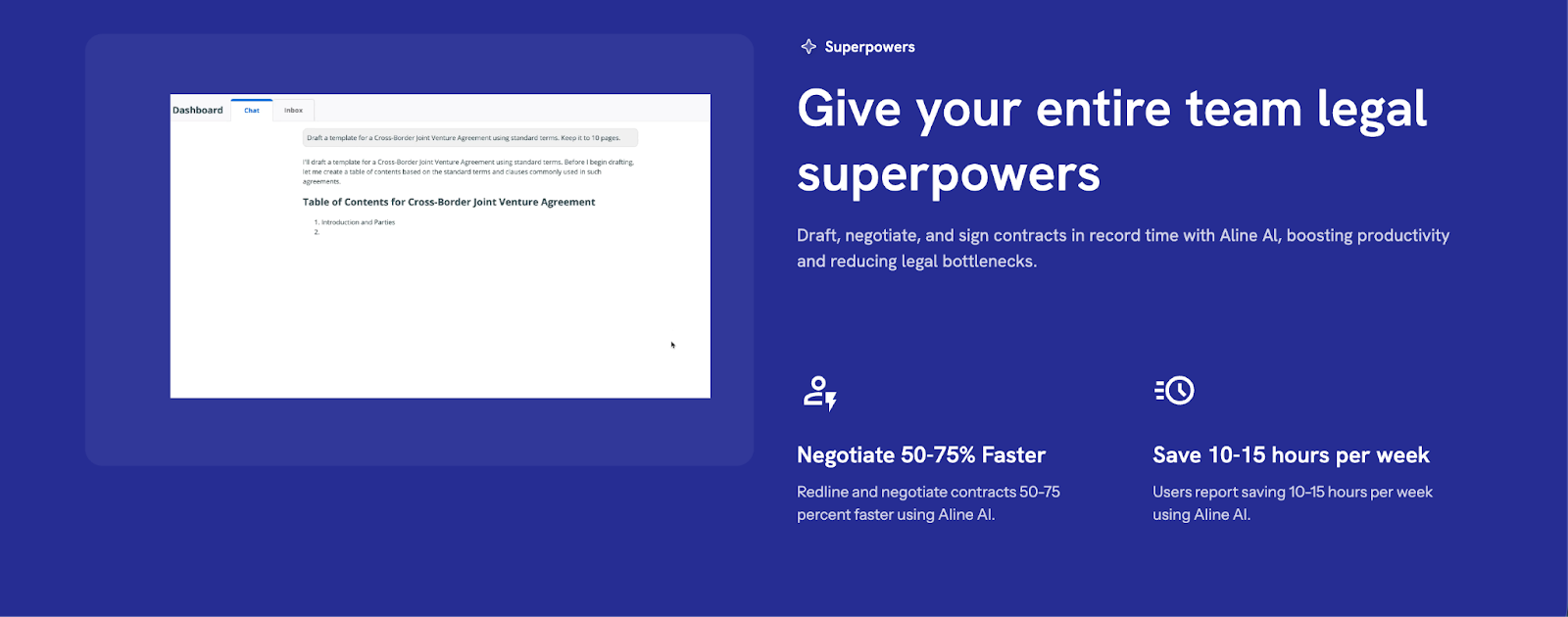
Platforms like Aline are built as AI-native contract systems that combine drafting, redlining, approvals, e-signature, storage, and analytics in a single workflow. Teams typically go live in under a week and spend 50–75% less time on routine legal review by automating clause application and reducing back-and-forth.
In this guide, we break down the best Juro alternatives based on how well they handle scale, automation, and visibility, so you can choose a platform that actually keeps up with your contract volume.
Why Teams are Switching Juro Now, Not Later?
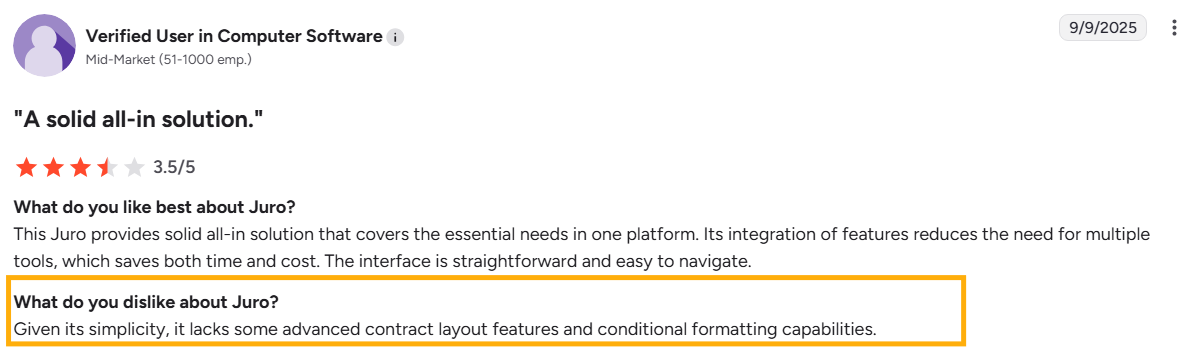
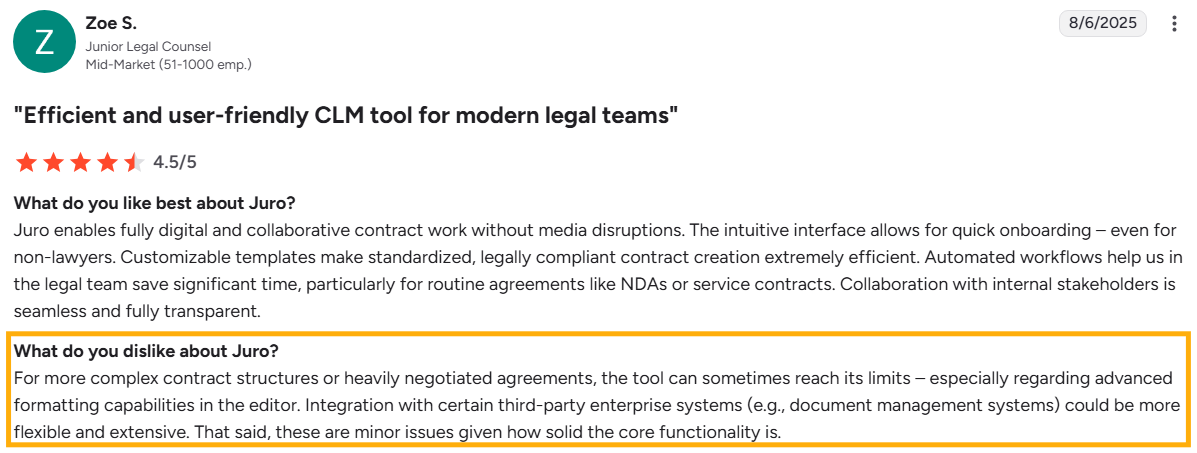
Juro works well when contract volume is manageable. It simplifies the contract workflows with a clean, easy-to-use interface. But that same simplicity is also where some teams start to feel limitations as requirements become more complex.
In addition, user reviews mention several recurring friction points that naturally push teams toward alternative solutions:
Implementation timelines can extend up to 2 months before teams fully operationalize internal workflows and integrations.
Pricing becomes harder to justify for growing teams, particularly when feature depth, such as flexible reporting and analytics, does not scale proportionately.
Constraints in redlining and negotiation workflows, especially for legal teams managing detailed contract revisions.
Gaps in advanced reporting and analytics, restrict visibility into contract performance and key business metrics.
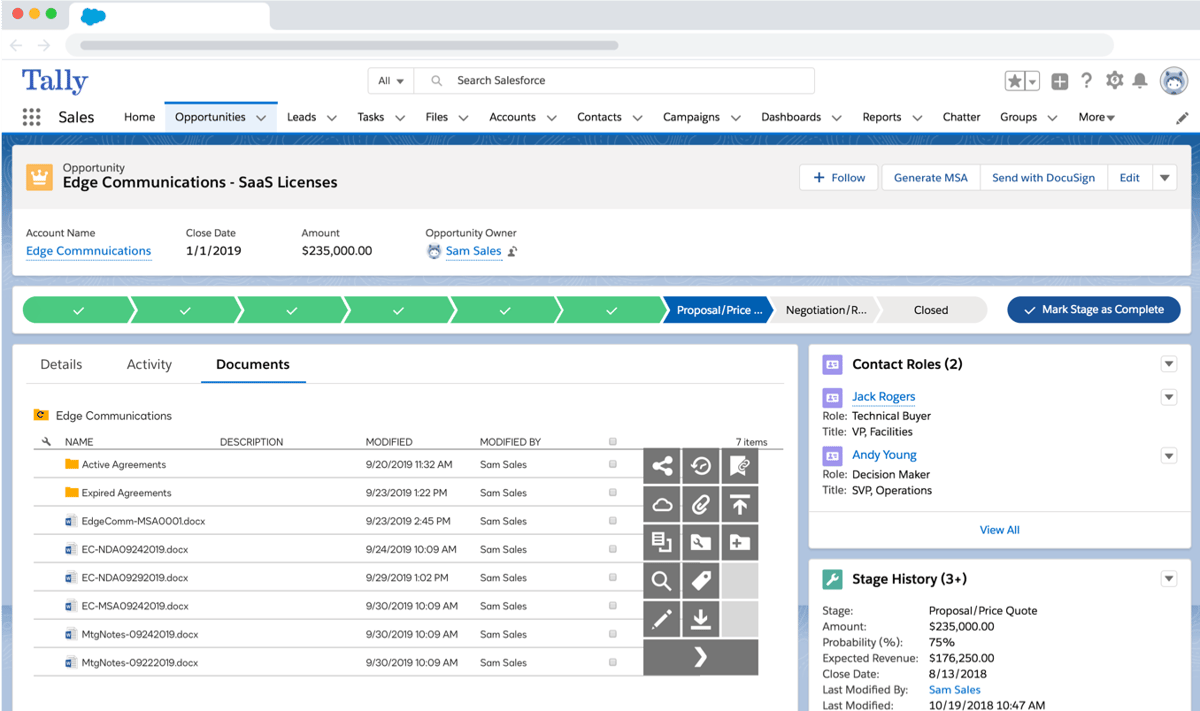
Integration limitations that impact data synchronization with CRM, finance, and other core systems.
These limitations don’t mean Juro is ineffective. The platform works well for teams that prioritize ease of use and simple contract workflows, mainly for early-stage or mid-sized companies.
But as your contract operations mature, the focus moves beyond execution to visibility and control, areas where teams begin to notice limitations in Juro’s capabilities (customization, analytics, and system connectivity).
This gap is critical to address as AI-driven contract management can cut lifecycle time by up to 39%, making the cost of inefficient workflows immediately visible in slower deal cycles.
11 Best Alternatives to Juro
Platform
Key focus
AI capabilities
Workflow automation
Ease of adoption
Typical users
Best Juro alternative if…
Aline
AI-first contract lifecycle automation
AI drafting, redlining, clause insights
End-to-end lifecycle automation
Fast deployment (days)
Legal, RevOps, sales teams
You want deep AI (drafting, redlining, insights) with automated workflows across the full contract lifecycle.
DocuSign CLM
Enterprise contract management
Contract analytics
Structured enterprise workflows
Complex enterprise setup
Enterprise legal departments
You already use DocuSign and need structured workflow automation and enterprise governance.
ContractWorks
Contract repository
Limited AI search
Minimal
Very easy
Small legal teams
You need a simple repository and alerts without complex automation.
PandaDoc
Sales proposals and contracts
AI document generation
Sales-focused workflows
Very user-friendly
Revenue teams
You want fast contract creation and proposal workflows tied to sales.
Concord
Collaborative contract management
Limited
Basic approval routing
Simple UI
Mid-market teams
You want an easy-to-adopt full CLM with collaboration and approvals.
Zoho Contracts
CLM within Zoho ecosystem
Basic automation
Zoho-integrated workflows
Easy if already using Zoho
Zoho customers
You already use Zoho and want integrated contract workflows.
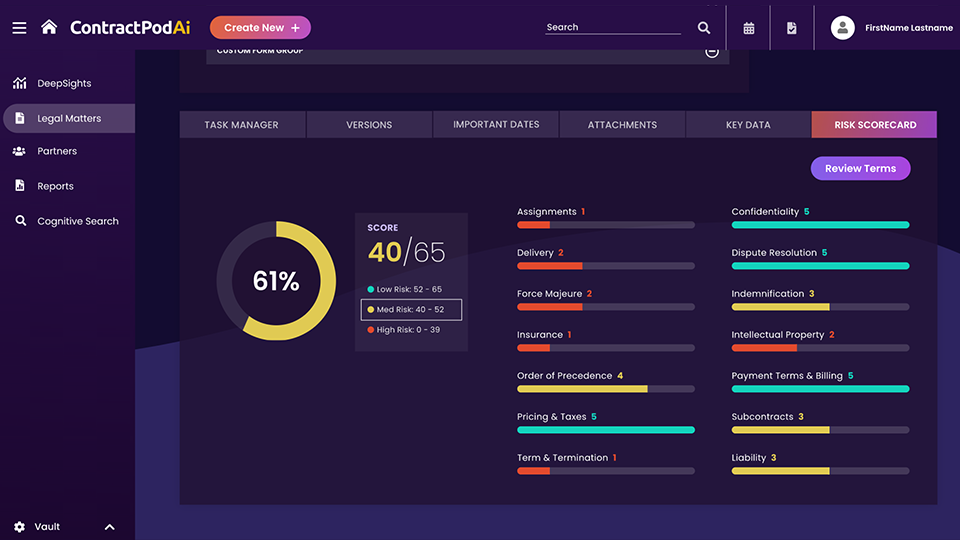
ContractPodAi (Leah)
Legal-centric CLM
AI contract review
Advanced enterprise workflows
Enterprise configuration
Large legal teams
You need a legal-first CLM with advanced AI review.
Aavenir Contractflow
ServiceNow contract workflows
Limited
ServiceNow workflow automation
Complex unless on ServiceNow
IT-centric enterprises
You use ServiceNow and want contract management integrated into it.
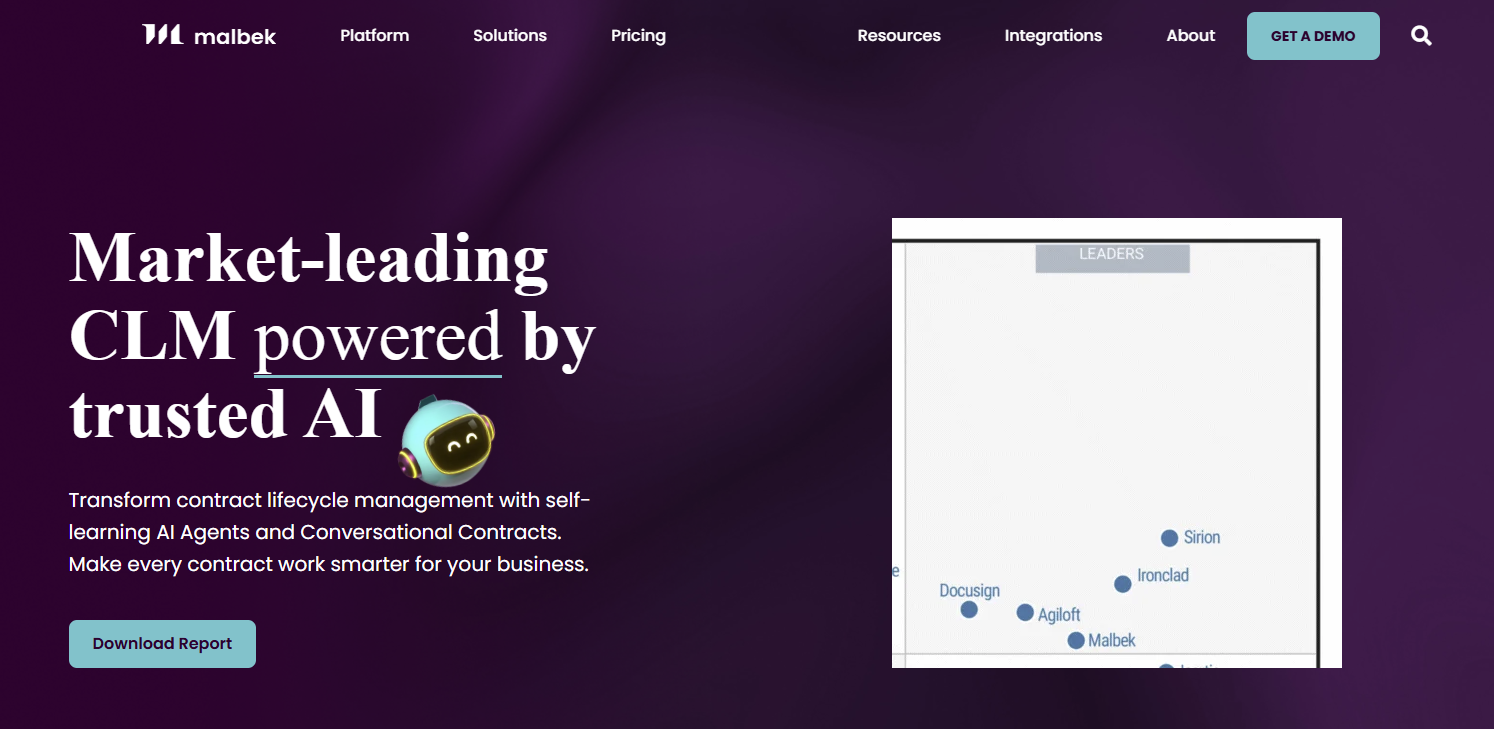
Malbek CLM
Workflow visibility and analytics
Contract insights
Structured lifecycle automation
Moderate
Mid-market companies
You want strong workflow visibility and contract analytics.
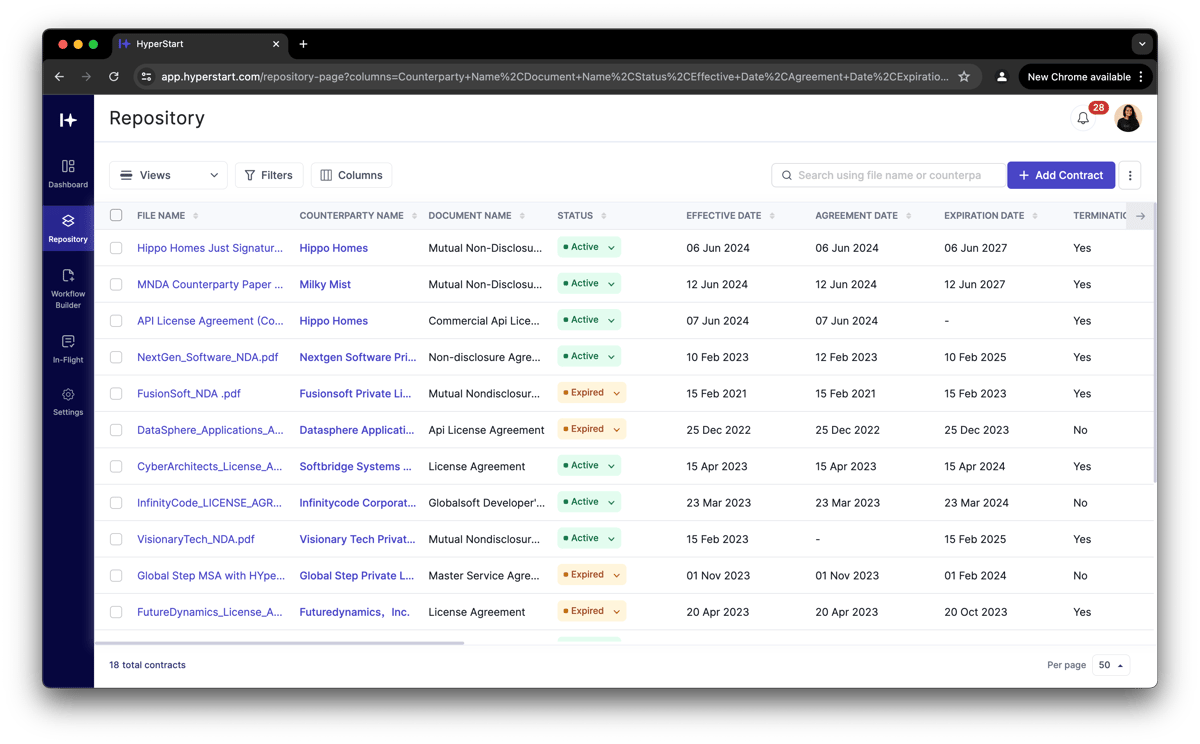
Hyperstart CLM
Simple CLM
Basic
Light automation
Very fast
Startups
You need fast, simple CLM for small teams with minimal setup.
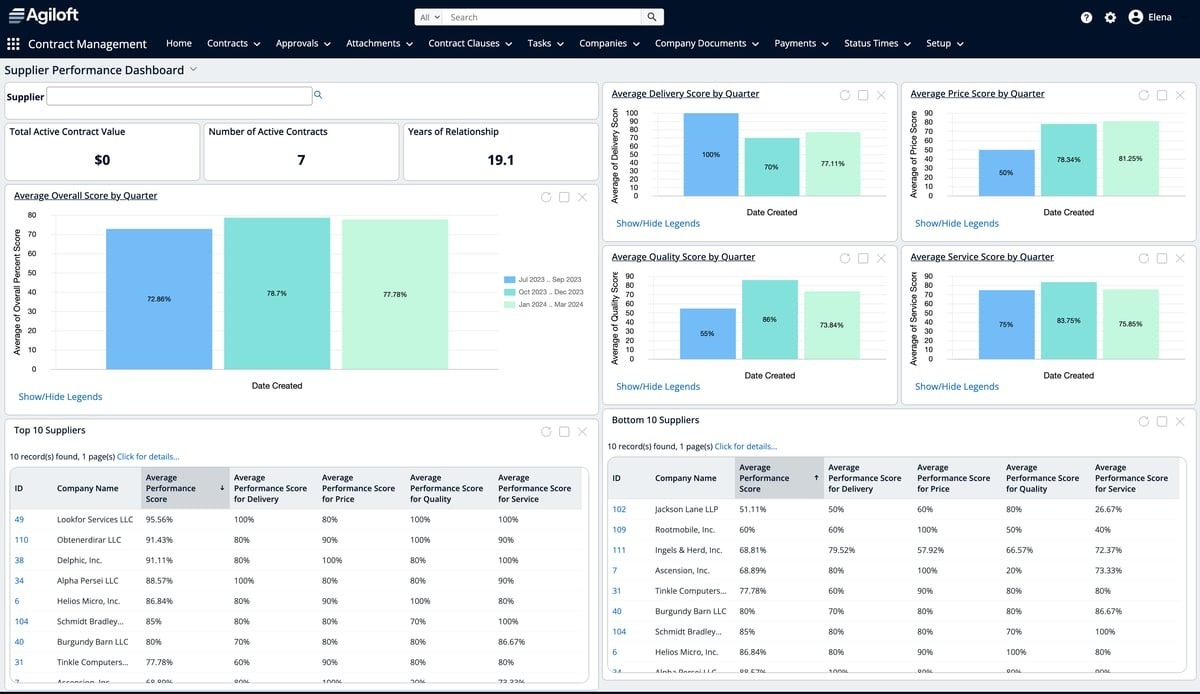
Agiloft
Highly customizable enterprise CLM
Contract analytics
Highly configurable workflows
Complex setup
Large enterprises
You need deep customization and complex workflows.
If Juro doesn’t fully match your needs, don't worry. There are plenty of other tools out there that help manage contracts more efficiently.
1. Aline (A Full-Stack Approach to Contract Management)
Aline is an AI-native contract lifecycle management (CLM) platform that enables teams to handle multiple tasks of a contract from drafting to reviewing and reporting within a single system. It replaces fragmented workflows across tools like Microsoft Word, email, shared drives, spreadsheets, and legacy CLMs.
It consolidates the entire contract process into one integrated platform where teams can redline contracts 5–10× faster and draft agreements significantly quicker using AI-driven pre-built playbooks and workflow automation.
Aline supports every stage of the contract lifecycle from AI-assisted drafting and clause generation to redlining, internal approvals, e-signature, centralized storage, and post-signature analytics.
Its built-in AI handles tasks like identifying risks, suggesting edits, and extracting key terms, reducing the need for manual legal review, helping teams save 10+ hours per week in reporting and reclaiming $30K savings annually.
For teams, the shift is operational:
Legal teams reduce dependency on manual reviews and external counsel for routine contracts, which helps save $40K annually and 15+ hours per week on redlining.
Sales teams no longer wait in approval queues for standard agreements
Finance teams gain direct access to contract data, like renewals and obligations, without relying on manual tracking or spreadsheets.
Aline AI drafts, redlines, and analyzes contracts in real time, allowing teams to process thousands of agreements instantly, save 20+ hours per week on redlining, and reduce external counsel costs by up to $60K annually.
The platform also brings real structure to high-volume teams. Aline Associate can search across your entire repository and trusted legal sources to answer questions or support deeper review. Meanwhile, AI Workflows route intake, approvals, and negotiations with clear visibility.
AlineSign adds built-in electronic signatures, so contracts move from draft to execution without breaking the flow. And with the AI Repository auto-ingesting documents and pulling out metadata instantly, you can organize and report on thousands of agreements with AI auto-tagging.
Playbooks apply your preferred positions automatically. Finally, AI Contract Reporting turns unstructured contract text into actionable insights in seconds.
“Aline is like having a lawyer on call for redlining. It’s incredibly valuable. The ability to use AI to draft new documents instantly, analyze legal language, and redline contracts brought unmatched speed and accuracy.”
Collin Clifford, Head of Legal at Superhuman
$40K
Saved per year on external counsel
Aline customer outcome
15+ hrs
Recaptured per week on redlining
Aline customer outcome
50%
Faster redlining cycle time
Aline customer outcome
Best Features
Aline AI: Draft, redline, and analyze contracts using AI-supported legal workflows. Reduce redlining time by up to 50%, save 20+ hours per week, and cut external counsel costs by $40K–$60K annually.
AI-powered repository: Store and organize contracts in a searchable repository with structured metadata. Find obligations, clauses, and analyze 1-10,000+ contracts in real-time, reducing manual search effort by over 80% and improving audit and compliance readiness.
Built-in e-signature with AlineSign: Send unlimited, secure e-signatures with built-in reporting and audit trail. Eliminate additional software costs and accelerate contract execution by 30–40%, helping deals close faster.
Custom approval workflows: Set up approval processes across legal, sales, and finance teams. Reduce approval delays by up to 40% and remove bottlenecks that slow down deal cycles.
AI contract assistant (Aline Associate): Search and review contracts, flag missing clauses, compliance issues, and risky language. This helps the team save 10–15 hours per team per week by reducing time spent on manual contract lookups and internal back-and-forth.
AI-driven playbooks: Apply predefined rules and fallback clauses to contracts. Standardize contract reviews and reduce review time by 50-75%, lowering dependency on senior legal resources.
Automated contract reporting: Generate reports on renewals, indemnities, and deal terms instantly. Helps save 10+ hours on weekly reporting, improve visibility for finance, and enable faster, data-driven decisions.
Pros
Stop being the bottleneck: Contracts move from drafting to signing without constant legal intervention, cutting turnaround times by up to 50-75%.
Redlining that doesn’t eat your week: Review and edit contracts 5–10× faster, improving the process by 95% through a repeatable playbook.
No more paying extra just to get signatures: Send unlimited e-signatures without separate tools, eliminating additional software costs and reducing delays by 20–30%
Approvals don’t stall deals anymore: Route contracts across legal, sales, and finance in one flow, reducing approval time by up to 40%.
No last-minute data scrambles: Pull renewal dates, obligations, and key terms instantly across thousands of contracts instead of spending hours searching through files.
Your tools finally talk to each other: Sync contract data with Salesforce, HubSpot, and 15+ CRM platforms to reduce manual updates and maintain deal fields consistent across systems.
Evaluating a Juro Alternative? Here’s What Teams Want to Know
Is AI accurate enough for real legal documents?
Aline orchestrates multiple AI models, including GPT-4, Claude, Gemini, and others with a legal-grade scaffolding layer that cross-checks outputs — unlike tools that rely on a single model. Aline is SOC 2 Type II certified with a zero data retention policy. Xevant's Sr. Director of Legal used it to analyze thousands of agreements in real time, reducing turnaround time by 80%.
We’re already paying for Juro. Is switching really worth it?
Yes. Aline consolidates drafting, negotiation, signing, and tracking into one system instead of spreading contracts across Word, email, tools like DocuSign, and spreadsheets. Teams that optimize their contract stack often eliminate 5–7 tools, save 10–15 hours of contract administration work per week, and reduce legal overhead by $40K–$60K annually.
How long does migration from Juro actually take?
Implementation timelines vary depending on contract volume and integrations, but many teams get up and running in 3–4 days rather than months. Aline integrates with document repositories such as Google Drive, SharePoint, Dropbox, and Box, allowing existing contracts to sync into the system without manual uploads.
Will non-legal teams actually adopt it?
Yes. The platform is designed for cross-functional users, not just lawyers. Sales, finance, and procurement stakeholders can review, comment on, and approve contracts through a browser-based interface, reducing the need for extensive training. Many teams begin using the platform’s workflows effectively in their first session.
Best For
Startups, B2B companies, and in-house legal teams need AI-driven contract workflows.
Teams looking to replace multiple tools (Word, e-sign, analytics) with a single CLM platform.
Organizations that prioritize fast contract turnaround with automation and AI-assisted drafting and redlining.
Not Suitable For:
Teams that don’t require AI-heavy contract analysis or automation layers
Organizations preferring simple storage-only contract repositories over full CLM systems.
How teams are using Aline in practice:
Lift
Struggled to scale partnership agreements across a growing global affiliate network, with manual processes creating delays and errors. Automated contract workflows with Aline, enabling sales reps to launch and close agreements independently. Saved 25–30 hours per month and scaled from 100 to 590+ affiliates with full visibility.
Xevant
Faced a heavy redlining workload, with routine contracts taking up to 45 minutes and slowing deal cycles. Used Aline AI to automate drafting and redlining, reducing review time to under 2 minutes. Saved 20+ hours per week and $60K annually, enabling same-day turnaround.
Xevant: routine redline turnaround
45 min
Manual
→
<2 min
With Aline AI
Xevant case study — 20+ hours saved per week, $60K annually
Bison Transportation
Relied on SharePoint and manual tracking, making contract visibility slow and unreliable. Centralized contracts with AI-supported search and reporting for instant access to key data. Saved 10+ hours per week and $30K annually, while managing 10,000+ contracts efficiently.
DocuSign CLM is a contract management tool for people who need structure, automation, and control throughout the entire contract process. It allows legal teams and business users to manage everything from drafting to approvals to signing.
Source: G2
If you already use DocuSign to sign contracts, CLM adds full contract lifecycle support to keep everything sorted and moving.
Plus, compared to tools like Adobe Sign, which mainly focus on the signing process, CLM supports more detailed workflows, clause management, and audit tracking.
Best Features
Custom workflows: Route contracts for review and approval based on roles, deal size, or department.
Clause library: Reuse approved language to save time and keep contracts consistent.
Granular permissions: Control access based on team, contract type, or project.
DocuSign eSignature integration: Use one platform to manage and sign contracts.
Audit trails: Monitor every step in the process with detailed logs.
Seamless integrations with CRMs: Connect with Salesforce and other tools to sync contract and deal data.
Pros
Good for professionals handling complex approvals
Compliance tools with full visibility into contract status
Seamless signing process through native DocuSign integration
Works across legal, sales, and procurement departments.
Best For:
Enterprises already using the DocuSign ecosystem for e-signature and agreement workflows.
Companies needing strong compliance, audit trails, and enterprise-grade security.
Teams managing complex approval workflows and integrations.
Less Suitable For
SMBs looking for lightweight, cost-effective CLM solutions
Teams needing quick implementation and minimal setup complexity.
3. ContractWorks
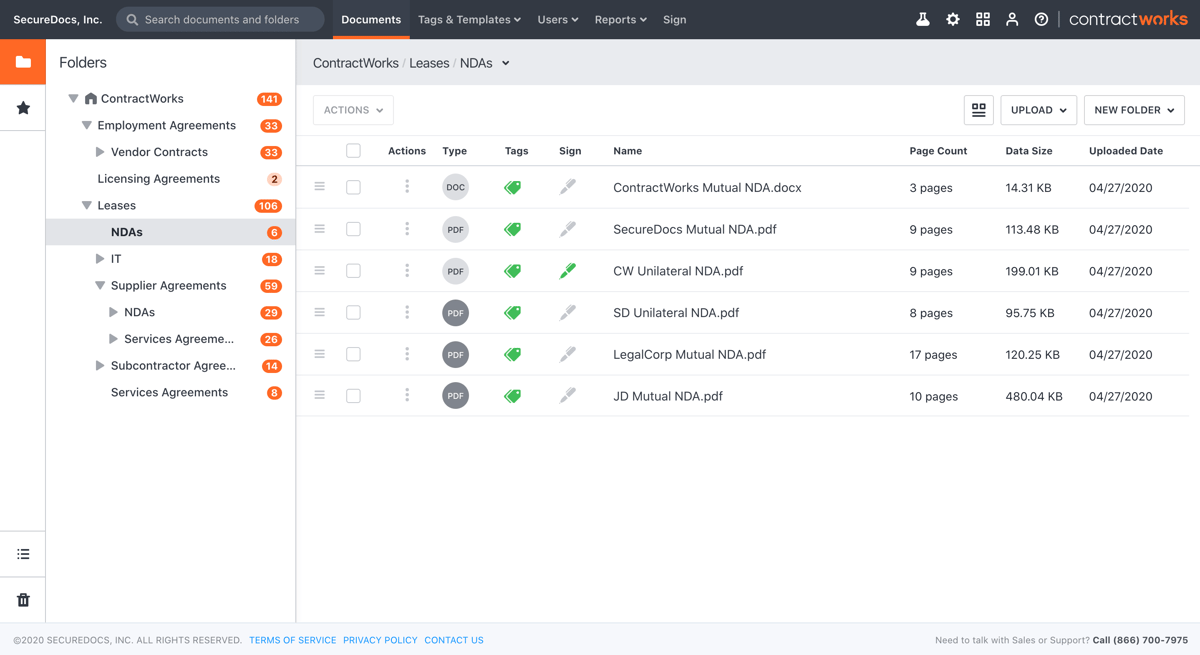
ContractWorks is a straightforward contract management solution focused on helping users organize, sign, and track agreements. It’s a solid pick for businesses that don’t need a ton of extras but still want to streamline contract management and keep things in order.
Source: G2
It works especially well for managing legacy contracts and keeping key documents in one central place. It’s often used by smaller legal teams or operations managers who just want to get contracts in and out efficiently.
Best Features
Smart document tagging: Label and sort contracts by type, date, value, or other fields.
Custom alerts: Get reminders before contracts expire or renew.
Built-in e-signature: Sign contracts securely without leaving the platform.
Simple folder structure: Organize documents with an easy-to-use filing system.
Quick search: Find contracts fast using a keyword or filter-based search.
Reporting dashboard: Oversee key contract metrics at a glance.
Pros
Easy setup and simple user experience
Good for managing legacy contracts and existing files
SMBs looking for a simple, secure contract storage and tracking
Teams focused on alerts, search, and document organization rather than full CLM.
Organizations that need fast deployment with minimal training.
Not Suitable For:
Enterprises needing advanced automation or AI capabilities
Companies looking for end-to-end lifecycle management.
4. PandaDoc
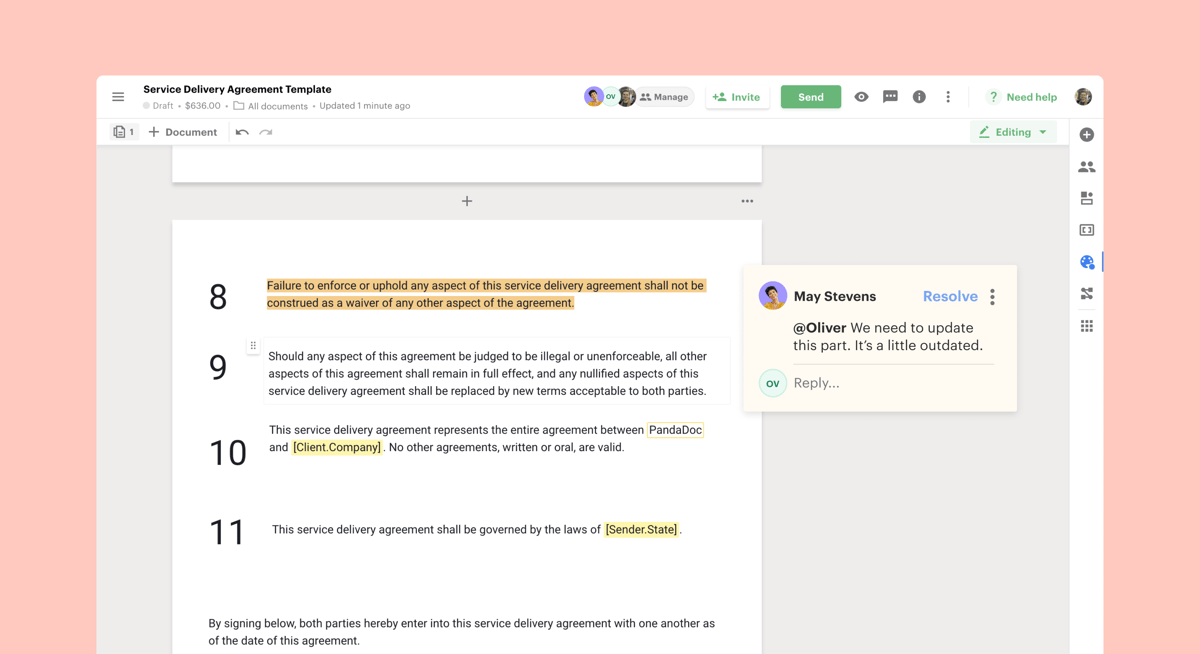
PandaDoc is a cloud-based platform that lets you create, send, and monitor business documents. These include contracts, quotes, proposals, and more.
Source: G2
This web-based platform is designed for speed and simplicity, which makes it a popular choice among sales, marketing, and operations. It focuses on contract generation, approvals, and eSignatures, all through a user-friendly interface.
Unlike other popular platforms that are more legal-heavy, PandaDoc leans toward users who want to move fast and keep things looking polished.
It’s a good option for businesses exploring alternatives to manage documents without the need for legal teams to get involved in every step.
Best Features
Contract templates: Set up reusable formats for common agreements.
Drag-and-drop document editor: Customize contracts without coding or design tools.
Real-time notifications: Know when someone views, comments on, or signs your document.
Approval workflows: Route documents for internal sign-off before sending them out.
Content library: Store product info, pricing tables, and standard clauses for quick reuse.
CRM and app integrations: Connects with Salesforce, HubSpot, Zoho, and more.
Smooth document creation with little training required
Polished, user-friendly interface
Saves time with templates and a strong content library
Best For:
Sales-driven teams needing proposals, quotes, and contract generation in one tool
SMBs prioritizing ease of use and fast document creation
Teams needing a built-in e-signature with templates.
Not Suitable For:
Legal teams requiring deep CLM functionality or compliance tracking.
Small teams on a budget, as advanced features are available only on the high-tier plans.
5. Concord
Concord is another contract management platform that allows you to create, collaborate on, and manage contracts from start to finish. Its design makes it a good choice for businesses that want a comprehensive solution without a steep learning curve.
Source: G2
Concord supports everything from contract drafting to eSignatures and offers features that help various departments stay on the same page.
One of its strengths is how accessible it is. Concord focuses on user adoption with a clean interface and easy onboarding.
Best Features
Document templates: Build and reuse standard contracts to save time and reduce errors.
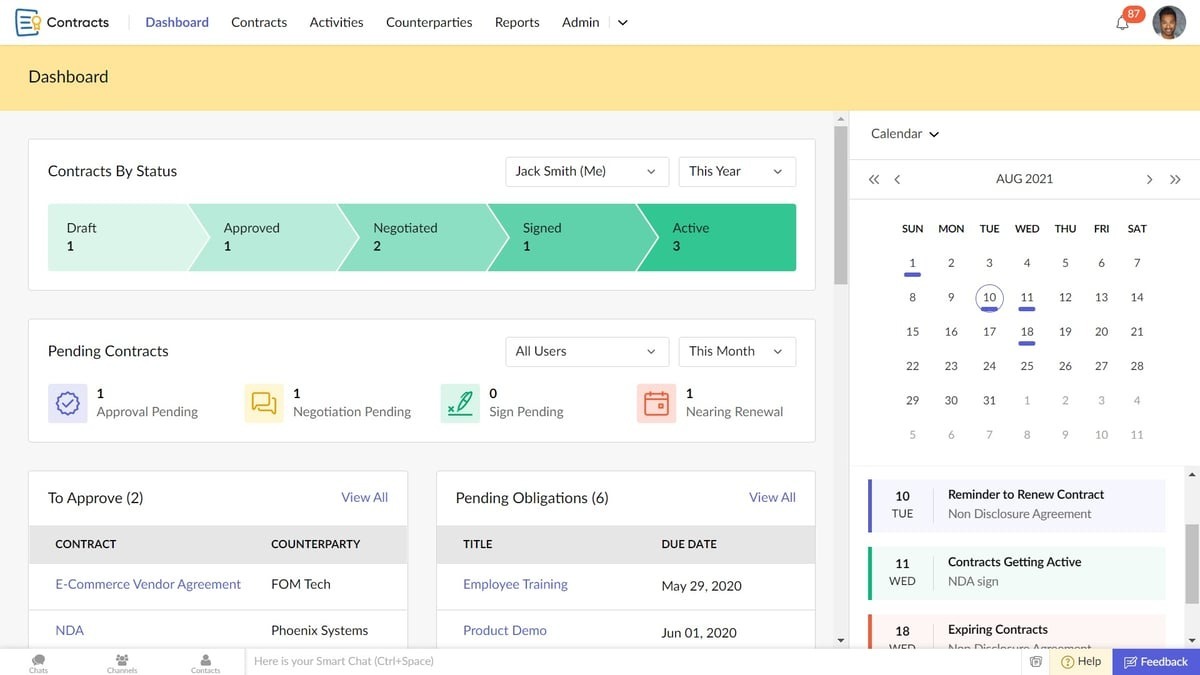
Zoho Contracts is part of the larger Zoho suite, created to help companies manage the full contract lifecycle within a unified workspace. It’s especially useful for teams that already use other Zoho apps like Zoho Sign, but it also works well on its own.
Source: G2
The platform combines robust features like drafting, approvals, eSignatures, and renewals to help with better organization and contract risk management.
With a centralized repository, customizable templates, and easy integration with key business systems, Zoho Contracts gives users the right tools to handle contracts without switching between platforms.
Best Features
Customizable templates: Create contract types that match your business needs.
Approval workflows: Automate internal contract reviews and sign-offs.
Centralized repository: Store and organize all contracts with easy access and filters.
Version control: Keep a full history of edits and approvals for every document.
Clause library: Reuse standard clauses to save time and maintain consistency.
Zoho ecosystem integrations: Syncs with Zoho CRM, Zoho Books, and more.
Pros
Works well within the Zoho platform and other key business systems
Custom templates and approval flows increase efficiency
Version control supports clear tracking and accountability
Easy to adopt for legal and non-legal users
Best For:
Businesses already in the Zoho ecosystem
SMBs needing affordable CLM with workflow automation
Teams looking for structured contract lifecycle tracking.
Not Suitable For:
Enterprises needing deep customization beyond the Zoho ecosystem limits
Teams that need highly intuitive search or effortless contract tracking from day one.
7. ContractPodAi (Leah)
ContractPodAi (Rebranded as Leah) is a legal-focused contract management platform that supports the full contract lifecycle. It’s often chosen by in-house legal teams looking for their first CLM that balances automation with control.
Source: G2
The platform brings together contract creation, negotiation, approvals, and e-signing into one unified workspace. It’s flexible enough to support different document formats, including full integration with Microsoft Word, so legal teams can work in the environment they’re used to.
Compared to other alternatives, this platform stands out with its legal AI tools and guided workflows. These features can help users meet specific needs around compliance, risk, and document management.
Best Features
Microsoft Word integration: Draft and edit contracts directly in Word or within the platform.
Document format support: Work with DOCX, PDF, and other common file types.
eSignature tool: Send and sign legally binding agreements in-platform.
AI legal assistant: Use AI to review terms, identify risks, and suggest redlines.
Central contract workspace: Manage all documents and monitor progress through one interface.
Pros
Suitable for legal teams getting started with CLM
Keeps everything in one workspace
Works well with Microsoft Word for easier contract editing
Strong AI features support review and compliance
Flexible enough to meet industry-specific needs
Best For:
Enterprises seeking AI-powered legal automation and contract analytics.
Legal teams managing large contract volumes with compliance requirements
Organizations needing configurable workflows and legal AI assistance.
Not Suitable For:
Teams looking for a quick setup without implementation overhead
Organizations not ready to invest in AI-led legal transformation.
8. Aavenir Contractflow
Aavenir Contractflow is a contract lifecycle management solution built on the ServiceNow platform. If your company already uses ServiceNow, Aavenir Contractflow fits right into that environment.
Source: G2
For businesses with specific requirements around compliance, data visibility, and role-based access, Aavenir offers the kind of structure that simpler tools may lack.
This platform supports everything from intake to renewal tracking, with automation and reporting built in.
Best Features
Contract request intake: Create standardized forms to manage and track contract needs.
Automated workflows: Route documents through custom approval paths based on your process.
Clause and template library: Speed up contract creation using approved legal language.
Built-in eSignature: Sign contracts securely without relying on outside platforms.
Reporting dashboards: Monitor timelines, obligations, and contract value.
ServiceNow integration: Seamlessly works with your existing systems.
Pros
Works well for companies with structured approval processes
Great fit for teams already using ServiceNow
Supports detailed tracking and compliance requirements
Helps manage procurement and vendor relationships
Offers strong automation and reporting features
Best For:
Enterprises using ServiceNow needing procurement-driven contract workflows
Teams requiring structured, compliance-heavy processes
Organizations managing contracts tightly linked to procurement and sourcing.
Not Suitable For:
Teams that prefer simple, ready-to-use tools, as the platform can feel complex without support.
SMBs needing lightweight CLM tools.
9. Malbek CLM
Malbek CLM is a contract lifecycle management platform that helps you handle contracts with clear workflows, search tools, and tracking woven into it.
Source: Malbek.io
Thanks to features like custom dashboards, clause libraries, and smart search tools, Malbek gives businesses the structure they need while keeping things easy to use.
It’s a suitable fit for companies that want better access to contract data, coordinated workflows, and support for collaboration across departments.
Best Features
Clause library: Maintain and reuse approved contract language.
Custom dashboards: See contract stages, deadlines, and key metrics in real time.
AI-powered search: Find specific terms, clauses, or documents quickly.
Teams requiring deep no-code customization at scale.
10. Hyperstart CLM
Hyperstart CLM is a contract management platform made for startups and small teams that want to handle contracts quickly and without extra layers. It covers drafting, approvals, signatures, and tracking all in a clean, straightforward setup.
Source: G2
The platform focuses on keeping things simple while still offering useful tools like role-based access, audit logs, and automated workflows.
For teams without dedicated legal staff or complex review processes, Hyperstart CLM offers just the right level of structure to keep things moving.
Best Features
Contract drafting tools: Create and edit agreements in a shared workspace.
Approval tracking: Route contracts to the right people and supervise sign-offs.
Role-based access: Control who can view, edit, or sign documents.
eSignatures: Send and sign contracts securely in-platform.
Simple dashboard: Get a clear view of contract status, deadlines, and next steps.
Secure storage: Keep contracts safe and searchable in a central location.
Pros
Easy to use for small or fast-moving teams
Covers all basic contract lifecycle steps without extra complexity
Quick setup and low learning curve
Supports team collaboration with access controls
Budget-friendly for startups and growing companies
Teams looking to eliminate manual contract work through automation and AI-powered metadata extraction
Teams that need centralized contract visibility without maintaining separate databases.
Not Suitable For:
Enterprises needing deep customization and complex workflows
Teams requiring advanced AI/legal analytics.
11. Agiloft
Agiloft is a contract lifecycle management platform suitable for large enterprises with complex needs. It offers a wide range of features for drafting, negotiation, approvals, storage, and reporting. You also get a system that can be fully customized to match internal processes.
Source: G2
Many companies choose Agiloft when they need a platform that can adapt to their structure, not the other way around. Known for its flexibility, Agiloft allows organizations to build detailed workflows, set custom rules, and connect contracts to other business systems.
While the implementation process can take time due to the level of customization, it pays off if you want full control over how contracts are handled across departments.
Best Features
No-code customization: Configure workflows, forms, and rules without writing code.
Advanced approval routing: Set up detailed review and sign-off paths based on business logic.
Audit trails and reporting: Oversee every action and generate contract reports with ease.
Clause library: Reuse approved contract language to stay consistent.
eSignature integration: Connect with tools like DocuSign and Adobe Sign for secure signatures.
Document storage: Store contracts securely with search and tagging tools.
Pros
Highly configurable for large enterprises with complex legal workflows
Detailed approval and review paths
Strong audit and reporting tools
Works well across legal, procurement, and finance departments
No-code setup helps reduce IT involvement over time
Organizations managing complex contract processes across departments
Teams wanting fast implementation without configuration effort.
Choose Aline for Optimized, End-to-End Contract Workflow
Most Juro alternatives focus on improving a single step in the contract process, such as drafting, signing, or storage. As contract volume and complexity grow, managing multiple tools brings in coordination gaps and slows workflows.
Aline takes a different approach. Instead of optimizing isolated steps, it replaces the entire contract stack. Drafting, redlining, approvals, e-signature, and reporting all operate within a single system, so contracts move forward without constant handoffs, manual follow-ups, or disconnected data.
This shift changes how teams operate. Legal is no longer pulled into every routine review, sales can move deals forward without delays, and finance gains direct visibility into contract data without relying on manual tracking. What you get by leveraging Aline is a contract process that scales and is easier to manage as your business grows.
That’s reflected in adoption. Aline is trusted by over 100 companies across 10+ countries, supports 2,000+ users, and maintains a 97% customer retention rate, with most teams fully deployed in just 3–4 days.
97%
Customer retention rate across 100+ companies in 10+ countries and 2,000+ users, with most teams fully deployed in 3–4 days.
DocuSign centers on electronic signatures, while Juro combines drafting, collaboration, approvals, and e-signing so teams can manage the full contract workflow in one place.
Is Juro reliable?
Yes. Many legal and business teams use it for structured workflows, though some users look for alternatives that offer broader integrations or more flexibility.
What is DocuSign's biggest competitor?
Adobe Sign is frequently viewed as DocuSign’s closest competitor, with Dropbox Sign also appealing to teams that want a simpler e-signature tool.
How do Juro alternatives handle contract creation?
Most top Juro alternatives offer templates, clause libraries, and flexible editors that make contract creation faster. Many also let you import legacy contracts, so your entire library follows the same structure.
Is there a cost-effective alternative to Juro?
Yes. Several platforms offer budget-friendly plans with key features like e-signatures, approvals, and tracking important dates. Dropbox Sign is a common pick for teams that only need core functionality.
Do Juro competitors provide strong customization options?
They do. Many offer deeper customization across workflows, fields, review steps, and integrations, which helps teams adapt the platform to their exact process and get more from the features offered.
A master service agreement is a legally binding agreement that outlines the responsibilities and expectations of each party. Find out all about them here.