Say your sales team closes a deal, but the contract’s stuck in legal review. Emails go back and forth. Someone edits the wrong version. A signature gets missed. Now the deal’s delayed, and everyone’s frustrated.
That’s the kind of mess contract collaboration software helps you avoid. It brings legal, sales, finance, and other teams together in one shared workspace to manage contracts from draft to signature in a clear, organized way.
But how exactly does this kind of software keep everyone aligned and the process moving?
In this guide, we’ll break down what contract collaboration software does, why it matters, and which tools offer the right features for your needs.
Contract collaboration software is a tool built for teams that are done wasting time with clunky email threads, mismatched file versions, and “Where’s the signed copy?” headaches.
It gives everyone a single space to review, edit, and approve contracts without the typical back-and-forth. In most cases, that includes legal, sales, finance, and even external partners,
This means that instead of passing documents around like a hot potato, you can work together in real time. Comments stay where they belong, edits are tracked automatically, and approvals follow a clear path throughout the entire contract lifecycle.
Think of it as a shared contract workspace with built-in rules and smart tools that allow you to:
Essentially, it's a practical fix to a common problem: too many people working on the same contract without structure. With contract collaboration software, you can keep everyone in sync and cut out the noise so contracts move forward without confusion or delays.
As you know by now, managing contracts manually often leads to problems like slow reviews, missed edits, and confusion around who’s responsible for what. A contract collaboration tool helps your team work more efficiently from start to finish.
Here’s how it helps:
There are plenty of contract tools out there, but not all of them are built with true teamwork in mind. Below are some of the best contract collaboration platforms that help teams work together more efficiently.
Aline is an AI-powered contract lifecycle management platform perfect for teams that want to get contracts done as quickly and efficiently as possible. If you’ve ever felt stuck waiting on edits, approvals, or signatures, this tool was made with you in mind.
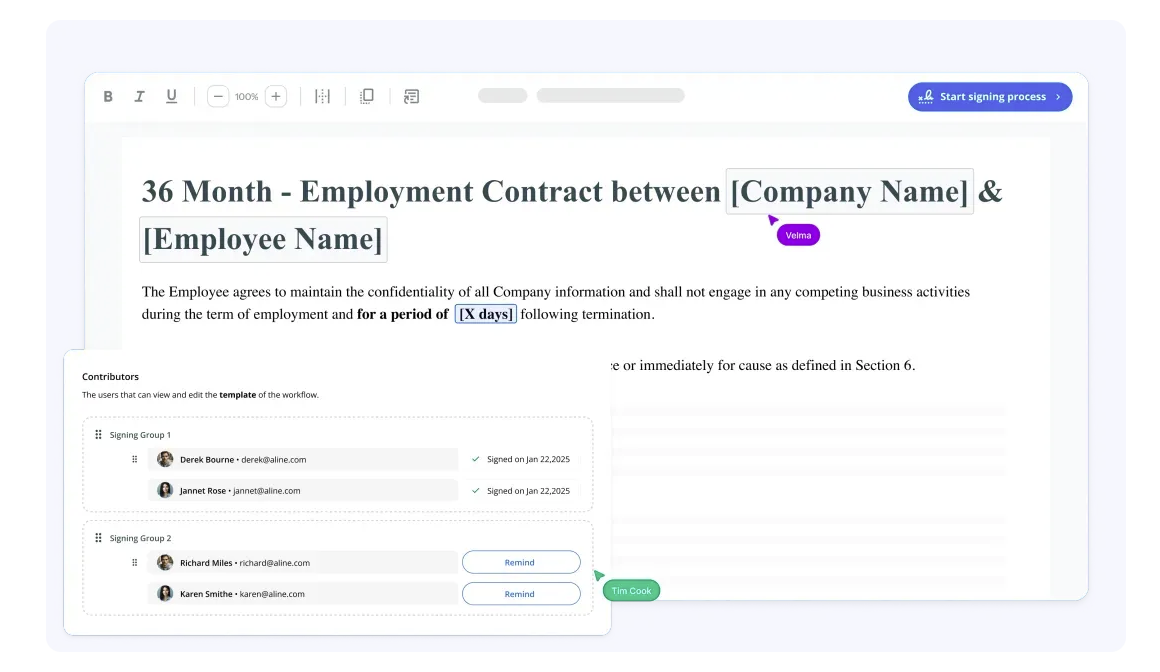
It combines all major contract management processes (drafting, negotiating, signing, and tracking) into one clean interface. This way, you don’t have to jump between Word, email, or DocuSign, which also means you can get rid of disconnected systems.
With Aline, legal, sales, and finance teams can work together without stepping on each other’s toes. Plus, AI handles the heavy lifting, helping you draft and review contracts much faster, sometimes in a fraction of the time.
Whether you’re closing deals or reviewing vendor contracts, Aline keeps things moving.
Want to see how Aline can help you effectively manage your contracts? Start your free trial today!
Juro is a browser-based contract collaboration platform that helps legal and business teams manage contracts in a shared workspace.
It’s especially handy for scaling companies that want a simple, all-in-one workspace for creating, reviewing, and signing contracts.
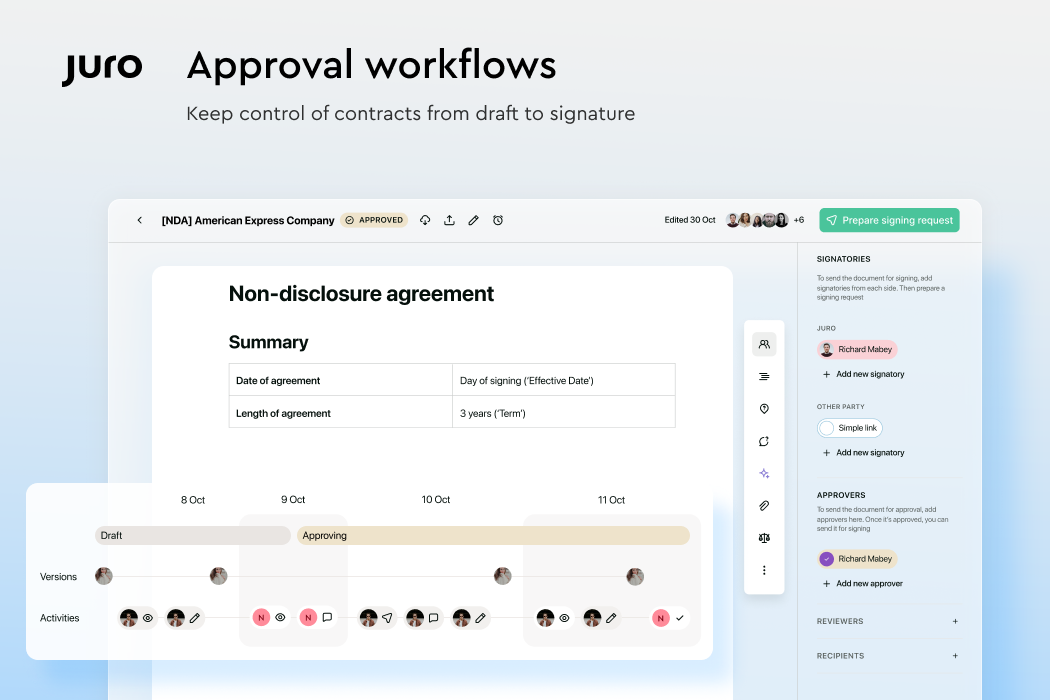
With a focus on speed and usability, Juro removes the need for Word documents and PDF attachments. Everything happens in one place, which makes the contract process more organized and less time-consuming.
It also cuts down on repetitive tasks that usually come with switching between other tools, like copying text between Microsoft Word and email or uploading signed versions to Google Drive.
Icertis is an enterprise-level contract lifecycle management platform built for companies that manage large volumes of contracts across multiple departments.
This platform is particularly beneficial for legal teams and sales teams that need full visibility and control over contract data, from contract creation to final approval.
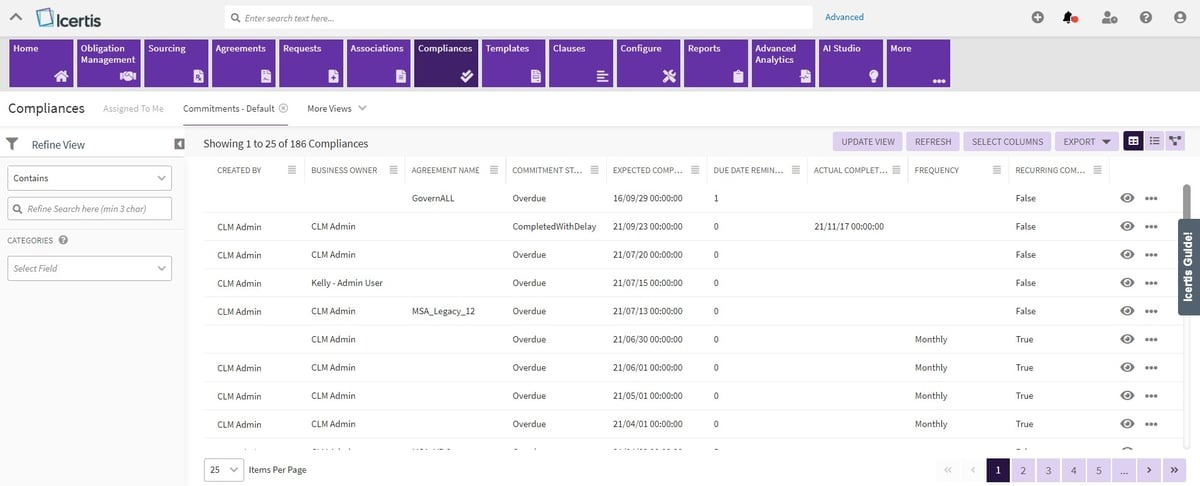
In terms of collaboration, Icertis centralizes everything in one secure place, which makes it easier for teams to communicate, manage risk, and stay compliant.
Whether you're handling vendor agreements, sales contracts, or internal policies, Icertis helps make sure every step in the contract lifecycle is tracked and organized.
Hyperstart is a lightweight contract management platform for small businesses, more suitable for fast-moving teams that need to simplify the contract negotiation process.
It’s built with startups and growth-stage companies in mind, offering just the right balance of speed, structure, and visibility.
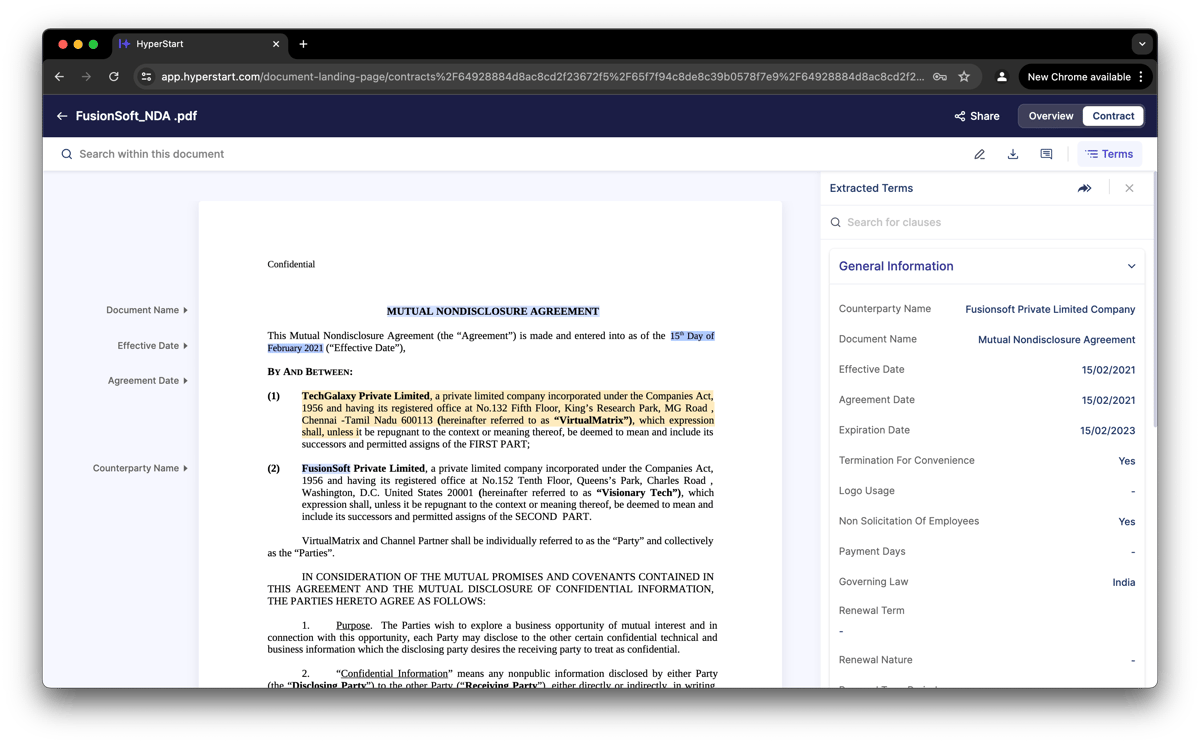
Hyperstart focuses on helping teams close deals faster while maintaining compliance and clear oversight. Its clean interface supports collaboration, change tracking, and smooth approval routing.
For smaller teams managing multiple deals, it offers a practical way to stay organized and keep every agreement moving.
ContractWorks is a simple, no-frills contract management solution for teams that need an organized, reliable way to manage agreements.
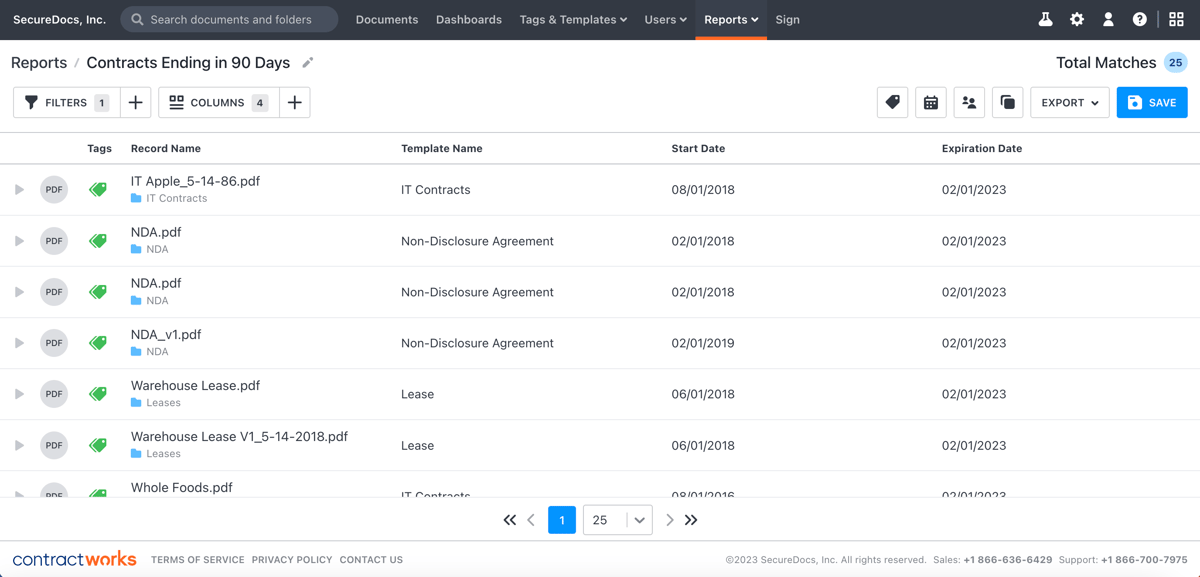
It’s useful for legal teams handling large volumes of contracts as well as non-legal teams that need quick access to signed documents and status updates.
The platform focuses on core contract functions (storing, signing, and tracking) while minimizing manual errors that often occur during reviews or renewals.
With features like version control and workflow automation, ContractWorks helps teams streamline approvals and maintain visibility across every stage of the contract lifecycle.
If your contracts are scattered across tools and buried in email threads, your tech stack may be holding you back.
Aline brings everything together in one shared workspace where every team stays connected and involved through every step.

Legal, sales, finance, and client stakeholders can all collaborate in real time while Aline’s AI handles repetitive tasks that slow progress. At the same time, built-in compliance workflows make sure that each agreement meets legal requirements, so nothing slips through.
What you get is a clear, efficient process that reduces manual errors and keeps your clients informed every step of the way.
Try Aline today to see how much simpler contract collaboration can be when everything works in sync.
Not exactly. Contract management software focuses on the full contract lifecycle. Contract collaboration software is more focused on the drafting, editing, and approval phases. Some tools combine both and offer collaboration features alongside broader management functions. That includes Aline.
A native contract editor is built specifically for contracts. It supports structured templates, version tracking, and role-based access, all within the same platform. Unlike Word or Docs, you won’t need to switch tools for comments, approvals, or signatures. Everything happens in one place, designed for legal workflows.
Yes. Most contract collaboration platforms offer detailed permission settings. Legal teams can have full editing rights, while sales, finance, or external reviewers can be limited to comments or read-only access. This helps maintain complete control over contract terms and changes.
Email and shared drives lack structure. There’s no version control, no workflow tracking, and no audit trail. Contract collaboration software keeps everything in order, so you know who made changes, what’s pending, and what’s been approved.
It improves the contract management process by giving your organization one secure platform to handle contracts from creation to signature. Teams can draft, review, and approve agreements in real time while maintaining version control and compliance. For companies offering services or working with multiple departments, this setup keeps every document organized, accessible, and aligned with internal policies and client expectations.











