Legal departments rarely struggle because the work itself is unfamiliar. The strain usually comes from problems like volume, fragmented processes, and the amount of coordination needed to keep everything moving.
And as that pressure builds, even capable teams can end up spending too much time managing the process around the work.
Legal workflow automation tools can help create a more deliberate operating model. For example, they can give recurring work a clearer path, make progress easier to follow, and reduce the amount of manual effort needed to keep people aligned.
For in-house counsel and legal operations teams weighing new technology, the key consideration often extends beyond whether automation can deliver value.
Instead, it centers on identifying the platform that best aligns with the department’s strategic priorities, operational workflows, and long-term objectives.
In this guide, we'll look at how legal department automation functions, what these tools are designed to handle, and eight software options worth a closer look.
Legal department automation uses software to make routine legal work easier to manage. Generally speaking, it gives your team a more consistent way to handle recurring processes and keep work moving from one stage to the next.
In practice, that often means building clearer workflows around areas such as:
From there, legal workflow automation software can support one process or connect several parts of the department’s work. The setup will usually depend on where your legal team spends the most time and which processes need better visibility.
As workloads grow, legal operations teams can use automation to bring more structure to the department. Meanwhile, lawyers still make the decisions that call for judgment, while the software helps organize the steps around them and gives everyone a clearer view of progress.
Putting legal department automation into practice starts with the software that runs the process. A legal department automation tool helps your team manage recurring work through rules, triggers, and connected workflows.
A tool may support one part of the legal workflow, such as request intake, or cover a broader portion of the department’s work. Some legal tech tools focus on contracts, while others are designed for areas like matter management, legal spend, compliance, research, or internal service delivery.
What sets a legal automation tool apart is its ability to move work forward. It can route requests, assign tasks, send alerts, collect approvals, and update records as each step is completed.
As a result, your team gets a more predictable process and a clearer view of progress. You still decide how the work should be handled, while the software carries out many of the routine steps around it.
Different platforms solve different problems, so the strongest choice comes down to how your legal team works and where it needs the most support.
The options below cover a range of legal automation needs to give you a clearer sense of which platform may fit your team’s processes and priorities:
Aline brings the full contract process into one connected workspace, so your legal team can handle drafting, review, approvals, signing, and reporting without moving between several disconnected tools.
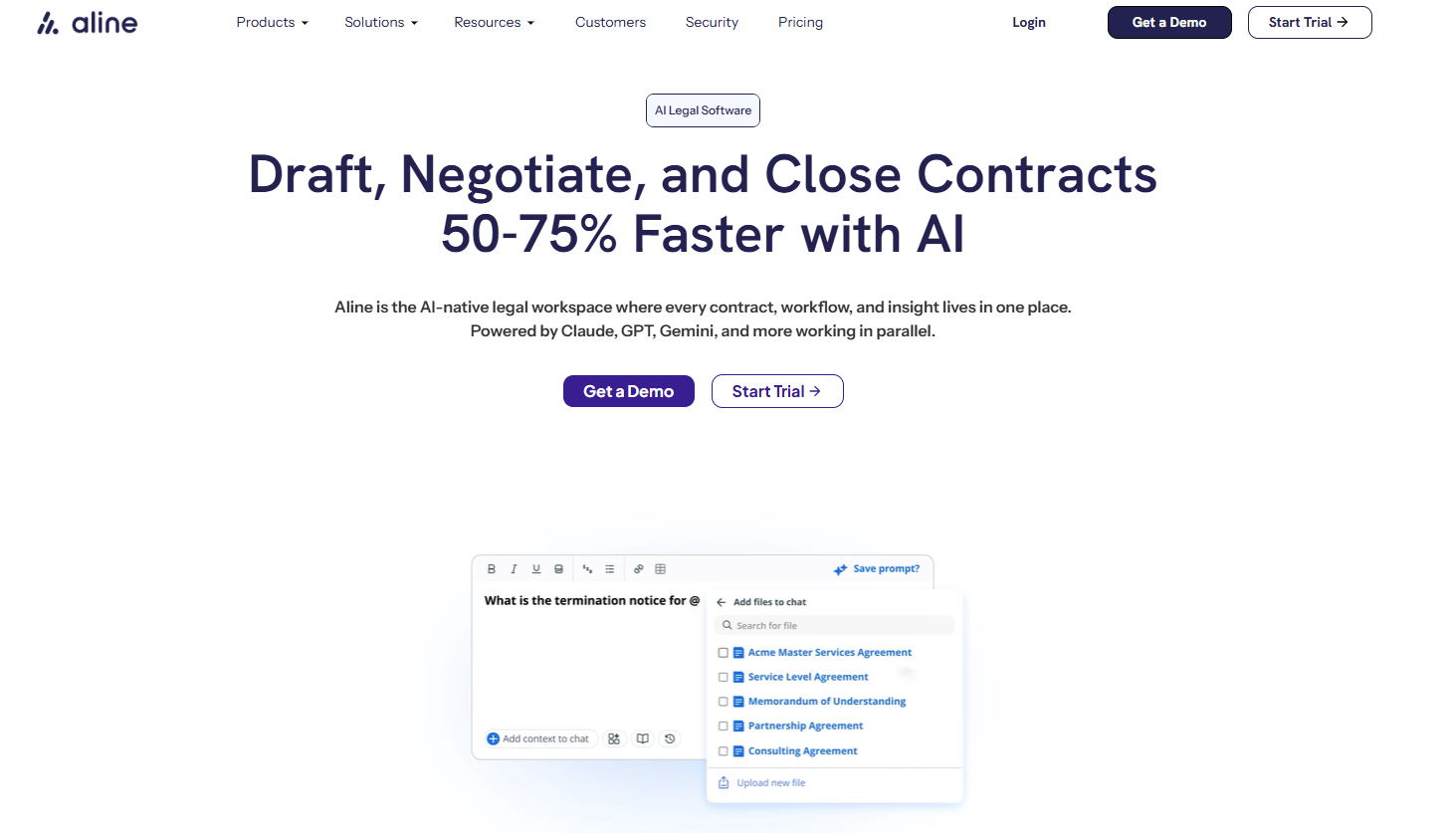
Its contract lifecycle management features combine document automation, AI-assisted review, workflow controls, and native e-signatures, giving you a clearer way to manage contracts from start to finish.
That connected structure can be especially useful when routine tasks begin to take up too much of your team’s time. You can generate compliant documents from approved templates, send them to the right reviewers, track changes, and capture important data as each agreement progresses.
As a result, your team gets a more organized contract management process and a clearer view of what still needs attention.
Book a demo or start your free trial now.
LawVu is a connected legal workspace built for in-house legal teams that want to bring their work into one system.
It combines matter management, contract management, legal intake, spend management, document storage, knowledge tools, and AI, giving your team a broader view of how legal work moves through the department.
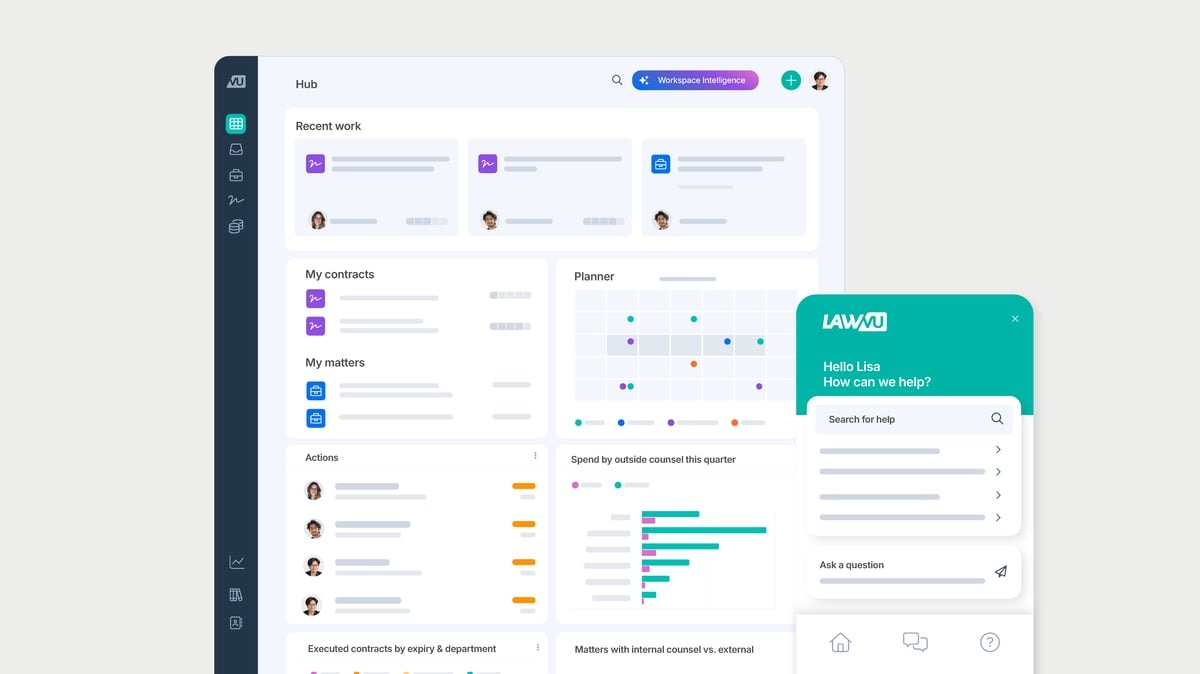
That wider scope makes LawVu useful when your existing workflows rely on multiple systems or scattered requests from business teams. You can centralize incoming work, route it to the right people, track progress, and keep related documents and decisions attached to the relevant matter.
Law firms and outside counsel can also collaborate with your team through the platform, particularly around spend and matter updates.
Onit is designed for legal departments that need automation to reach beyond one narrow workflow. Rather than centering the experience on a single function, the platform lets teams build processes around the way legal work already moves through the business.
That flexibility is a major part of its appeal. Your team can use Onit to reduce manual tasks, coordinate work tied to multiple documents, and create clearer rules around reviews, approvals, and ownership.
The platform also connects operational data with reporting, which gives legal leaders a better view of workload, spend, and process performance.
For departments with complex business operations, Onit can serve as a broad automation solution that adapts to different legal processes while supporting consistency and ensuring compliance.
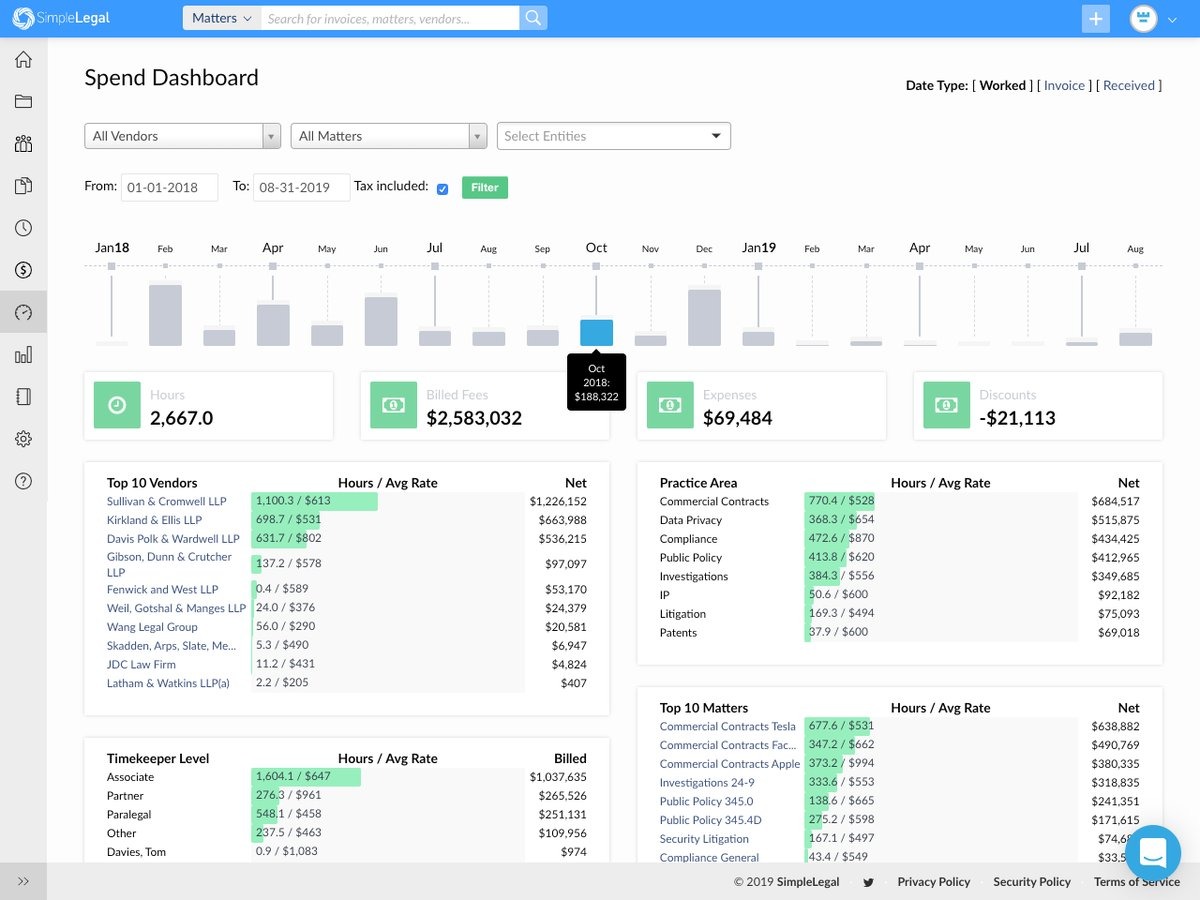
Brightflag takes a more focused approach to legal department automation, centering on legal spend and matter management. Corporate legal teams can use it to review invoices, track budgets, manage outside counsel, and keep a clearer record of the work tied to each matter.
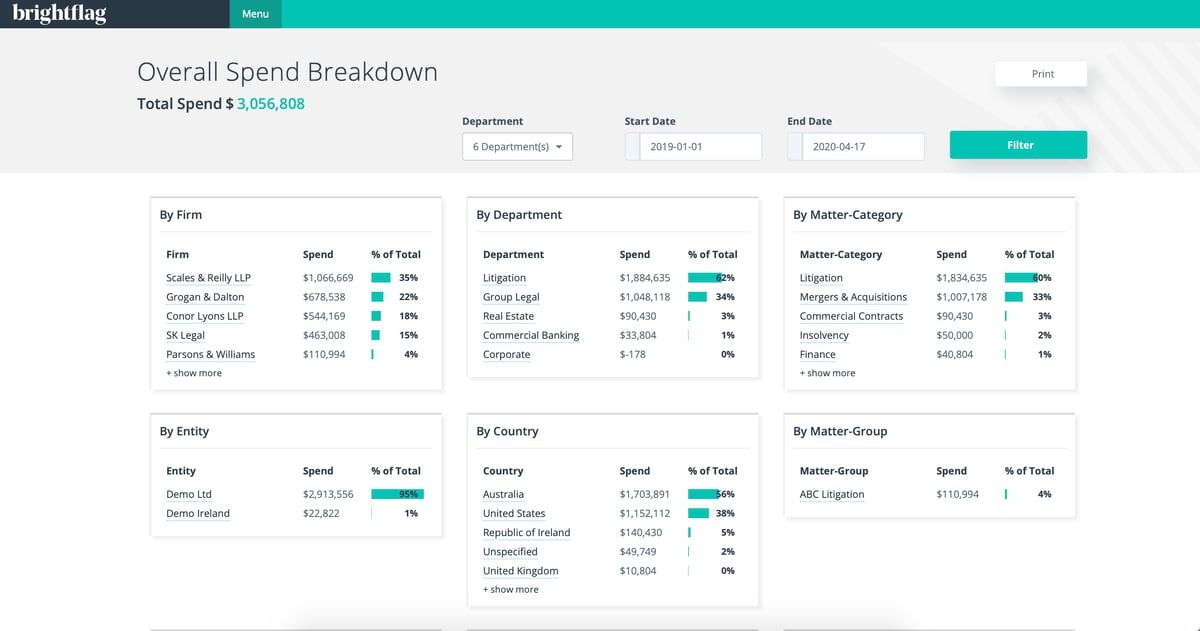
Much of the automation happens around financial control. Brightflag’s AI reviews legal bills against billing guidelines, surfaces questionable charges, and routes invoices through the appropriate approval process. That can create meaningful cost savings while giving legal professionals better data on where money is going.
The platform connects legal work with other departments, too. Finance teams gain more reliable spend data, while legal leaders can compare firms, monitor budgets, and report on performance.
In turn, that visibility enables lawyers to spend less time reviewing invoices and more time on substantive work.
Mitratech TeamConnect is built for large legal departments that need a dependable system for complex work.
It brings matter management, e-billing, outside counsel oversight, reporting, and compliance obligations into one platform, which can give your team a clearer picture of both legal activity and spend.
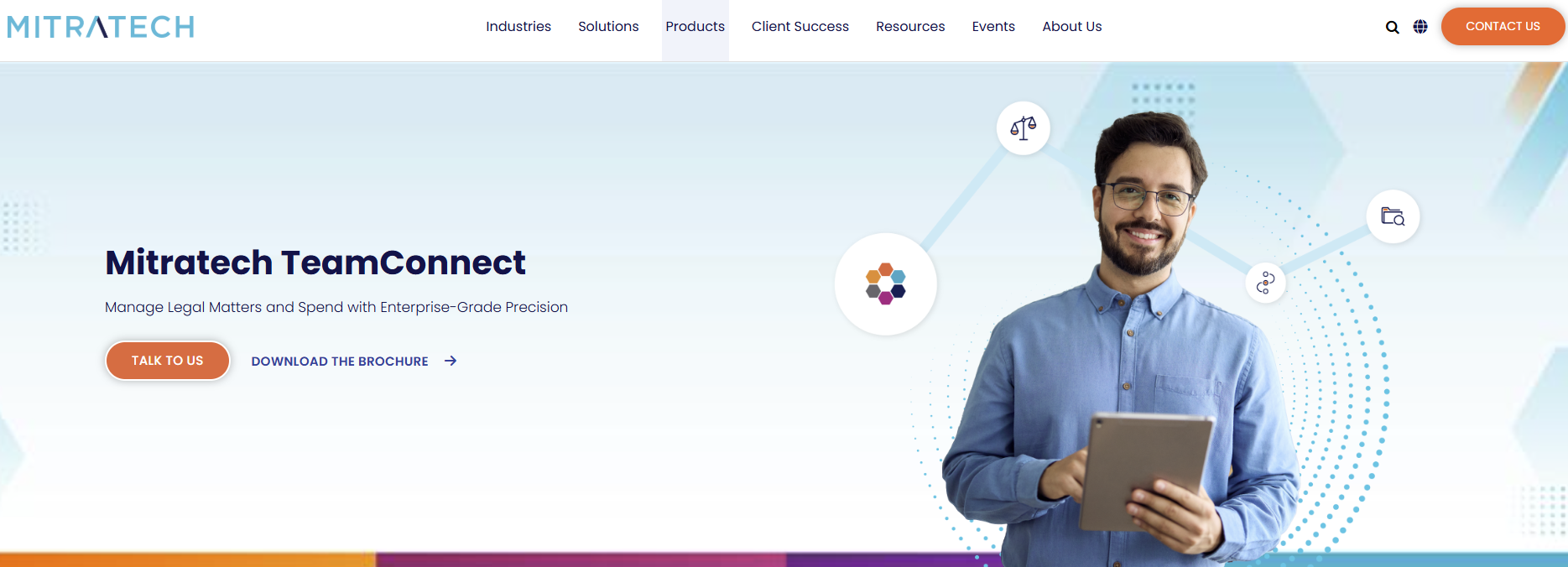
Where TeamConnect stands out is configurability. Its legal workflow management software includes business rules, notifications, dashboards, and no-code tools that let you shape processes around your department’s requirements.
The platform can connect with existing systems, including document management platforms and Microsoft Outlook, while its API supports broader integrations throughout the legal tech stack.
That makes it a strong option when legal work needs to stay connected with finance or procurement systems. Your team can keep its established infrastructure while using TeamConnect as the central source for matter data, invoices, and performance reporting.
Checkbox works well for legal departments that want to shape automation around their own processes rather than adapt to a rigid system.
Its no-code builder lets your team create intake paths, approval flows, self-service tools, and document workflows with rules that reflect how work already moves through the department.
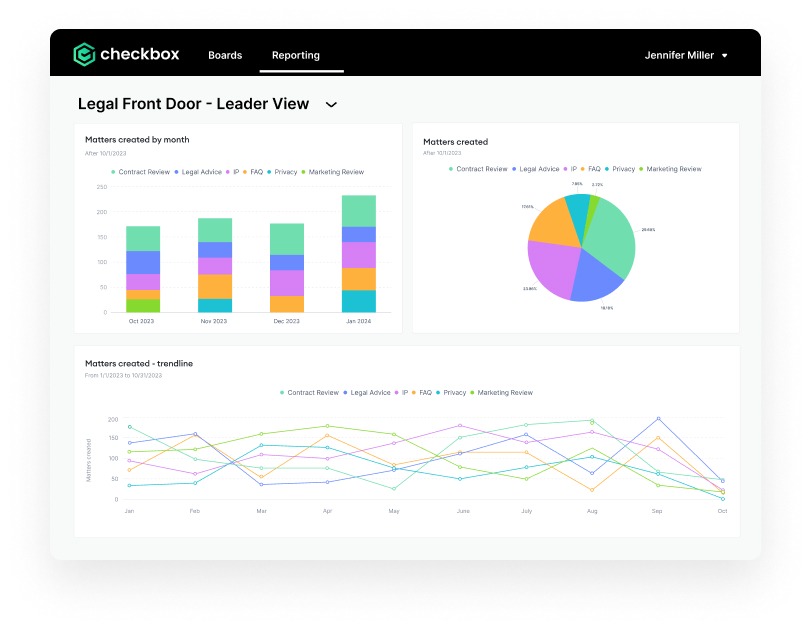
The platform is especially useful when requests arrive through several channels. Checkbox can pull work into one structured process, then route it based on details like request type, urgency, or responsible team.
Document work fits into the same structure. Teams can generate files, manage approvals, and keep version control easier to follow as drafts move through review.
And since Checkbox connects with existing tools such as Slack, Microsoft Teams, email, and Salesforce, business users can keep working in familiar systems while legal gains better oversight.
CoCounsel takes legal department automation in a different direction. Rather than centering on intake or operational workflows, it focuses on the substance of legal work, helping your team research, draft, review, and analyze documents through one AI-powered environment.
That makes it especially useful when lawyers are working through complex legal documents or unfamiliar questions of governing law.
CoCounsel can search trusted Thomson Reuters resources, summarize lengthy files, compare language, and help prepare new work product from a plain-language request.
Its legal document automation capabilities extend into Microsoft Word, so your team can revise and finalize documents within a familiar workspace.
The platform is not based on conditional logic in the same way as a no-code workflow builder. Its strength lies in applying AI to knowledge-heavy work in the legal field while keeping research, analysis, and drafting closely connected.
ServiceNow Legal Service Delivery is a strong option for departments that want to organize how legal support reaches the business.
Employees get a central place to submit requests, follow their progress, and access guidance, while legal teams can manage those requests through structured workflows.
Much of the platform’s appeal comes from its connection to the broader ServiceNow environment. Legal work can link with functions such as HR, compliance, or procurement, which helps when a request needs input from several parts of the business.
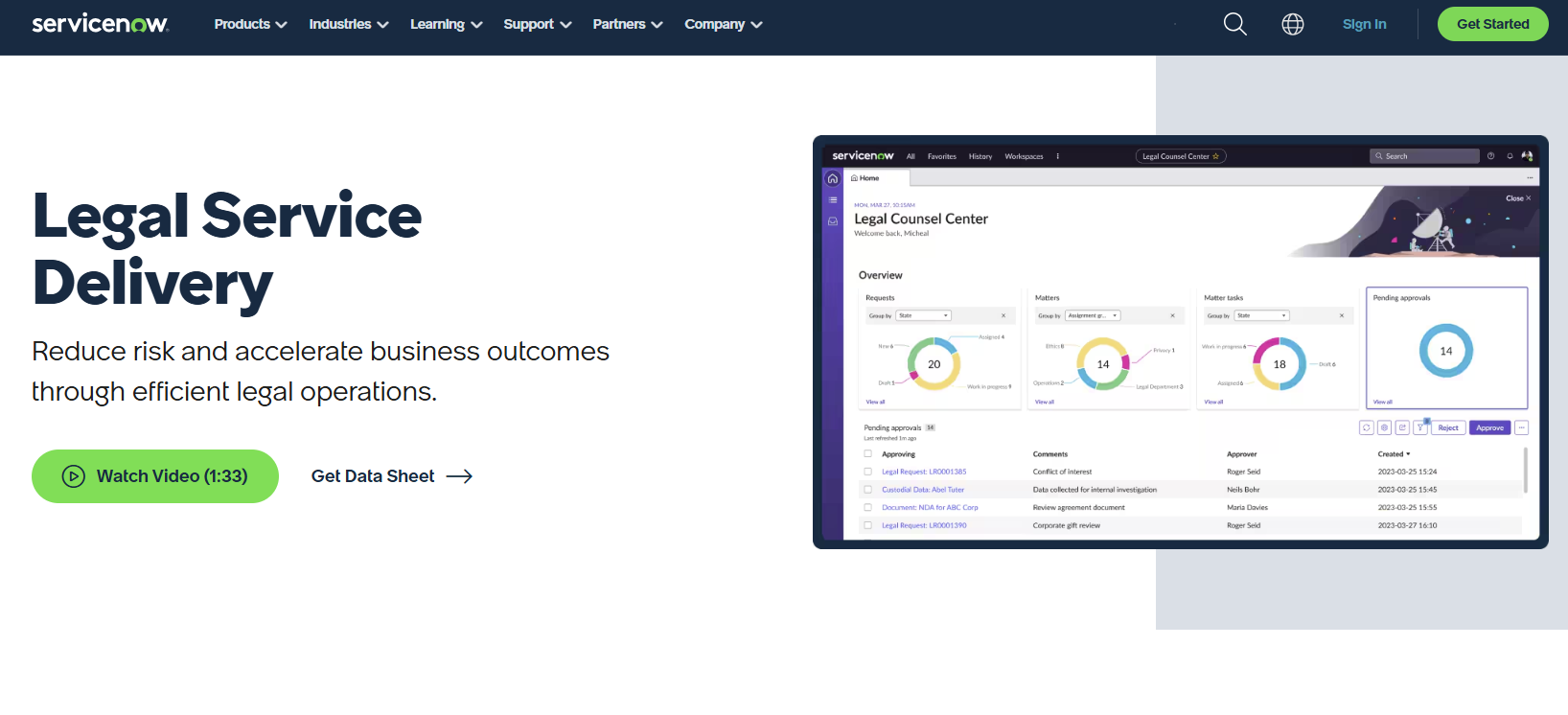
The system can support approval workflows, self-service, matter tracking, and secure document handling from the same cloud-based automation tool.
Teams can configure intake forms and workflows around their own processes, including requests related to employment agreements, investigations, or policy review. Prebuilt and custom matter templates add more consistency, while permission controls and secured storage support data security.
Legal department automation works best when it solves a real source of friction in your team’s day-to-day process.
For one department, that may mean faster intake and clearer matter tracking. For another, contract automation may have the greatest impact because drafting, approvals, signatures, and reporting all depend on the same information.

As you compare legal automation platforms, look past the length of the feature list. The strongest choice will fit the way your team works, connect with the systems already in place, and give people a clear reason to use it.
Pay close attention to key features like configurable workflows, reporting, integrations, permissions, and the amount of technical support needed to maintain the system.
Aline is a compelling option when contracts take up a large share of your legal workload. Its AI-assisted drafting, approval workflows, e-signatures, repository, and reporting tools bring the contract process into one connected workspace.
The Aline system gives your team a practical path to faster turnaround, better visibility, and fewer manual steps.
Start your free trial of Aline today.
The best option depends on the work your legal department wants to improve first. Aline is a strong choice for contract-focused teams, while platforms like LawVu and Onit cover broader legal operations. Tools such as Brightflag and SimpleLegal are better suited to spend management, and Checkbox works well for custom workflows and client intake.
Start with a process that follows the same general path each time, then map the steps that can be handled through rules, triggers, or templates. You might automate request routing, approval reminders, document creation, invoice review, or reporting. Starting with one defined workflow usually makes adoption easier and gives your team a clearer way to measure the result.
Many recurring tasks can be supported through automation, including intake, matter updates, contract review, e-billing, compliance tracking, and document generation. For example, document templates can pull information from a form so documents generated through the system follow approved language and formatting.
Automation gives internal clients a clearer way to submit requests, check progress, and receive consistent support. It can shorten response times and reduce avoidable follow-ups, which often improves client satisfaction. Legal teams gain better visibility as well, making it easier to prioritize work and communicate realistic timelines.