Choosing contract lifecycle management (CLM) software is harder than it first appears. Most platforms cover the basics, but the experience can vary sharply once you look at how the system fits your team, how much control it gives you, and how easy it is to use every day.
The right CLM software should support the way contracts move through your organization and align naturally with how your team already works.
At the very least, it should give you clearer oversight, reduce unnecessary effort, and make the information inside signed agreements easier to use.
In this guide, we compare seven leading CLM platforms and look at what distinguishes each one. You’ll find their strongest features, practical advantages, and the types of teams they may suit best, along with the main factors worth weighing before you choose.
Contract lifecycle management software gives you one place to manage an agreement from the first request through renewal or expiration. Instead of managing each step separately, you can keep the complete contract lifecycle connected in a single system.
That means it gives you a complete, end-to-end view of every contract and connects people, processes, and data so you can maintain compliance and keep business operations moving smoothly.
Common stages supported by contract management software include:
The CLM market includes everything from lightweight repositories to enterprise CLM software, so feature count alone will not tell you which option fits.
Start with how your team currently manages contractual agreements, then look for a CLM solution that removes (or at least minimizes) the consistent issues you face without creating a harder system to maintain.
Here are a few key areas to compare:
The best CLM software depends on how well the platform fits the way your team handles contracts. To help you narrow down the options, here is how seven leading CLM platforms compare:
Aline is an AI-powered CLM system that brings contract work into one connected workspace. You can create contracts from dynamic templates, review third-party agreements with AI support, and move each document through approval and signature within the same workflow.
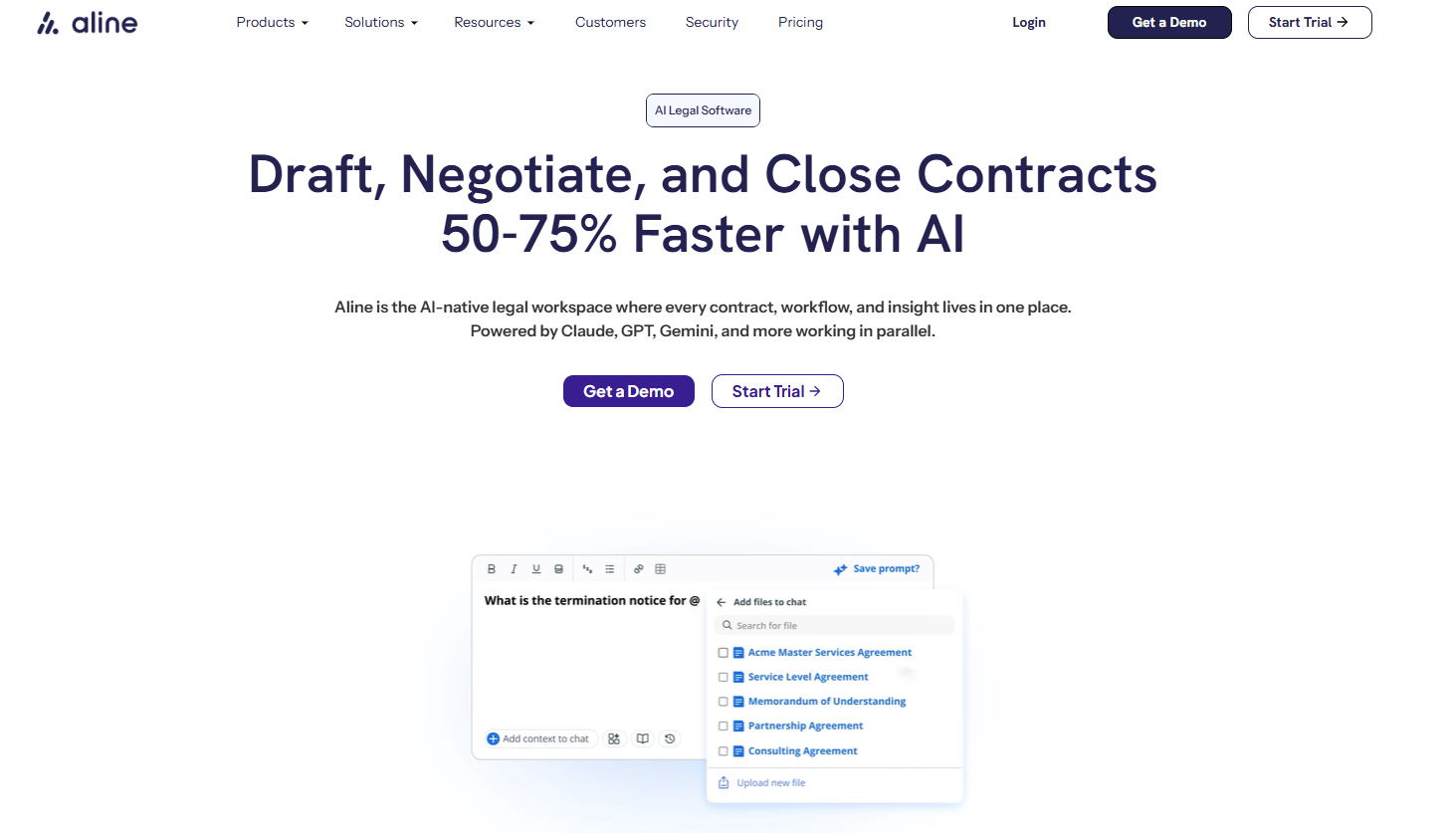
As you work, the platform keeps the process visible. Business users can submit requests, check progress, and complete assigned tasks through a user-friendly design, while legal teams can guide review through AI Playbooks and preferred language. That gives you a practical balance between control and accessibility.
Aline also keeps the surrounding context tied to the agreement. Comments, approval history, extracted data, and reporting stay connected to the contract, so you do not have to reconstruct what happened later. Meanwhile, AlineSign handles electronic signatures within the same environment.
If you want one CLM tool that can support the entire contract lifecycle without relying on a patchwork of systems, Aline offers a broad set of capabilities in a straightforward platform.
Agiloft is a highly configurable CLM platform built for organizations with detailed contract processes and complex operating requirements.
Its no-code architecture lets approved users adapt fields, rules, and approval workflows without relying heavily on developers, which can be useful when several departments need the system to reflect how they already work.
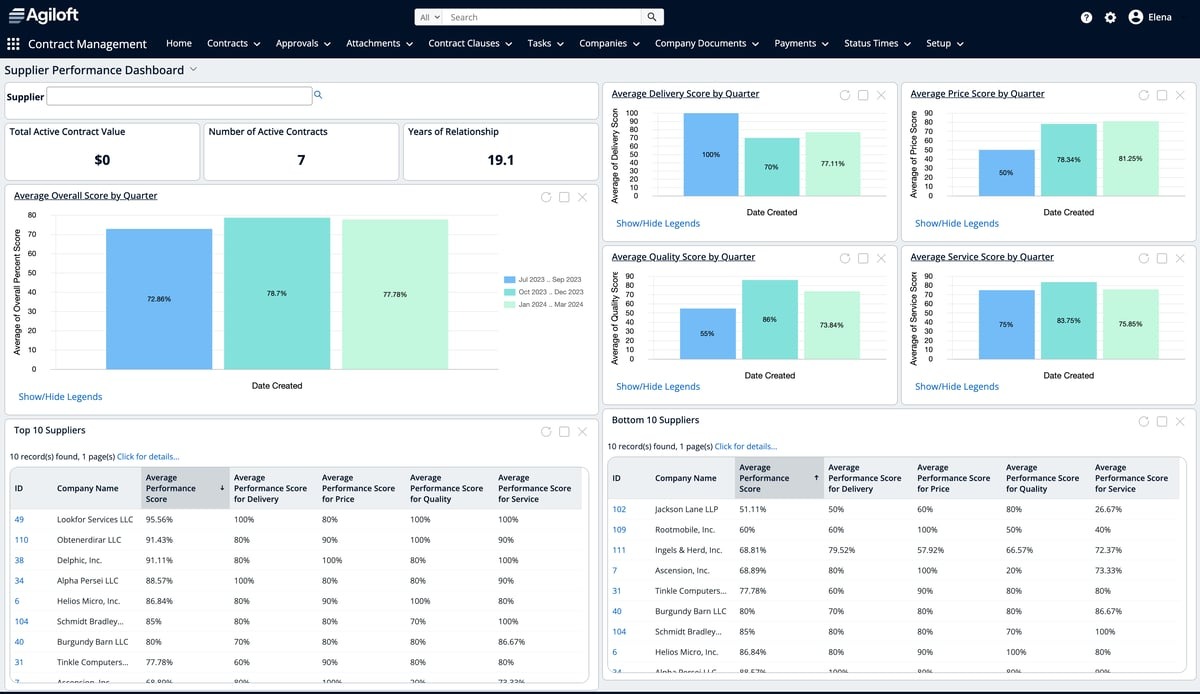
The platform connects contract activity with broader business data. Legal and business users can work from a shared contract record, while integrations allow sales teams and other departments to access relevant information through familiar systems.
At the same time, real-time visibility into status, obligations, and performance gives teams a clearer view of what is happening before and after signature.
Agiloft is likely to appeal most to larger organizations that want an integrated solution they can configure deeply. However, that flexibility may require more planning and administration than a simpler platform.
Icertis takes a data-heavy approach to contract management. Once agreements enter the platform, their contents can be organized as structured data, which can give you a clearer way to examine obligations, commercial terms, and areas of risk without reading each document from beginning to end.
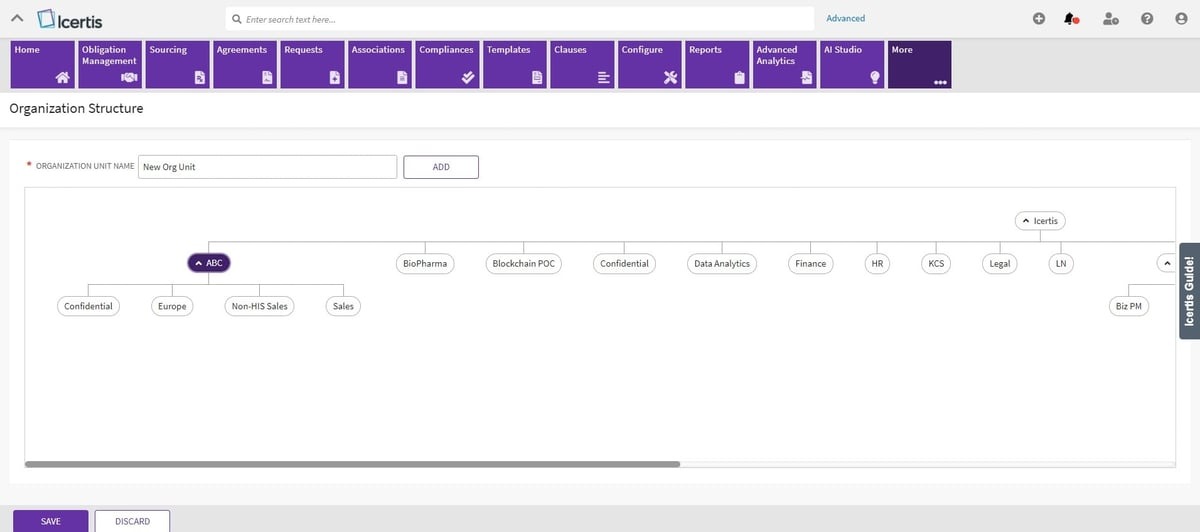
That depth is useful when contract volume is high and simple storage no longer gives teams enough control. Real-time tracking shows how agreements are progressing, while configurable rules can support complex workflows involving multiple regions or business units.
Plus, the platform uses contract intelligence to connect agreement data with wider operational priorities, including risk mitigation and revenue management.
Icertis is generally a better fit for large organizations prepared for a substantial implementation. Smaller teams may find the system heavier than they need, particularly if their main priority is straightforward drafting and approvals.
Docusign CLM expands the company’s familiar e-signature experience into a fuller contract management process.
If your team already uses Docusign to execute agreements, the platform offers a natural way to bring document generation, review workflows, storage, and reporting into the same ecosystem.
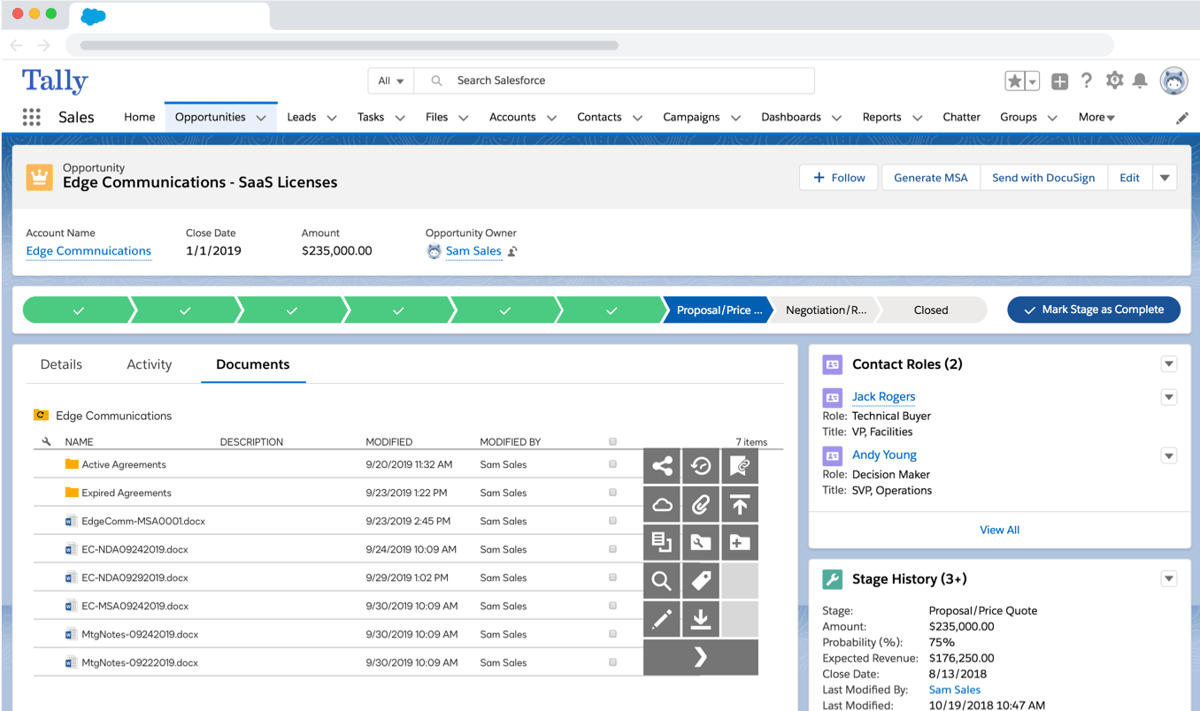
The contract lifecycle management tool is built to reduce manual effort around recurring steps. In-house legal teams can configure workflows for review and approval, while business users get a clearer route for creating and progressing agreements.
Native Docusign eSignature support also keeps execution closely connected to the work that happens beforehand.
Docusign CLM can work well for mid-sized businesses and larger organizations that want a recognizable platform with broad integration support.
Companies rely on it most heavily when signature is already central to their current process, although teams seeking an advanced AI-led review may want to compare its wider feature set carefully.
Ironclad is a contract management tool built around collaboration. It gives the legal department a structured way to guide contract work while allowing business teams to participate.
A central part of the platform is its no-code Workflow Designer. You can create intake forms, set approval paths, and adjust routing as your process changes.
Negotiations, signatures, and contract records stay connected, which makes it easier to track contracts without piecing together updates from separate systems.
Ironclad has continued to expand its AI capabilities as well. AI Playbooks can compare language against preferred positions and suggest fallback terms during review. Smart Import helps extract data from existing agreements, while clause libraries support more consistent drafting and workflow setup.
Conga CLM is often a strong fit for companies that want contract work to stay closely connected to revenue operations. Rather than positioning legal as a separate stop in the process, the platform ties agreements to the systems and data already used by commercial teams.
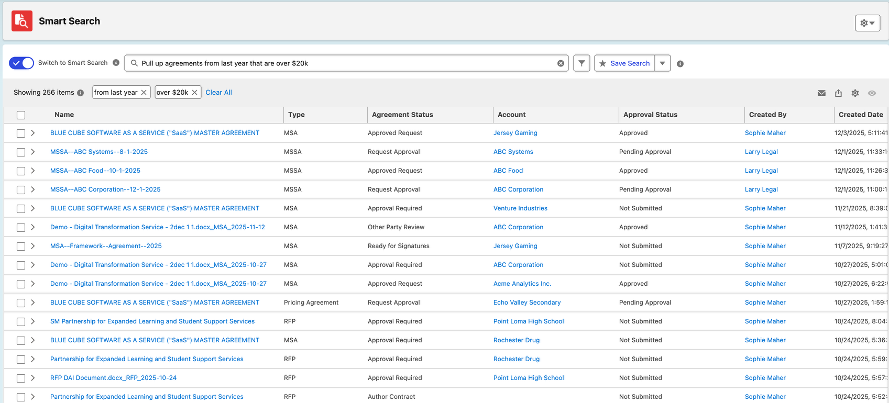
Salesforce integration is one of its biggest strengths. Contract creation can begin from CRM data, while pre-approved templates and controlled clauses help teams prepare agreements with less manual input.
During contract negotiation, version control gives reviewers a clearer record of changes and reduces confusion around the latest draft.
Once an agreement is signed, Conga keeps attention on what comes next. Automated alerts can flag key dates, including expiration dates, and reporting tools help teams monitor obligations or potential risks.
Conga Copilot adds an AI assistant for tasks such as summarizing language, finding terms, and surfacing relevant contract data.
Juro is designed for teams that want contract work to feel approachable outside the legal department. Its browser-based workspace lets colleagues create, review, approve, sign, and manage agreements without learning a highly technical system.
A major strength is how naturally Juro supports self-service. Legal can set templates, approval rules, and playbooks, while business users handle routine agreements through guided workflows.
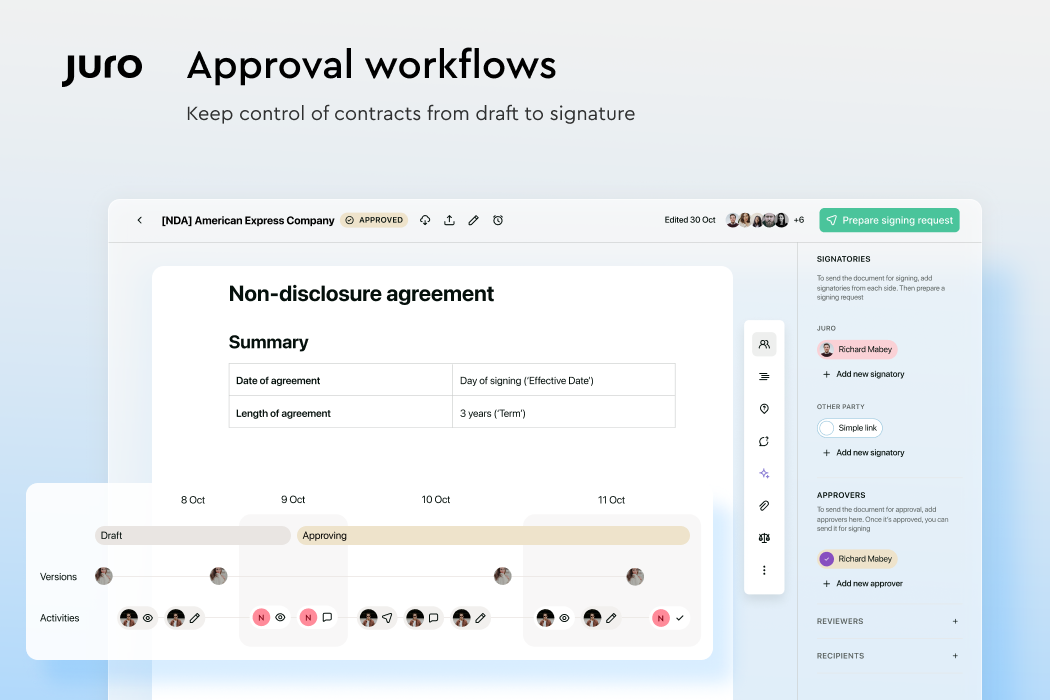
The platform now works closely with Microsoft Word, too, so reviewers can edit and run AI-assisted reviews in Word while keeping the document synced with Juro.
Juro’s AI tools can extract contract data, summarize language, and review agreements against a playbook. Operator adds a conversational way to search contract information and build reports, which can make the repository easier to use after signature.
A long feature list can make almost any platform look convincing. The clearer test is how the software changes the work itself.
Can people find what they need without chasing updates? Can legal keep control without becoming the bottleneck? Can signed agreements remain useful after execution?
Those questions usually reveal more than a polished demo.

Aline brings the full contract process into one workspace, with AI review, configurable workflows, built-in e-signatures, and reporting that stays connected to the agreement.
Essentially, the platform and all its features give legal teams structure while making contract work easier for everyone who needs to participate.
For teams ready to move away from fragmented tools and heavy administration, Aline offers a more direct path forward.
Start a free trial and see how it fits the way your team works.
Popular options include Aline, Agiloft, Icertis, Docusign CLM, Ironclad, Conga CLM, and Juro. The best CLM platforms vary in complexity, so the right shortlist depends on your contract volume and how much control your team needs over the process.
Pricing varies widely. Some vendors charge per user, while others base pricing on contract volume, features, or implementation needs. Enterprise systems may require custom quotes and added fees for setup, integrations, or support, so compare the full cost rather than the subscription price alone.
The strongest option is the one that fits your process without adding unnecessary complexity. Aline is a compelling choice for teams that want AI-assisted review, configurable workflows, e-signatures, and reporting in one platform. A seamless integration with your existing tools can be equally important when comparing vendors.
CLM software is used by legal departments and business groups involved in agreements. That can include sales, finance, HR, and procurement teams that need a clearer way to request contracts, participate in approvals, or monitor signed terms.