PandaDoc and Juro are two contract tools you’ll often see compared, but they approach contract work from different angles.
PandaDoc is often a better fit for teams that create sales documents, proposals, quotes, and customer-facing contracts, while Juro is generally more focused on helping legal and commercial teams draft, approve, negotiate, and manage agreements in one shared workspace.
If you’re also considering Aline, it helps to look past the surface-level feature lists and compare how each platform supports real-life contract work.
Let’s see how Aline, Juro, and PandaDoc compare in terms of main purpose, key features, best-fit users, and pricing plans.
PandaDoc is contract management software known for helping teams create, send, track, and sign business documents in one place.
It’s commonly used for sales-led workflows, so you’ll often see it tied to proposals, quotes, order forms, contracts, and client-facing agreements.
For that reason, its user base often includes sales teams, revenue teams, operations teams, and legal teams that need faster contract creation without starting from a blank page every time.
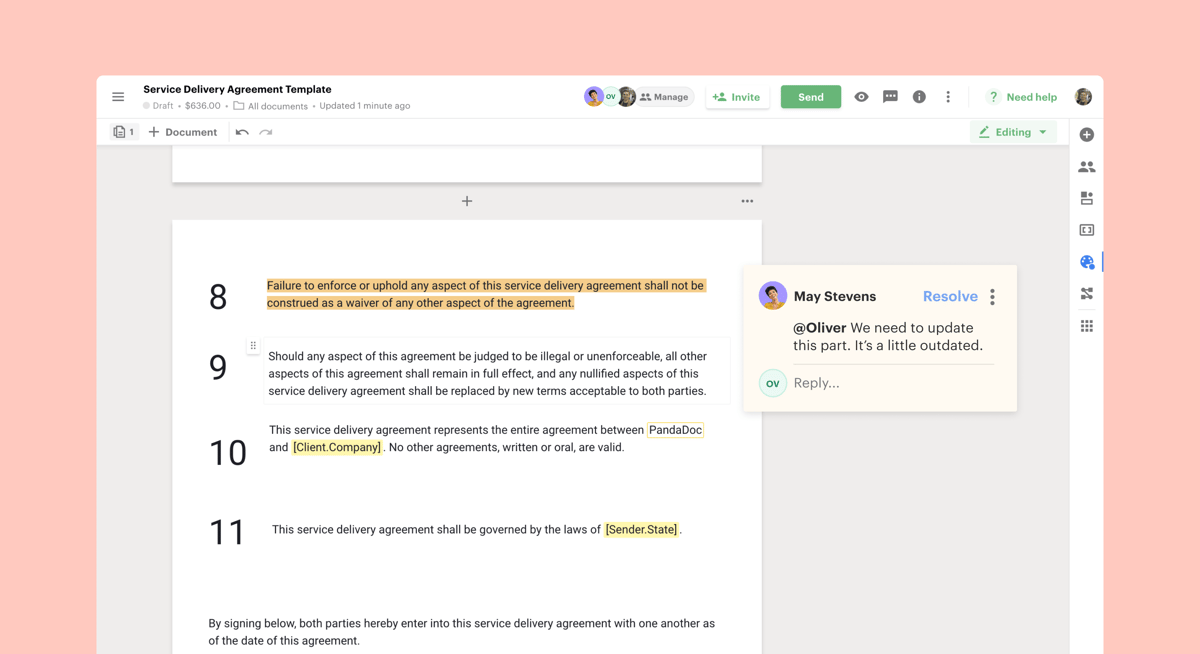
Beyond that, PandaDoc’s appeal comes from its focus on document management and sales efficiency. It boasts easy document creation, reusable templates, built-in e-signatures, CRM integrations, approval workflows, and tracking tools that show when a recipient opens or signs a document.
It also positions itself as a way to manage the entire contract process from drafting to approval to signature, especially for businesses that want proposals, quotes, and contracts handled in the same workspace.
Juro is a contract management platform built to help legal and commercial teams create, approve, sign, and manage contracts in a shared workspace.
In particular, it’s known for self-serve contracting, which lets business teams use pre-approved templates to move routine agreements forward while legal keeps control over language, risk, and approval rules.
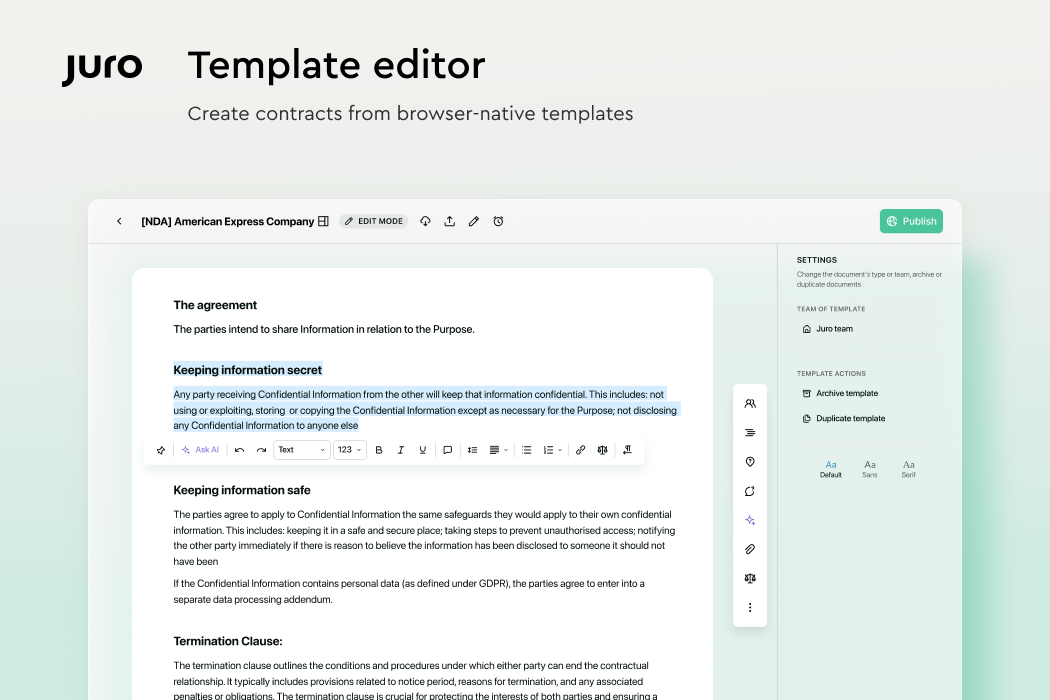
It’s often used by fast-growing businesses that need a cleaner way to manage contracts as deal volume grows. It also focuses on speed, ease of use, AI-native workflows, and contract automation that connects with tools teams already use, such as Salesforce, Google Drive, HubSpot, and Slack.
Overall, Juro’s appeal comes from efficient document workflows and smoother contract drafting. Legal teams can standardize common agreements, while commercial teams get a faster path from request to signature.
Aline is an AI-powered contract management solution built for teams that want contracts to move faster without losing control over reviews, approvals, signatures, or stored contract data.
You get one user-friendly interface for managing contract lifecycles, from the first draft to final signature and post-signature tracking.
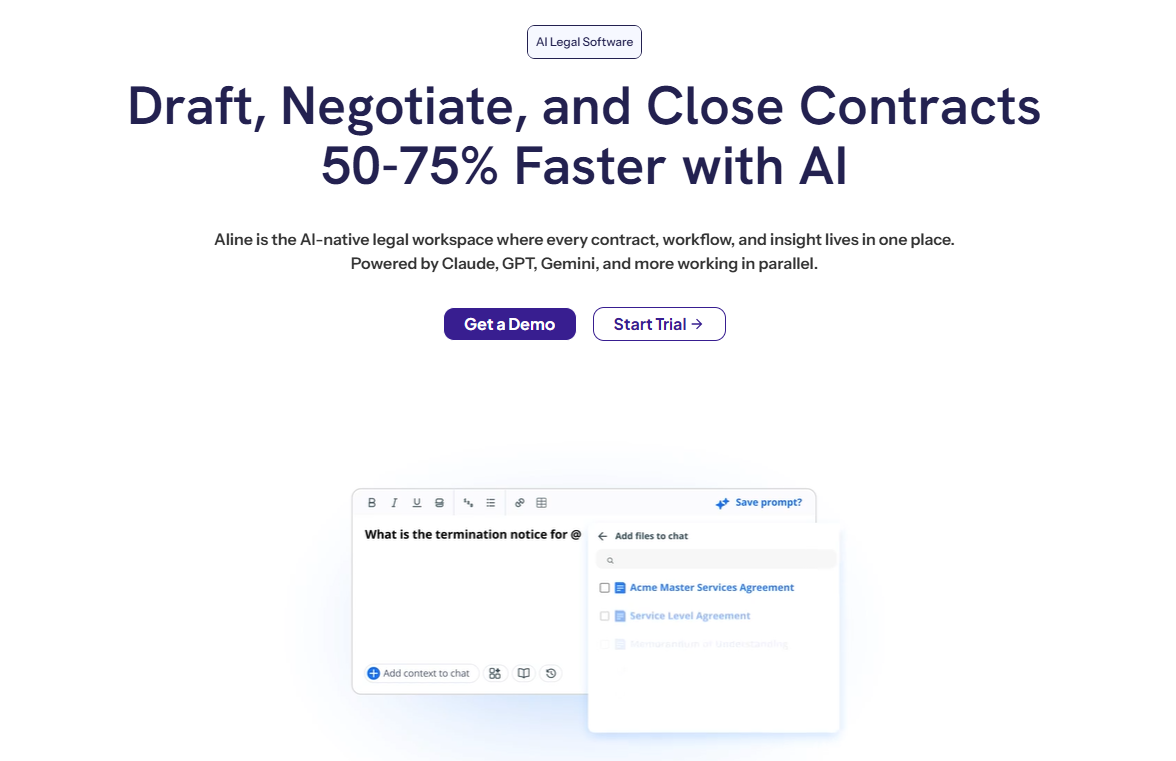
One thing that stands out about Aline is how it brings contract automation, AI, and structured legal oversight into your daily contract work.
You can generate contracts from dynamic templates, route agreements for approval, sign documents with AlineSign, and keep every agreement in a searchable repository. That gives your legal, sales, and operations teams a clearer way to work together.
On top of that, Aline uses AI-powered analysis to help you draft, redline, summarize, improve language, and pull contract insights faster.
As a result, you can build a more efficient contract management process while keeping compliance checks, contract visibility, and approval steps easier to manage.
Book a demo to see Aline from the inside.
To choose the right fit among these three choices, you need to look at how each platform handles the parts of contract management that affect your day-to-day work most.
Let's go over each main factor:
PandaDoc offers a document workflow platform built mainly for sales-heavy teams that need to create, send, track, and sign important documents quickly.
It works well when proposals, quotes, forms, and contracts all need to move through the same process. In that sense, PandaDoc enables users to streamline customer-facing workflows.
Juro focuses more on collaborative contract automation. Juro users can create contracts from templates, send them for approval, negotiate terms, and manage signatures in one space.
So, it’s a strong fit for legal and commercial teams that want the whole team to handle routine contracts with more structure.
Aline is built for end-to-end contract lifecycle management with AI support baked into contract drafting, review, approvals, signing, storage, and reporting.
It’s especially useful when your team needs contracts to move faster without turning the process into multiple disconnected tools and data.
With Aline, legal, sales, and operations can create agreements, review terms, track approvals, capture contract data, and stay on top of post-signature obligations without as much back-and-forth.
Here’s a closer look at the core features you get with PandaDoc, Juro, and Aline, plus how each platform supports your contract workflow:
PandaDoc fits revenue teams that spend a lot of time building proposals, quotes, order forms, and customer agreements.
It’s especially useful when your sales process depends on quick document turnaround, polished client-facing materials, and visibility into buyer activity. Plus, new users can usually pick it up without a heavy training period, which helps teams close deals faster.
Meanwhile, Juro suits growing companies that want legal and business teams to share contract work without turning every request into a legal bottleneck. It works well for routine agreements, such as NDAs, MSAs, sales contracts, and HR documents that can start from approved templates.
Both Juro and PandaDoc can reduce repetitive admin, but Juro gives contract collaboration a more legal-led structure.
On the other hand, Aline is a better match if you want legal AI support throughout the contract lifecycle, not only at the document creation stage.
It’s built for startups, B2B teams, and scaling companies that need better visibility into approvals, smarter review, built-in signing, searchable contract storage, and reporting in one place.
Pricing can influence your final choice quickly, especially if your team needs room to grow. Here’s how PandaDoc, Juro, and Aline compare on plan structure, add-ons, and overall cost clarity.
PandaDoc states it has no hidden fees, but additional documents may cost extra after plan limits, so review usage terms before you commit.
Juro does not show fixed public prices. Instead, it builds a custom plan based on contract volume, workflow needs, support level, and integration needs.
Overall, Aline gives you transparent pricing for its Team Plan while still offering custom pricing for larger teams with heavier needs.
To compare signing options, AI tools, onboarding, and plan limits in more detail, check Aline’s pricing plans.
At the end of the day, PandaDoc and Juro both have clear strengths, so the right choice depends on what your team needs most.
When you compare PandaDoc with Juro, PandaDoc usually fits sales documents, proposals, quotes, and signing workflows, while Juro suits legal and commercial teams that want structured contract collaboration.
However, Aline may be a stronger fit if you want one platform for the full contract lifecycle.

You get AI-powered drafting and review, workflow automation, AlineSign, a searchable repository, reporting, and in-depth analysis without piecing together several tools.
Aline's robust feature set makes Aline especially useful if your team wants faster contract work with clearer control over approvals, signing, storage, and contract data.
Ready to manage contracts with more speed, clarity, and control? Check out Aline and see how it can support your contract process from draft to signature and beyond.
Yes, Juro AI is a real part of Juro’s contract platform. It supports AI-assisted contract drafting, review, summaries, search, and data extraction. It can also help identify risks during contract review, though legal teams should still check AI outputs before approving terms.
PandaDoc’s competitors include Juro, Aline, DocuSign, Adobe Acrobat Sign, Dropbox Sign, Proposify, Qwilr, Concord, Ironclad, and Conga. The right option depends on what you need most. For example, PandaDoc pros often include proposal creation, signing, and document tracking, while the best Juro alternatives may offer stronger CLM workflows, AI review, reporting, or contract lifecycle control.
PandaDoc is widely used by businesses for document creation, proposals, contracts, and e-signatures. It also publishes security and compliance information, including details on data storage, backups, networking, and document security. Still, you should review its trust resources, pricing structure, and plan limits before choosing it, especially if advanced features may come at an extra cost.
Adobe Acrobat Sign is often one of DocuSign’s biggest competitors in the e-signature space. Other common competitors include PandaDoc, Dropbox Sign, signNow, and Zoho Sign. For contract management, though, the comparison changes because teams may care about workflow automation, risk analysis, repositories, integrations, and contract review features, not only signing options.
Aline may be the stronger fit if you want efficient contract management with AI review, workflow automation, reporting, built-in e-signatures, and a searchable repository in one platform. PandaDoc works well for sales documents, while Juro suits template-based contract collaboration. Nevertheless, Aline gives you an intuitive design, in-depth AI support, and stronger control over the full contract lifecycle while offering broader customization and workflow flexibility.