The idea of signing something without pen and paper isn’t new. In fact, U.S. courts were recognizing electronic signatures as far back as the 1860s.
One of the earliest examples came in 1869, when the New Hampshire Supreme Court ruled that signatures sent over telegraph were legally valid, treating them the same as handwritten ones.
Fast-forward to today, and electronic signatures are accepted and expected. Popular tools like Adobe Sign and DocuSign make it easy to send and sign documents from anywhere, on any device. They’ve become staples for companies handling contracts, approvals, and forms at scale.
But if you’re looking at more than just the signature, there’s also Aline, a platform designed for the entire contract lifecycle.
In this guide, we’ll walk through these e-signature software solutions, highlight what they do best, where they overlap, and how Aline compares.
Adobe Sign, now called Adobe Acrobat Sign, is Adobe’s e-signature solution for sending, signing, and tracking documents online. If you already use Acrobat or other tools in the Adobe family, the experience will feel familiar, which can make adoption a lot easier.
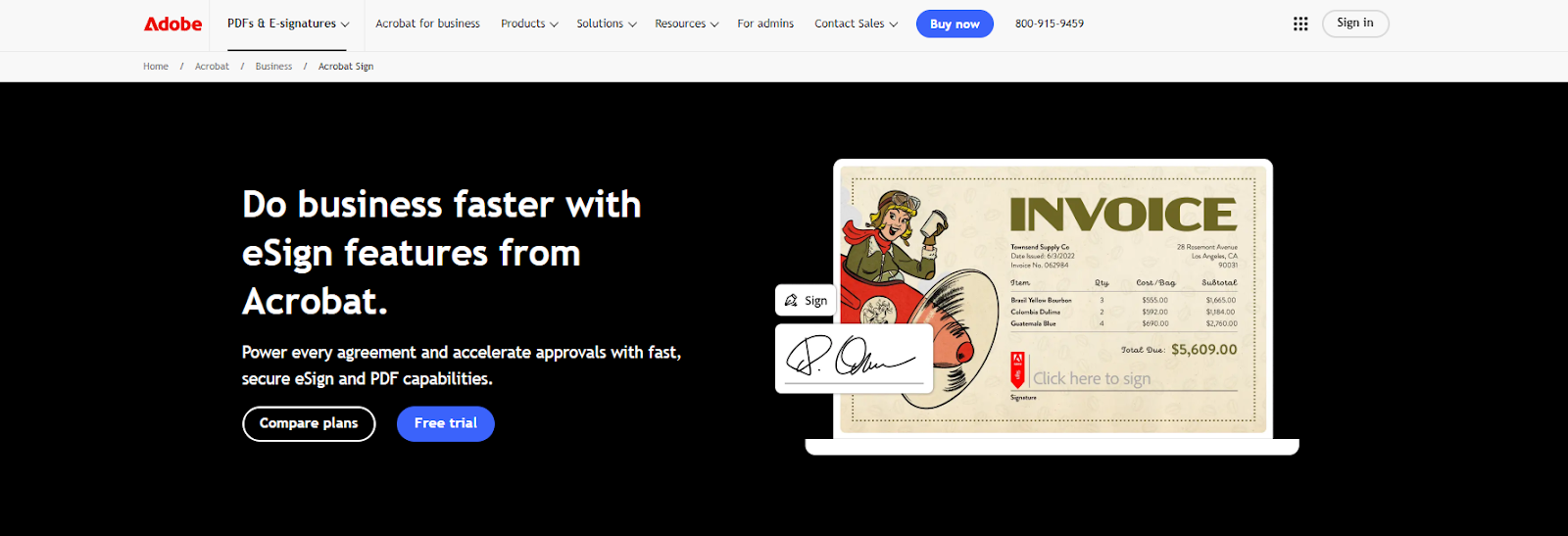
It fits neatly into Adobe’s broader ecosystem, including Adobe Document Cloud and, in some workflows, Adobe Creative Cloud. That built-in connection is a big reason Adobe Sign remains a popular choice for teams that already rely on Adobe software for document work.
The process is pretty simple. You upload a file, add signature fields, and send it out for signing. The recipient can review and sign from a phone, tablet, or computer, which makes it a practical option for businesses that want a reliable e-signature solution without a separate system.
While Adobe Sign blends into the Adobe ecosystem, DocuSign takes a different route. Essentially, it focuses entirely on helping people sign documents quickly and securely, no matter what tools they’re already using.
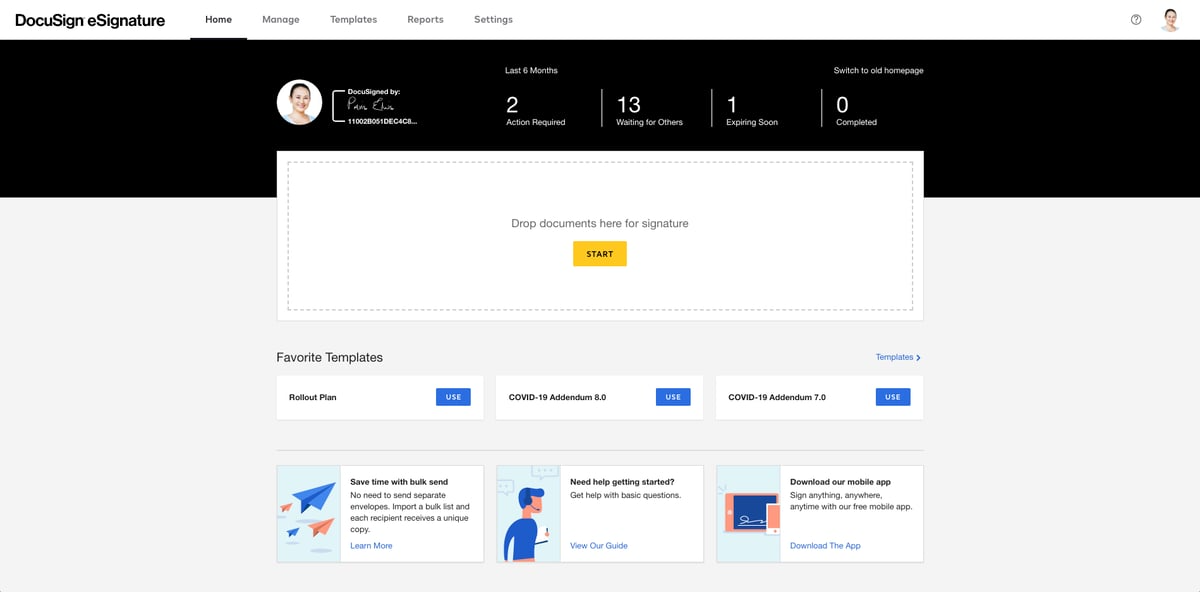
You’ve probably come across DocuSign before. It’s one of the most recognized platforms for electronic signatures, and companies of all sizes use it to handle agreements, contract approvals, and everything in between.
With this tool, you can simply upload a file, place the signature fields, and send signature requests to whoever needs to sign. They can review and sign from anywhere, on any device, without needing an account.
Aline is a contract platform built for teams that want more than just a place to sign. While Adobe Sign and DocuSign focus on electronic signatures, Aline covers the full contracting process, from the initial drafting all the way up to the final approval.

It includes tools powered by AI to help you draft, redline, and analyze agreements faster. You can collaborate across departments using structured workflows, send signature requests through AlineSign, and keep everything organized in the AI Repository.
Aline also includes comprehensive security features, like audit trails, encryption, and SOC II certification, so compliance and privacy are built in from the start.
Since Aline is built as one system, you don’t have to jump between tools to get your contracts done.
If your team is handling high volumes of contracts or working across legal, sales, and operations, Aline gives you the speed and structure to keep everything moving.
If you're comparing DocuSign and Adobe Sign, you'll notice they share quite a few core strengths.
Both platforms are popular e-signature platforms that help businesses send and sign documents electronically without needing to print or scan anything. They're designed to make the signing process smoother, faster, and fully digital.
Adobe Sign users and DocuSign users often choose these platforms for similar reasons. Both offer legally binding digital e-signatures, support common file types like PDF documents and Microsoft Word docs, and keep things secure with tracking, encryption, and digital audit trails.
Here are some key features both tools offer:
At a glance, the basics are covered well by both platforms.
While Adobe Sign, DocuSign, and Aline all help you handle contracts digitally, they take different approaches. The core idea of signing documents electronically is the same, but what each platform does beyond that is where things start to shift.
Let’s break down how they compare.
Each of these platforms serves a specific role, even though they’re often grouped together as e-signature software. Upon first glance, they may seem similar, but their core focus is where things start to differ.
Adobe Sign is built to support teams already working within the Adobe ecosystem. It works best for companies that manage a lot of PDFs and want signing features baked into tools like Acrobat.
Essentially, Adobe Sign offers a smooth signature process, full integration with other Adobe tools, and legally binding digital contracts. It’s a solid choice if you’re dealing with forms, contracts, or documents that need to stay in PDF format throughout the workflow.
DocuSign, on the other hand, is designed as a standalone platform. It’s one of the most widely used e-signature programs, known for its ease of use and wide range of integrations. It handles the signing process well without requiring you to commit to a broader suite of software.
Aline is different as it’s not just e-signature software. It covers the entire contract lifecycle, including drafting, redlining, approvals, and post-signature analysis. If your team needs more than a tool to collect signatures, Aline supports the full workflow from start to finish.
Once you're comparing key features across these tools, it's clear that each one supports document signing, but the way they handle document generation, contract collaboration, and storage varies quite a bit.
Adobe Sign is primarily built for users already working with Adobe tools. It connects well with Adobe PDF files and fits naturally into workflows across Adobe Document Cloud and Adobe’s suite, including Creative Cloud.
DocuSign focuses on making the signature process simple and flexible. It’s known for wide compatibility, useful tracking, and strong integrations, which is a big reason many teams see it as a reliable e-signing solution.
Aline is designed to manage the entire contract lifecycle with all its multi-faceted features. That includes AI-powered contract drafting, smart collaboration, organized storage, and more.
Explore more of AI's features here.
Choosing the right electronic signature solution depends on how your team works and what you actually need beyond the signature.
If you already use Adobe programs like Acrobat or Creative Cloud, Adobe Sign might feel like a natural extension.
But unlike Adobe Sign, other tools give you more flexibility, especially if your work isn’t centered around PDFs.
DocuSign works well for most teams looking at different e-signature programs. It’s easy to use, plays well with other tools, and helps businesses move away from acquiring wet signatures. Whether you're in sales, HR, or legal ops, DocuSign can help simplify that back-and-forth.
Now, if you're managing more than just the signing step, Aline might be the better fit. It’s not just for lawyers; it’s for anyone dealing with contracts daily. You get drafting, contract redlining, approvals, e-signatures, and much more in one system.
So if you're tired of managing five different apps, Aline brings it all together and helps you stay focused on the work, not the tools.
Pricing can vary depending on the features you need and how many people are using the tool. Here's a quick look at what each platform charges and what you get.
Adobe Sign is available only through Adobe Acrobat, which is available through the following:
Check out Aline's pricing plans to find the right plan for your team.
Not all e-signature vendors offer the same experience. The best fit depends on your team’s size, process, and goals. And despite the info here, it's still best to do your own research.
Before choosing a signature app, ask yourself what you actually need beyond the signature. Are you mostly handling digital documents for HR or sales? Or are you looking for something that supports contract review, document modification, and complex approvals?
Here’s what to consider when choosing the best e-signature tool:
Your law firm’s circumstances, contract volume, and tech stack all play a role. Plus, the right tool should support your current needs while making it easy to scale over time.
The right e-signature tool depends on how your team handles contracts. If all you need is a simple way to send and sign a few documents, Adobe Sign or DocuSign can get the job done. They’re well-known, easy to use, and cover the basics.

But if your process involves writing contracts, editing terms, sending them out for review, and tracking everything from approvals to renewal dates, then it makes sense to use something that supports the full workflow.
Aline was built for that kind of work. It helps you create, edit, send, and sign contracts all in one system. You don’t need separate tools or extra steps to manage agreements from start to finish.
Start your free trial of Aline and discover a whole new level of contract management!
That depends on what you're looking for. If you're already using Adobe tools like Acrobat Pro or other PDF editing tools, Adobe Sign fits right in.
On the other hand, DocuSign is often easier to plug into Microsoft Office, CRMs, and other business apps. When comparing DocuSign vs. Adobe Sign, it really comes down to your existing setup and how much flexibility you need.
But for a more comprehensive solution, give Aline a try.
Yes. Adobe Sign is legally binding and compliant with e-signature laws like the ESIGN Act and eIDAS, similar to Aline. It also supports multi-factor authentication and audit trails to verify identity and maintain document integrity.
Adobe Sign offers a free trial, but full access requires a subscription. Pricing plans start around $17/month for individuals, with higher tiers available for business needs.
It integrates well with Adobe’s digital media software company products, supports document workflows, and includes features like reusable templates, secure storage, and detailed tracking. It’s especially useful for businesses already using Adobe products.
Adobe Sign can work well for a small business, especially if your team already uses Adobe tools and wants a familiar way to send and sign documents. It also connects with popular business tools like Microsoft and Salesforce, which can make it easier to fit into your existing workflow as your company grows.
Both platforms are built with security in mind and include features that help keep documents secure, such as encryption, authentication options, and audit trails. Depending on the plan, users may also get access to added protections like biometric phone authentication, phone support, and integrations used by major partners across business and enterprise environments. Some teams also look at mobile access through places like the Apple App Store when comparing how easy each tool is to use on the go.











