At companies with 50–1,000 employees handling 20+ contracts monthly, in-house counsel, legal ops managers, and procurement leads often manage contracts in Word, email, Docusign, spreadsheets, and shared drives. Vendor agreements, MSAs, sales agreements, and purchase agreements do not just add to the review workload.
They create version confusion between files and inbox threads, slow down stakeholder handoffs, and limit visibility into what is signed, in progress, or at risk. Even a 15-page agreement can take 90+ minutes to review manually, depending on complexity.
This adds up to 30–75+ hours of review time each month, excluding revisions and internal approvals. For a three-person legal team, that's effectively one full-time resource tied up in contract reading alone, before any negotiation, approval, or signing even begins.
At scale, the impact goes beyond time. Poor contract management is estimated to cost nearly $2 trillion annually due to missed obligations, inefficient processes, and limited visibility.
Contract analysis software reduces this workload. These AI contract review tools use machine learning and natural language processing (NLP) to scan agreements, extract key clauses, and identify risks, reducing review time to 30–45 minutes in many workflows. Instead of reviewing documents line by line, teams can work with structured outputs that highlight obligations, renewal terms, and deviations.
We break down the 7 best contract analysis tools in 2026 based on their ability to support faster reviews, improve visibility, and scale contract workflows, with a closer look at how Aline handles an end-to-end contract management process.
Most contracts do not slow teams down because they are long. They slow teams down because legal is forced to review them manually while key terms, fallback positions, renewal dates, and approval status are scattered between different tools and inboxes.
According to Procurement Tactics, a single human contract review takes about 92 minutes, and that's only for one document. Multiply that by dozens or hundreds, and you can see why manual review is a major time loss.
Contract analysis software, also called AI contract review software, tackles this problem by scanning legal documents and pulling out the contract data that matters most, so teams do not have to hunt through PDFs, email threads, and folders just to answer basic questions about risk, renewals, pricing terms, or obligations.
Underneath, machine learning and natural language processing do the heavy lifting. The system reads context rather than matching keywords, which is how it recognizes a payment term, a renewal window, or a liability cap without being told where to look.
For example, key dates, obligations, renewal terms, and compliance details are highlighted in minutes. All that data then becomes readily available for further inspection.
Routine contract review is where these tools prove most useful. The same checks repeat on every business contract, from a standard NDA to a legal contract with negotiated terms, so automating them frees your team for work that actually needs judgment.
While the software doesn't replace legal expertise, it gives professionals faster access to the insights they need. Human review still decides what the output means for a given deal, especially when governing law or unusual terms are involved.
The importance is clear: quicker contract reviews mean fewer delays, fewer missed details, and more time for actual decision-making. Next, let's look at the features that make that possible.
Choosing the right contract analysis tool comes down to how different stakeholders interact with contracts throughout the lifecycle. In most organizations, responsibilities are split between legal, legal ops, and procurement, each with different requirements.
With all that in mind, here's what to look for:
These are the primary users who handle contract requests, review vendor agreements, draft NDAs, manage approval workflows, and report on contract exposure. For them, speed and visibility are critical. So make sure your contract analysis tool offers:
These teams focus on vendor terms, pricing, renewals, and compliance monitoring for negotiated agreements. To align with this, the contract analysis software should have:
Contracts require coordination from legal, sales, operations, and compliance teams, often in different systems and approval layers. So ideal contract analysis software should support:
With these features in place, contract analysis software makes reviewing contracts a lot less stressful and a whole lot quicker.
The table above is the short version. Here's what each tool actually does, and who it fits.
Aline focuses on the entire contract lifecycle management rather than just the review stage.
While many platforms handle only point solutions such as clause extraction and risk flagging, Aline integrates the drafting process, negotiation, approvals, execution, and post-signature management into a single system.
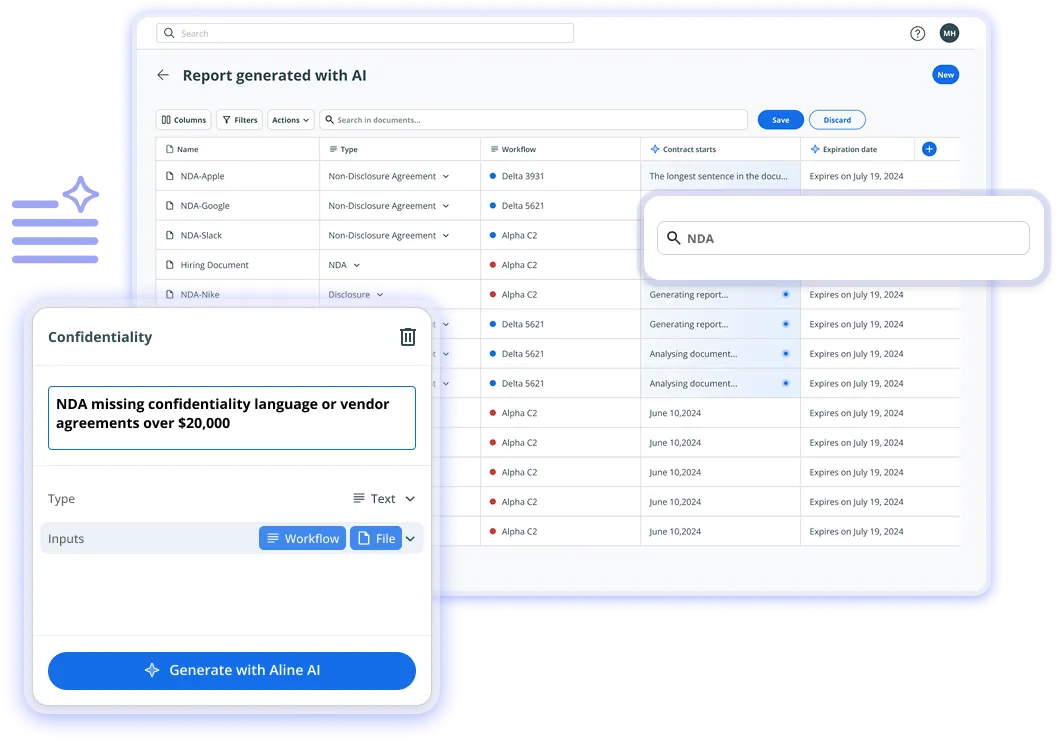
This eliminates the need to have 5–7 disconnected tools throughout the contract process and provides a unified view of obligations, timelines, and performance. Teams report 30–50% faster contract cycles (with 100–1,000 employees), with fewer delays due to handoffs between tools and stakeholders.
A key differentiator is Aline's use of multi-model AI orchestration, where third-party AI models such as GPT-4, Claude, and Gemini are used in parallel for contract analysis. This helps teams analyze and redline contracts faster, saving 15+ hours per week.
In practice, teams move from manual, line-by-line review to structured outputs that consistently identify key terms, deviations, and risks in every contract.
Also, while traditional CLM platforms take 3–12 months to deploy, Aline rolls out in 3–4 days with pre-configured workflows and templates. Teams typically start seeing workflow improvements within the first week, without the heavy configuration and change management.
All these features translate into consistent productivity gains. Legal teams report saving 10 to 15 hours per user, freeing up time for higher-value work, such as negotiation, legal research, and strategic decision-making, rather than manual review and coordination.
Aline does not rely on a single AI model operating in silos. It uses a multi-model AI stack (including GPT, Claude, and Gemini) that runs in parallel and applies internal playbooks and approved language during review. Every contract is evaluated against pre-defined legal standards and fallback clauses, so the output is aligned (not generative) with your organization's policies.
Aline is purpose-built to avoid long CLM rollouts. Most teams go live in days, with no need for heavy configuration or dedicated IT support. This is possible because the platform integrates with existing storage systems and does not require manual tagging or data structuring.
Yes. Aline goes beyond template-based contracts and handles real-world complexity. It automatically flags missing clauses, non-standard risky clauses, and deviations, extracts clause-level data from every contract, and supports analysis of multiple agreements at once.
Yes. Here's why the math works. Tools like Docusign and external counsel handle only one part of the contract process, leaving teams to manage the rest in multiple systems. Aline brings contract drafting, approvals, signing, and tracking into one platform, reducing fragmentation. Teams report replacing 5–7 tools, saving 10–15 hours per user per week, and reducing dependence on external support.
Aline is SOC 2 Type II and GDPR-compliant, with encryption at rest and in transit, and full audit trails for all contract activity. It also supports eIDAS and ESIGN standards for legally enforceable digital signatures. The platform enforces role-based access controls and does not use customer data to train its AI models, keeping sensitive data protected.
See how much faster contracts can move when everything's in one place. With Aline AI, you can draft, negotiate, and sign agreements up to 10x faster while staying compliant and in control. Start your free trial today.
HyperStart CLM is a contract management tool built for small to mid-sized companies that want a straightforward way to manage their contracts without getting lost in administrative tasks.
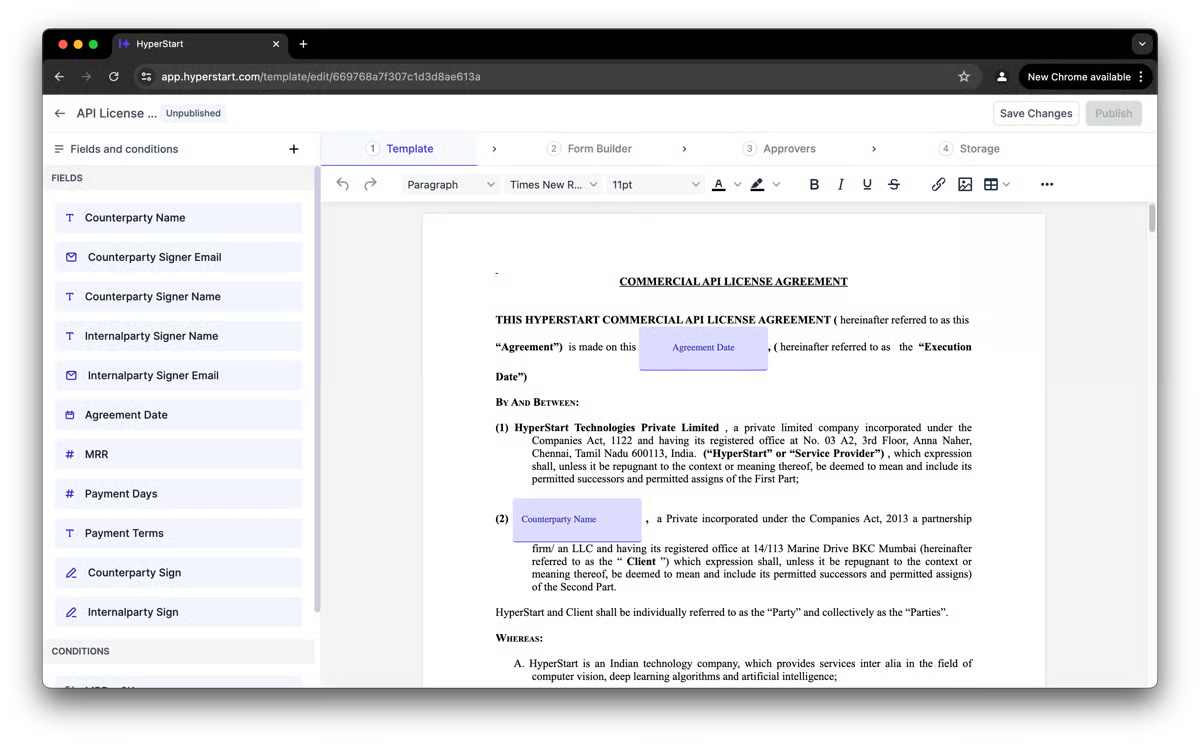
While it covers the full lifecycle, its AI contract review capabilities make it useful for teams that need quicker insights into terms and conditions. The platform highlights key details so users can focus on decisions rather than manual reviews.
Conga CLM is a go-to platform for many large companies that need to manage contracts between different departments. It's especially popular with sales teams that rely on Salesforce, but its value goes beyond just workflows and automation.
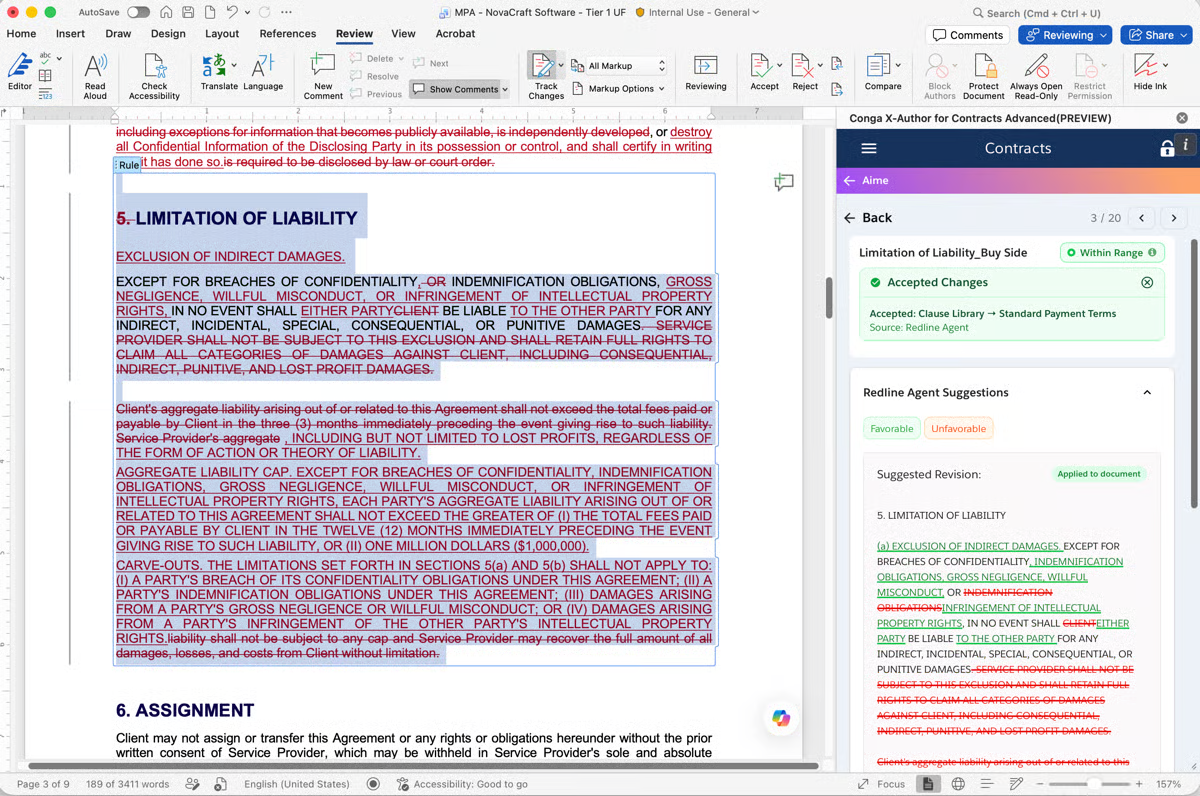
One of its strengths is helping users cut through the noise in lengthy agreements. Rather than reading every page, teams can lean on its AI contract analysis software to spot critical clauses and highlight the information that matters most.
This makes it easier to control contract terms, reduce review time, and even find opportunities for cost savings along the way.
Summize is suitable for teams and law firms that want contract reviews to feel less tedious. To do that, the AI assistant pulls out the key points so you can focus on what really matters.
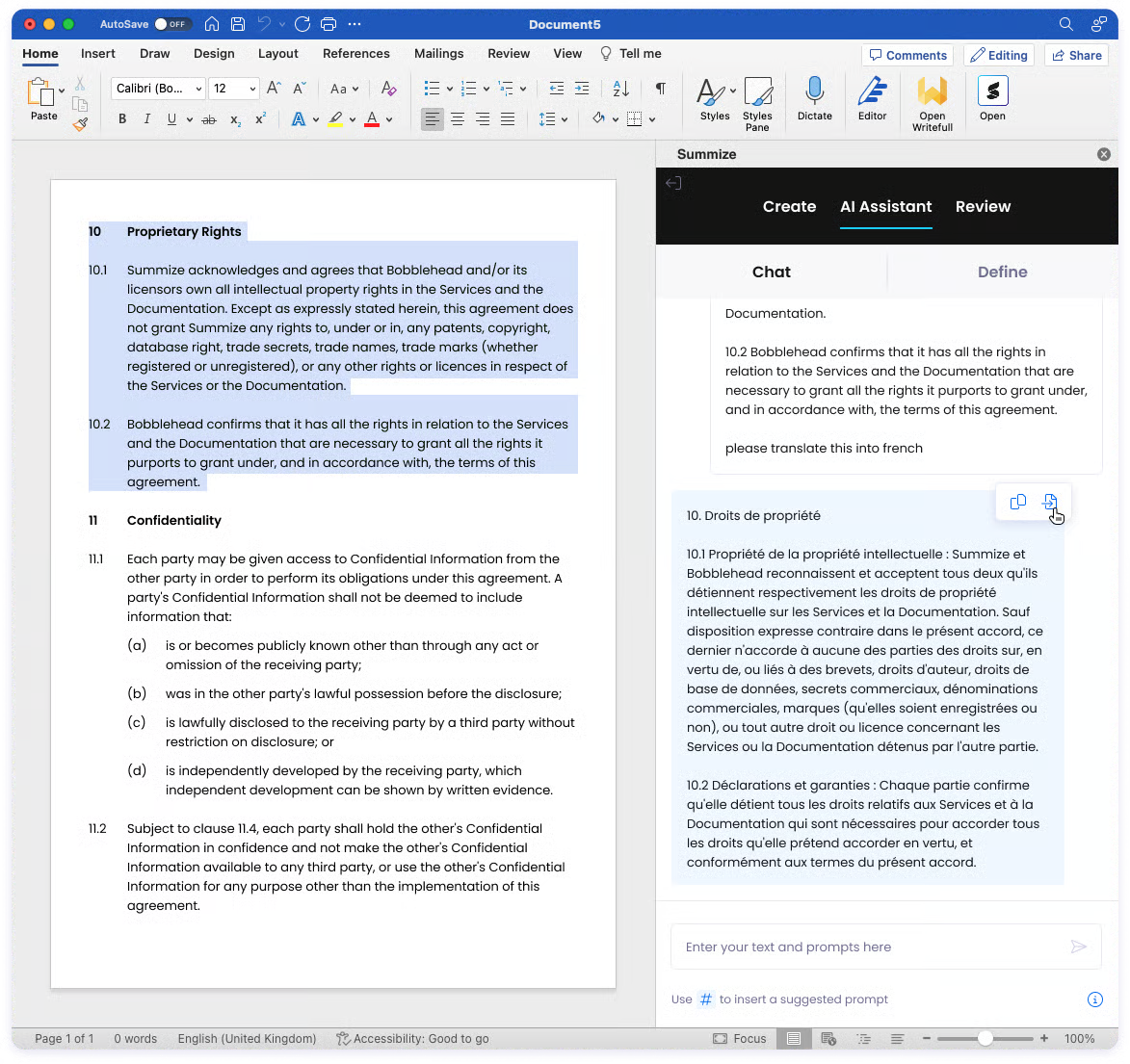
For legal professionals, it means the legal contract review process is quicker without sacrificing accuracy. For business users, it's a way to get clear answers without needing deep legal knowledge.
By keeping agreements aligned with legal standards and boosting operational efficiency, Summize gives teams a practical way to handle contracts day to day.
Ironclad has built a reputation as one of the more modern platforms in the contract space, with a focus on usability and scalability.
What makes it stand out for analysis is how it blends an AI-powered contract system with human oversight. The AI helps surface key terms and clauses quickly, while human review still gives legal teams the final say.
That balance makes it easier to stay confident that contracts not only move faster but also meet company standards.
Another point in Ironclad's favor is compliance. The platform holds recognized compliance certifications and provides built-in checks, which are especially helpful for organizations working under strict regulations.
Kira Systems is well-known for its strength in contract analysis, especially in large-scale reviews where accuracy is non-negotiable.

It's designed to help teams cut down on manual reading by using AI to handle critical tasks like clause identification and risk assessment. That frees legal staff to focus on high-value tasks such as contract negotiations, legal research, and strategy, rather than spending hours on routine checks.
For organizations with strict compliance needs, Kira brings enterprise-grade security and fits neatly into existing workflows, which is why it's often adopted by bigger law firms and corporate legal departments.
On top of that, it produces detailed reports that break down findings in a way both lawyers and business stakeholders can act on.
Luminance focuses on speeding up contract reviews while reducing the risk of human error.
Its AI is designed to handle repetitive tasks like scanning lengthy agreements and flagging issues, so in-house legal teams can spend more time on complex work.
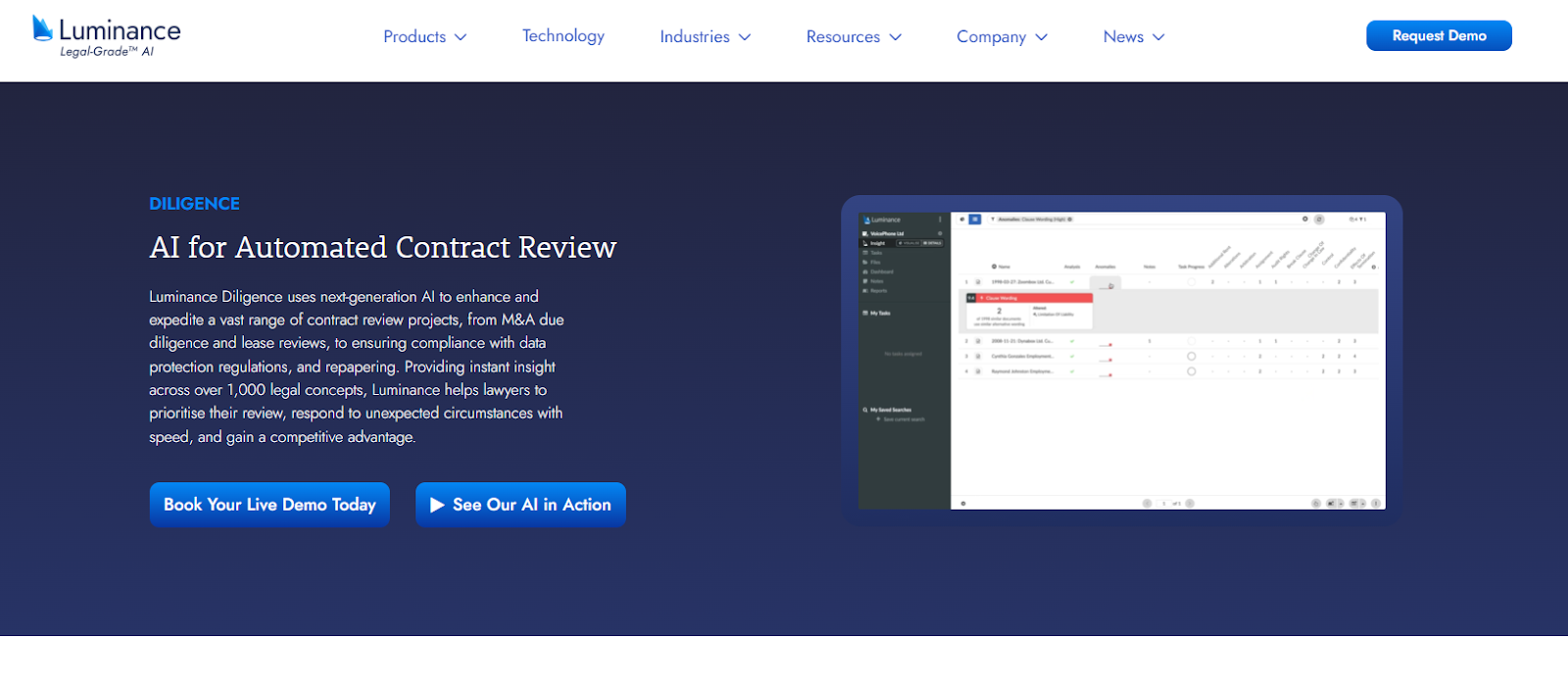
The platform also gives organizations tighter control through role-based access, which can make it easier to decide who can view, edit, or approve certain contracts. This is particularly helpful for in-house legal teams that need a balance between collaboration and security.
With its focus on efficiency and oversight, Luminance is a good option for companies that want reliable analysis without piling more work on their legal staff.
Most AI contract review solutions solve a narrow problem: faster review. But legal teams don't operate in isolation. They manage drafting, negotiation, approvals, execution, and post-signature tracking between multiple stakeholders and systems.
Aline replaces that fragmented stack with a single platform built around multi-model AI, combining models like GPT, Claude, and Gemini to improve accuracy and consistency from one contract to the next.
Instead of relying on one system for analysis and another for execution, teams manage the entire process in one place, reducing handoffs and improving contract turnaround time.
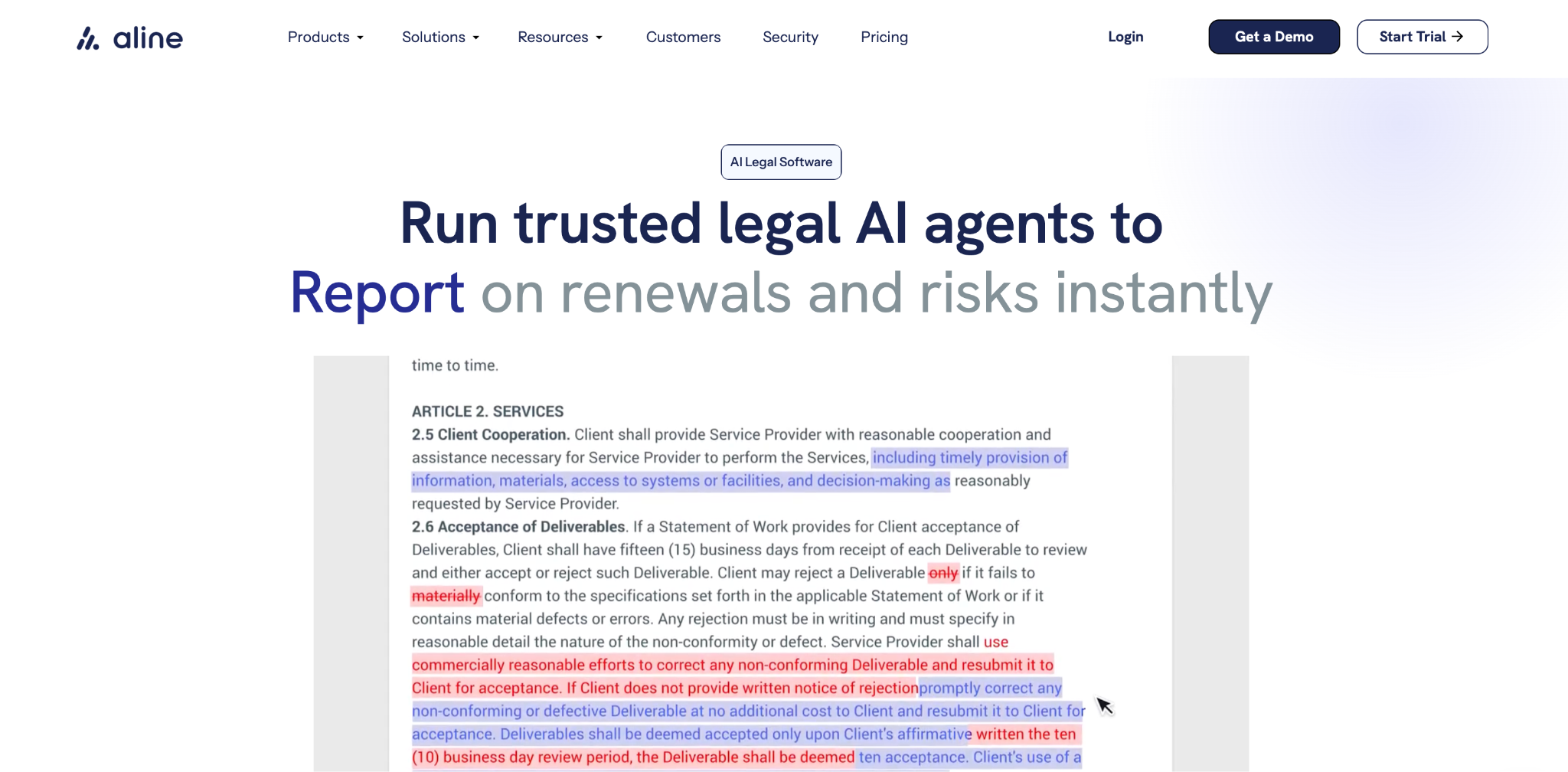
The difference shows up in business outcomes. Teams go live in 3–4 days instead of 3–12 months, replace 5–7 disconnected tools, and save 10–20 hours per user per week on routine contract work. That matters most for teams working against tight deadlines as contract volume climbs.
Reporting that once took days can be generated in minutes, giving leadership real-time visibility into obligations, renewals, and risk exposure.
Want to know how Aline can benefit your contract management workflow? Book a demo now. In the session, you'll see how to:
All these help you evaluate how the platform can improve your contract workflows end-to-end.
Several platforms use artificial intelligence to analyze contracts, but the right fit depends on your needs. Tools like Aline, Kira Systems, and Luminance are popular because they identify clauses, highlight risks, and generate reports that save time for legal and business users.
The best option varies by company size and workflow. Some businesses prefer all-in-one AI contract management software like Aline, while others choose tools that focus on specific areas such as reporting or compliance. Look for features that help you track progress through the contract lifecycle and keep your team aligned.
The cost of contract analysis software varies widely depending on features, team size, and whether you need full contract lifecycle management (CLM) or just analysis.
Entry-level tools typically start at $30–$100 per user per month, while enterprise-grade platforms with advanced AI, workflows, and compliance features can cost $50,000–$200,000 per year.
ChatGPT can read text and point out certain details, but it isn't a replacement for dedicated contract review software. Specialized platforms are built with features like clause extraction, risk alerts, and compliance checks that ChatGPT doesn't provide. Human expertise is still needed for final review.
The best AI for contracting should support legal teams, sales, and procurement teams by reviewing payment terms, checking disclosure schedules, and keeping contracts consistent. Leading platforms also help track progress and reduce manual work, making them reliable for both large enterprises and smaller businesses.











