If you’re a General Counsel, legal operations manager, RevOps leader, or procurement director at a company with 100–2,000 employees, you’re likely evaluating a CLM for one of two reasons: you’re implementing your first enterprise platform as contract volumes grow, or replacing one that hasn’t delivered the efficiency or automation your team expected.
The decision often becomes more urgent when challenges like these start affecting day-to-day contract work:
If your evaluation includes Conga CLM and DocuSign CLM, it’s important to look beyond feature lists and understand how each platform fits into day-to-day legal work.
Both help organizations bring structure to the contract lifecycle through workflow automation, centralized repositories, approvals, and governance.
However, many legal teams still find themselves managing repetitive contract reviews, relying on additional tools for AI-assisted workflows, or spending considerable time on platform administration and implementation.
Aline addresses these drawbacks by combining contract lifecycle management, legal AI, and eSignatures in a single platform. It also provides faster deployment and less administrative overhead, allowing legal teams to spend less time chasing approvals, reviewing routine contracts, and handling platform administration.
This article covers all this in detail, comparing Conga CLM and DocuSign CLM across their core capabilities, pricing, implementation, strengths, and limitations. It also looks at how Aline addresses gaps that both platforms leave open.
| Criteria | Conga CLM | DocuSign CLM | Aline |
|---|---|---|---|
| Best for | Salesforce-centric enterprises with complex workflows | Organizations already using DocuSign eSignature | Teams that need an AI-native CLM covering drafting, redlining, approvals, storage, and post-signature management |
| Key strength | Highly configurable workflows | Strong approval workflows and agreement management | CLM, legal AI, and eSignatures in one workspace |
| Limitations | No native eSignature and extensive admin effort | Growing licensing costs and add-ins for advanced features | More than needed for businesses with point solution requirements |
| Implementation | 4 months | 3 months | In less than a week (typically 3–4 days) |
| Pricing | Custom quote ($30K–$100K+/year) | Custom quote ($10K–$50K+/year) | Public pricing. Starts at $200/user/month (for 10 users) |
| Choose this if… | You need deep Salesforce customization | You’re invested in the DocuSign ecosystem | You want faster deployment, built-in legal AI, and a replacement for fragmented contract management tools |
Conga CLM is one of the products in Conga’s commercial operations portfolio, alongside solutions for CPQ, billing, and document automation. The platform helps businesses standardize content creation, reviews, approvals, and the necessary compliance.
Conga CLM has its roots in the Salesforce ecosystem and remains a common choice for organizations that already rely on Salesforce as a core business platform.
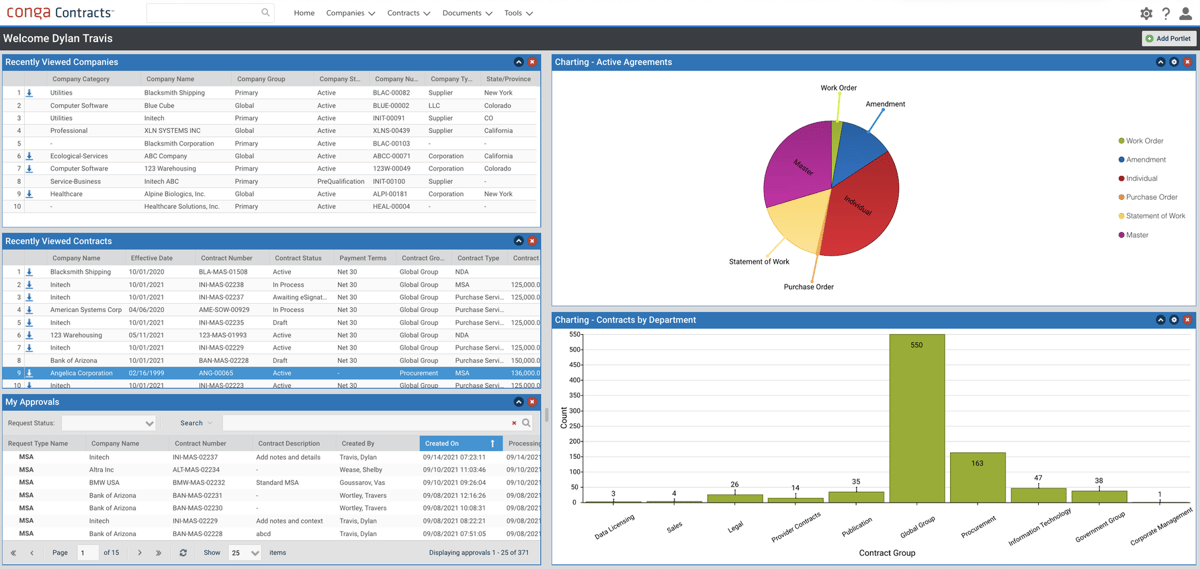
A Conga CLM user mentions:
“Conga CLM offers excellent flexibility and automation across the contract lifecycle. Its deep integration with Salesforce makes it easy to manage contracts directly within existing sales and legal workflows. The dynamic document generation, clause library, and approval automation features help ensure consistency, compliance, and faster turnaround times.” Source
A Conga CLM user says:
“The initial implementation and configuration are undeniably complex. It is not a ‘plug-and-play’ solution and usually requires a dedicated consultant or a very advanced Salesforce Admin to set up the initial templates and logic. The UI can also feel a bit cluttered and ‘legacy’ in certain administrative areas compared to some of the newer, lightweight CLM startups. Additionally, we’ve noticed that very large document packages can sometimes cause performance lag during the generation and sync process.” Source
Best fit for: Businesses with mature contracting practices, dedicated legal or operations teams, and the resources to configure the platform around their internal workflows.
Not ideal for: Lean legal teams looking for a CLM that can be deployed and managed with minimal administrative overhead. Businesses with simpler contracting requirements may find the platform’s level of configuration and ongoing administration exceeds their needs.
DocuSign CLM builds on the company’s widely adopted eSignature platform by extending contract management beyond signing. Its CLM offering helps businesses manage activities around the contract, including drafting, approvals, execution, and ongoing administration.
It also integrates with business applications such as Salesforce, Microsoft Dynamics, SAP, Oracle, and Workday, allowing contract data to move between systems instead of being maintained separately.
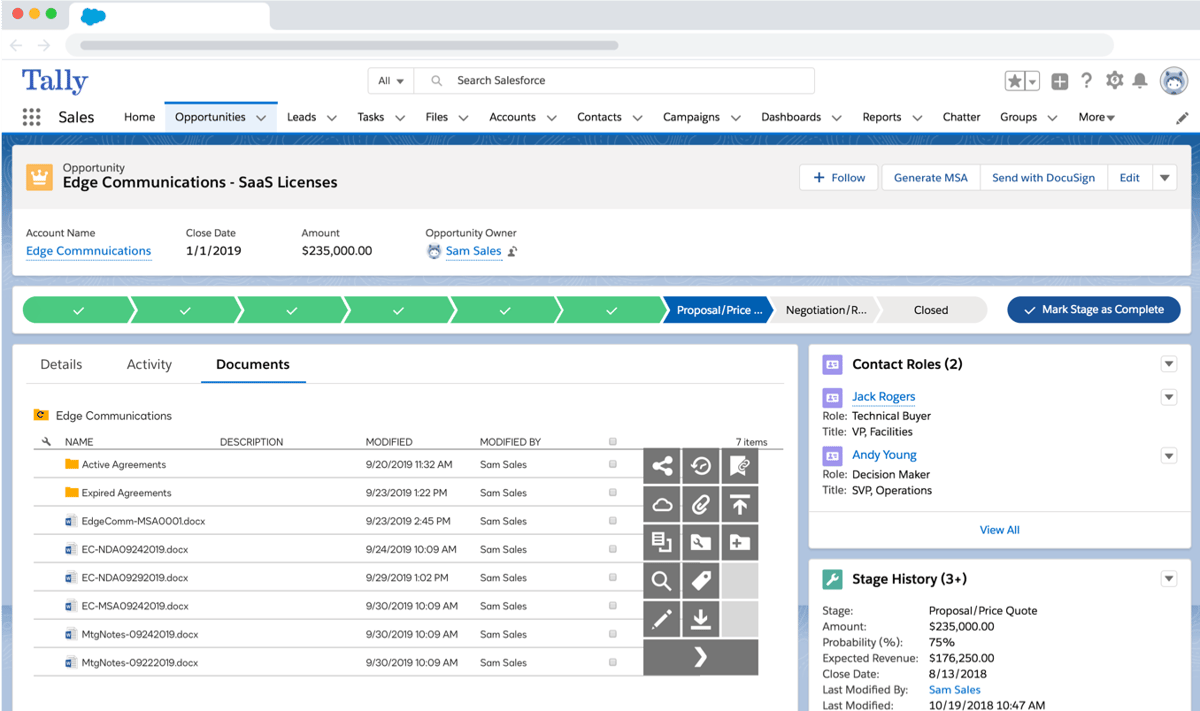
A DocuSign CLM user says:
“It helps to create centralized contract for all parties including logistics parties, suppliers and IT vendors. Many contracts can be generated from a master contract where I just need to change the vendor name and rate. This saves lots of time in copying contracts for similar vendors. I get alert few weeks ago before contract expiration. Overall good features for contract management in procurement function.” Source
A DocuSign CLM user says:
“DocuSign CLM can feel complex to configure, UI customizations are limited, reporting could be more flexible, and setup for advanced workflows often requires admin or professional services support.” Source
Best fit for: Organizations that have already standardized on the DocuSign ecosystem and want contract management to fit naturally into their existing agreement processes without introducing another vendor.
Not ideal for: Businesses looking for a contract management platform with predictable costs as they expand users, integrations, and advanced functionality.
Although they are often mentioned together, DocuSign eSignature and DocuSign CLM are built for different stages of the agreement process.
DocuSign eSignature
Designed to securely send, sign, and track documents electronically. It focuses on document execution and does not include broader contract lifecycle management capabilities. Purchasing DocuSign eSignature alone does not give you access to DocuSign CLM.
DocuSign CLM
Includes eSignature while also supporting contract drafting, approvals, centralized contract storage, obligation tracking, and post-signature contract administration.
Understanding the difference can save you from choosing a solution that doesn’t actually support the way your team manages contracts.
Aline brings contract management and AI into the same workspace. Teams can manage contracts from drafting to signing, using AI for legal research, contract review, negotiation, and analysis, all without switching between tools. This improves contract cycles by 30–50% and reduces time spent on routine legal analysis by 50–75%.
Both Conga CLM and DocuSign CLM have their own strengths, but they also come with operational gaps that can affect the contracting experience. Here’s how Aline addresses them.
Both Conga CLM and DocuSign CLM require significant planning, configuration, and administrative effort before teams can fully adopt the platform.
Aline is built around a different structural approach. Its AI runs Claude, ChatGPT, and Gemini in parallel, validating outputs across the models before they reach the reviewer.
This is an architecture that neither Conga CLM nor DocuSign CLM offers. Clients using Aline have cut contract review times from 45 minutes to less than 2 minutes and lowered outside counsel spending by up to $60,000 per year.
Conga CLM relies on Conga Sign for electronic signatures, while DocuSign CLM requires a separate Microsoft Word add-in for document authoring.
Aline includes contract authoring, AI review, approvals, a native eSignature (AlineSign), and legal AI workflows within the platform, reducing the need to deploy and manage additional components. This all-inclusive suite replaces 5–7 fragmented tools and helps teams save up to $40K annually.
As Conga CLM deployments become more heavily customized, some organizations report slower performance, while expanding DocuSign CLM deployments can increase licensing costs and administrative effort.
Aline combines contract lifecycle management with AI that can analyze up to 10,000 contracts in seconds, helping legal teams review large contract portfolios without a proportional increase in manual work.
Conga CLM and DocuSign CLM require prospective buyers to contact sales before they can receive CLM pricing. Aline offers transparent pricing to help businesses compare plans, estimate costs, and evaluate the platform earlier in the buying process.
We already invested in a CLM. Why change now?
A CLM should simplify contract work, not create more work around it. If your legal team still depends on separate tools for contract review, legal research, negotiations, reporting, or electronic signatures, your current platform may only be solving part of the problem. Aline combines contract lifecycle management with AI, allowing teams to draft, review, negotiate, sign, research legal questions, and analyze contracts from the same workspace. This reduces context switching across the entire contract lifecycle.
ChatGPT/Claude already reviews our contracts. Why pay for a CLM?
ChatGPT and Claude can review contract language, summarize documents, and answer legal questions, but they don’t manage contracts. They can’t maintain a contract repository, track approvals and obligations, manage versions, or provide governance across the contract lifecycle. Aline provides all the CLM core offerings, so your contract review becomes part of a structured workflow instead of a standalone AI task. You can also review agreements, compare clauses against playbooks, suggest fallback language, negotiate terms, manage approvals, sign contracts, and analyze contract portfolios from the same platform.
From our clients:
“We needed to identify a specific notification window across all contracts. One query returned accurate results in seconds. That level of speed and confidence is a game-changer for operational response.”
Glenn Cionek, RevOps at Wallarm

“Aline has transformed how we report on contracts. It gives our legal team a single, dependable view across our agreements, helping us find critical obligations and risk details in minutes rather than the long, manual reviews we used to run.”
Shirley Paley, CLO at Muon Space

Choosing between Conga CLM, DocuSign CLM, and Aline depends on what your business values most. Is it deep integrations, trusted e-signatures, all-in-one automation, or perhaps something else?
Each platform brings something different to the table, from how contracts are created to how customers get their documents signed and tracked. Here are several differences you should take note of:
In this comparison, Conga CLM stands out for its Salesforce-focused automation, making it suitable for businesses already rooted in that ecosystem.
It can manage complex approval chains and compliance-heavy workflows, which allows large teams to move deals forward while keeping everything organized.
DocuSign CLM, as a DocuSign-based tool, builds on the brand’s success in digital signatures. It helps teams that already rely on DocuSign for e-signing expand into full contract management.
Its main strength lies in providing a familiar experience for existing users who want to grow beyond basic signing.
Aline, on the other hand, combines AI contract drafting, no-code templates, automated approvals, and built-in e-signatures into one contract management experience.
Compared to the other tools, Aline focuses on simplifying the overall experience. This helps businesses keep contracts moving quickly and consistently while improving collaboration across teams.
Each platform comes with tools that make contract work faster and more organized. Here’s what stands out for each one.
Pricing is the deciding factor for many businesses choosing a contract management tool. Here is some pricing information on these three tools:
| Platform | Estimated implementation time | Pricing |
|---|---|---|
| Conga CLM | Takes 4 months with an ROI of 14 months | Custom quote. Third-party estimates place annual costs at $30,000–$100,000+, excluding implementation. |
| DocuSign CLM | Takes 3 months to implement with an ROI of 14 months | Custom quote. Pricing is estimated to range from $10,000–$50,000+ per year. |
| Aline | Takes less than a week, with most teams going live in 3–4 days | Public pricing available. $200 per full user/month (for 10 users, billed annually). |
Conga CLM follows a custom pricing model, but the pricing isn’t publicly listed. The cost depends on your organization’s size and contract capability requirements. Third-party estimates put pricing at $30,000–$100,000+ per year, excluding implementation costs.
DocuSign CLM also uses a custom quote system. Pricing varies based on contract volume, integrations, and legal automation needs.
Businesses can choose from different DocuSign product tiers, starting with eSignature plans and expanding into full CLM capabilities through enterprise-level contracts. Third-party estimates put enterprise deployments at $10,000–$50,000+ per year.
Aline offers transparent pricing plans with flexible options for teams of any size, plus a free 30-day trial so you can explore the platform before committing.
Aline’s pricing focuses on giving you full access to all core features under one plan. To learn more, check out the pricing page.
Conga CLM gives enterprises the flexibility to customize contract workflows, approvals, and governance around specific business requirements. DocuSign CLM helps organizations manage agreements at scale by extending familiar signing workflows into broader contract lifecycle management.
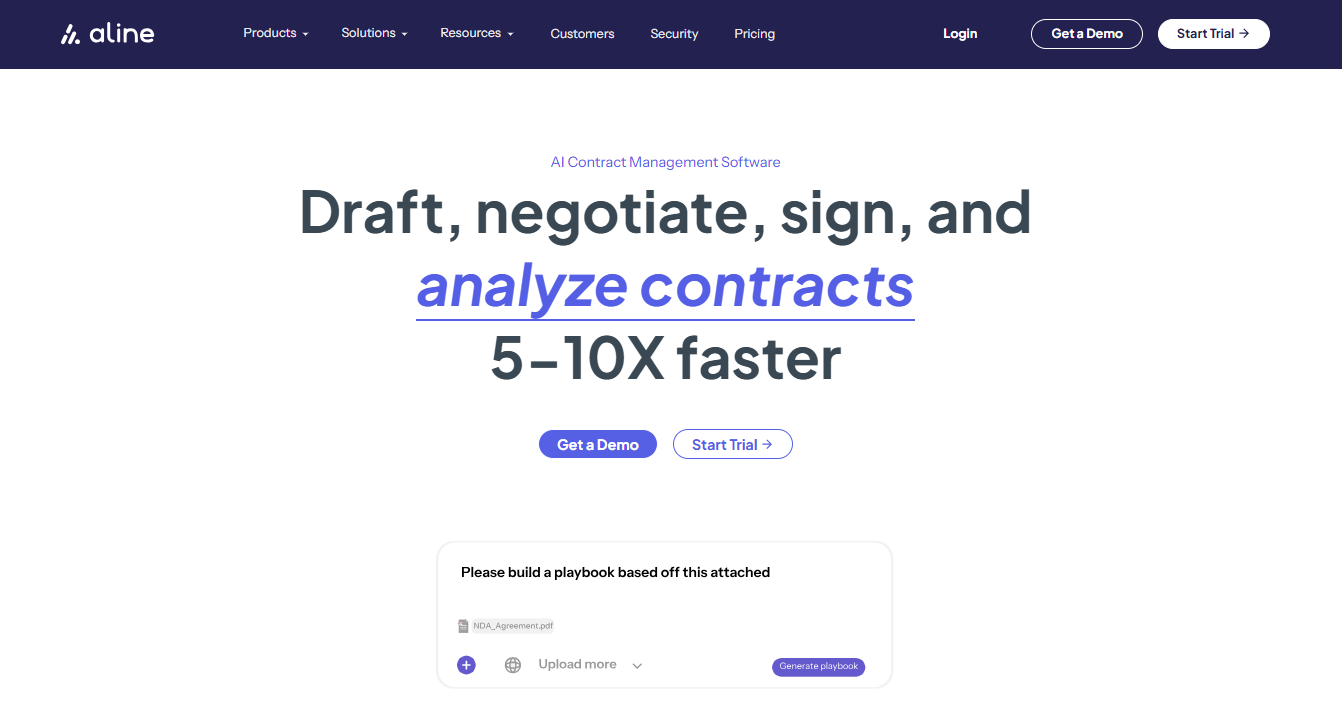
Where both platforms still create additional work is around the legal tasks that happen throughout the contract lifecycle. Teams may continue relying on separate AI tools for contract review and legal research, while also investing significant time in the implementation, administration, and maintenance of multiple products.
Aline removes much of this operational complexity by bringing contract drafting, review, negotiation, legal research, approvals, eSignatures, and post-signature management into a connected workflow, reducing administrative effort throughout the contract lifecycle.
The platform helps save 10–15 hours per legal user and provides 100% contract coverage across obligations, renewals, and payment terms. It also lets you achieve 5–10x ROI within 3–6 months by handling all your contract management requirements end-to-end.
With Aline, Offerd saved $18K on subscriptions.
“We were paying for too many tools that handled pieces of the same process. Aline helped us consolidate that spend and saved money from unnecessary software subscriptions and streamlined contract workflows.”
David Luebke, Procurement and Operations at Offerd
Bison Transport reclaimed $30K annually, reducing time spent on manual searching and analysis. It also saved 10+ hours per week on reporting.
“We were able to see renewal timelines and clauses across hundreds of contracts instantly. What used to be hours of searching now takes minutes.”
Erin Zasada, Legal Counsel at Bison Transport

Start your free trial of Aline today to see how contract automation improves your workflow.
No. Conga Sign and DocuSign are separate e-signature tools. Both allow users to send and sign documents securely, but DocuSign is a standalone platform, while Conga Sign is part of the broader Conga suite that integrates directly with Salesforce and other Conga applications.
Conga is one of DocuSign’s main competitors, especially in the contract lifecycle management category. Other tools like Aline and PandaDoc also compete in this space, offering different approaches to automation and document workflows.
Conga is used for automating business documents and managing every stage of a contract. It’s known for enabling organizations to handle large contract volumes while maintaining compliance and accuracy.
In Salesforce, Conga acts as a native add-on that lets users generate contracts, proposals, and quotes directly from CRM data. This ability helps reduce manual entry and keeps every log and document linked to the right person, date, and transaction record.
Contract lifecycle management software is essential because it simplifies complex legal and sales processes, improves visibility, and reduces risk. It helps teams stay organized, track key dates, and manage every agreement efficiently. Additionally, it gives companies a more personal and reliable way to handle approvals and renewals at scale.