If you’re part of a legal, sales ops, or finance team at a company with 100 to 2,000 employees, you already know contract management challenges rarely show up at the signing stage. Most of the friction builds much earlier in the back-and-forth between drafting, review, and approvals.
A typical contract in your workflow can pass through multiple stakeholders and move across several email threads, Slack messages, and different document versions, making it hard to maintain a single source of truth. By the time it’s ready for signature, your team may no longer be certain which version has the approved language.
In many organizations still relying on manual email- and spreadsheet-driven workflows, contract approvals can be delayed by 30–60 days. It also brings in legal risk due to inconsistent version control, lack of audit visibility, and non-standardized clause usage across drafts.
If your business is already facing these challenges, considering a CLM is the obvious step, as it automates approval routing, tracks contract status in real time, and maintains a searchable record of every version and decision throughout the contract lifecycle. In most cases, PandaDoc and DocuSign CLM are commonly evaluated options.
Both platforms address important parts of the contract process. However, organizations managing large contract portfolios often need faster ways to analyze agreements, identify key obligations, monitor renewals, and generate reports across multiple documents.
Aline addresses this challenge by combining contract workflows with portfolio-wide reporting, contract analysis, and post-signature visibility.
This article breaks down all this, explaining:
| Category | PandaDoc | DocuSign CLM | Aline |
|---|---|---|---|
| Best for | Small and mid-sized businesses focused on quotes, proposals, and customer-facing documents | Organizations requiring structured contract reviews, approvals, and governance | Teams looking for contract lifecycle management, AI-powered analysis, and portfolio visibility in one platform |
| Core strength | Fast document creation and document workflows | Workflow governance and approval management | End-to-end contract management combined with contract intelligence |
| Ideal organization size | Small to medium businesses | Mid-market to enterprise organizations | Scaling and enterprise teams with 50–500+ employees, managing large contract volumes and multiple stakeholders |
| Contract creation | Template-driven document generation for sales and business teams | Standardized contract generation with approval controls | AI-assisted drafting with reusable templates and automated workflows |
| Post-signature management | Limited visibility after execution | Basic renewal and contract tracking capabilities | Renewal monitoring, obligation management, reporting, and lifecycle oversight |
| Limitations | Can require additional tools for governance, reporting, and contract analytics | Can become complex to configure and manage for non-enterprise teams | Can be more comprehensive than necessary for businesses focused only on document creation and digital signatures |
PandaDoc is a document automation tool that lets you manage business proposals, quotes, and contracts. It also allows you to share them for review, collect approvals, and complete signatures while tracking the document’s progress.
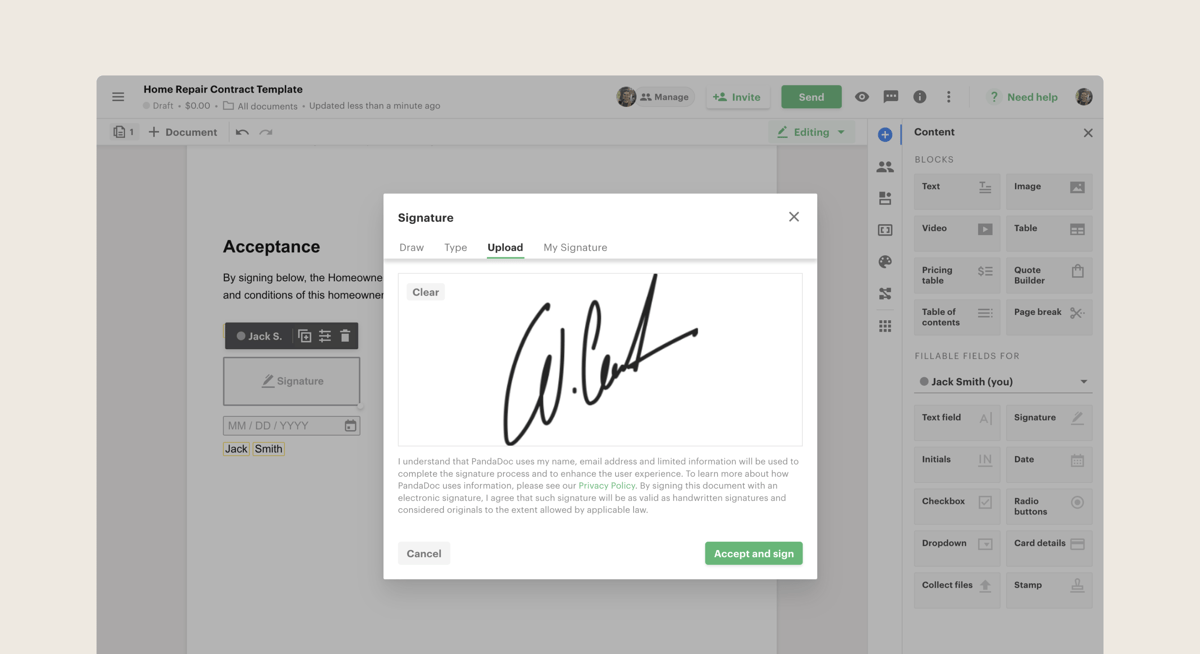
A platform user says,
“As a Sales Executive, I really like PandaDoc because it keeps all of my client-facing forms in one place. It’s integrated with our HubSpot instance, which allows me to auto-generate and initiate pricing proposals directly from HubSpot. We are able to load all of our pricing tables and everything. So putting together that proposal is a very quick, easy and seamless process, and the PandaDoc UI is on point and makes it virtually effortless.” Source
Best fit for: Small and medium-sized businesses that prioritize speed of document movement and ease of use over advanced legal governance or deep lifecycle control.
A platform user says,
“The product itself generally performs well, but the customer experience after purchase can be challenging. Support responsiveness and escalation paths are not always clear when business-critical issues arise, and obtaining ownership of complex issues can be difficult. We also found the renewal process to be unnecessarily adversarial and overly focused on preserving contract value rather than aligning pricing and packaging with actual customer usage and operational requirements.” Source
Not ideal for: Teams with multi-layer approval and full lifecycle contract governance requirements.
DocuSign CLM is used to manage contract workflows across drafting, review, approval, and execution stages. It is typically adopted in organizations where contracts move through multiple internal stakeholders and need structured processes for handling versions, approvals, and signatures.
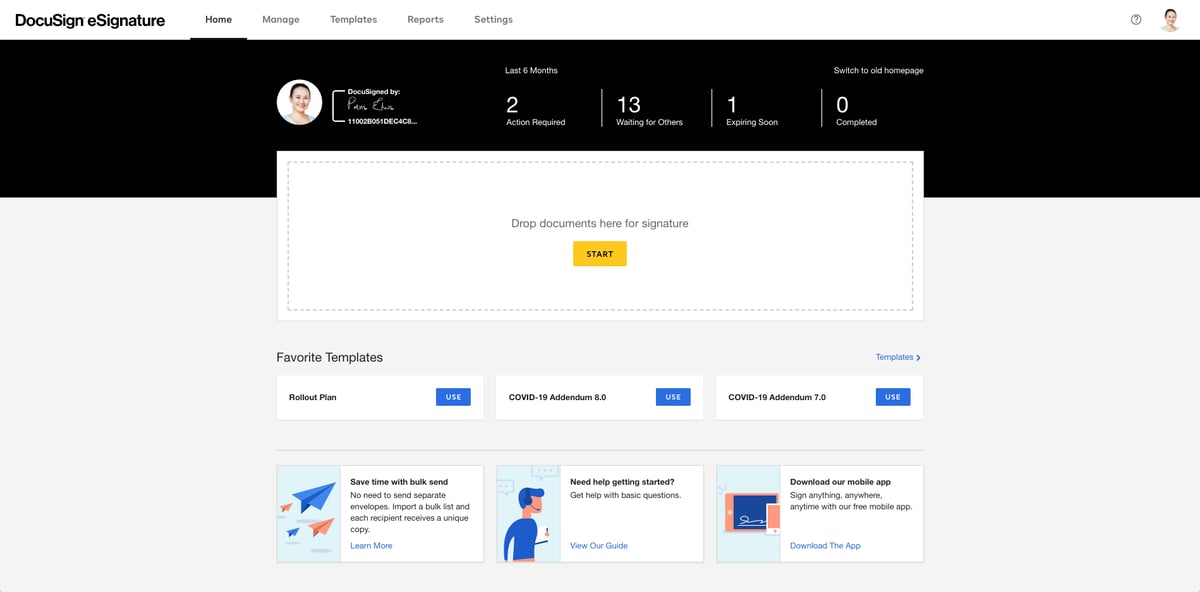
A platform user mentions,
“It helps to create centralized contract for all parties including logistics parties, suppliers and IT vendors. Many contracts can be generated from a master contract where I just need to change the vendor name and rate. This saves lots of time in copying contracts for similar vendors. I get alert few weeks ago before contract expiration. Overall good features for contract management in procurement function.” Source
Best fit for: Teams that already use DocuSign for eSignature and want to extend it into broader contract workflows involving review, approvals, and internal collaboration.
A platform user mentions,
“One downside is that it can feel a bit complex at first, especially for new users who are not familiar with contract management systems. Some workflows require multiple steps, which can take time to fully understand. Also, depending on the setup, making changes to templates or processes may not always be very intuitive.” Source
Not ideal for: Teams that need a lightweight, quickly configurable contract tool without setup effort and structured workflow governance overhead.
Both PandaDoc and DocuSign CLM leave operational gaps that surface after purchase, particularly around contract analysis, portfolio-wide reporting, and obligation tracking. Aline brings these capabilities together in one platform.
For organizations managing thousands of agreements, finding the right information can be harder than managing the contracts themselves. Aline brings contract management and AI-driven contract intelligence together, helping teams search, analyze, and report on large contract portfolios without the manual effort traditionally involved.
With Aline, clients have reduced effort on contract reporting by up to 90% and saved 100+ hours on contract analysis. It also handles the comprehensive contract lifecycle management platform covering drafting, workflow automation, storage, and post-signature tracking.
PandaDoc and DocuSign CLM help bring structure to contract workflows. But many teams still rely on separate tools, manual reporting, and time-consuming contract reviews to answer basic business questions. Finding renewal dates, tracking obligations, identifying risk clauses, or generating portfolio-wide reports can quickly become difficult as contract volumes grow.
Aline addresses those operational gaps through the following offerings:
“We’re just using Claude/ChatGPT — we don’t need a CLM.”
General AI tools work for basic drafting activities like drafting clauses, summarizing agreements, and answering questions about a document. But they don’t manage the contract lifecycle. They don’t know your approval workflows, maintain version history, track obligations, route contracts for review, or provide a centralized system of record. Aline combines Claude, ChatGPT, and Gemini within a single contract workspace — so your entire contract process stays connected in one place instead of spanning Word, email, ChatGPT, shared drives, and spreadsheets.
“We tried a CLM before, and it took 12 months and still didn’t work. Why would Aline be different?”
Many CLM implementations are slow to deliver value because they require extensive configuration upfront. Aline is an AI-native legal workspace that can be implemented within a week, unlike the traditional workflow-heavy CLM. Instead of asking you to redesign your legal operations around the software, Aline adapts to the way your teams already draft, review, negotiate, and manage contracts.
“We need contracts to stay in Word — will Aline work for us?”
Yes. Aline works alongside Microsoft Word, so legal teams can continue using the document editor they’re already familiar with. Teams can keep drafting and reviewing contracts in Word while using Aline’s AI capabilities for drafting, review, negotiation support, and contract intelligence.
See what our clients say:
“There are 8,400 contracts in the Aline platform. Answering questions about our data or risk used to take hours, days, even weeks. Now I can just ask.”
Kimberly Paine, General Counsel at TRG Screen

“Outside counsel is expensive. Having them double check something costs as much as creating ten contracts in Aline.”
Mike Quattrochi, CEO at WarehouseNow
So far, we’ve looked at each platform on its own. But the real question is how they compare side by side. PandaDoc and DocuSign CLM cover different parts of the contract process. Aline covers the full lifecycle, including the parts both leave open.
Here’s where the differences start to stand out and how each platform approaches contracts and agreements in its own way.
The main difference between these platforms comes down to what they’re built to do.
PandaDoc was created to help sales and service teams send out proposals, quotes, and agreements quickly. It’s designed to make the process fast and simple, especially for companies that need to move documents in and out of the pipeline every day.
DocuSign CLM provides governance to contract workflows. Its capabilities focus on routing agreements through review and approval, maintaining version control and audit trails, and establishing consistent processes for handling contracts across teams.
Aline takes a different approach by positioning itself as a more comprehensive solution. Rather than handling just one part of the process, it helps companies manage contracts across their entire contract lifecycle. That means drafting, reviewing, signing, storing, and reporting can all be done on the same platform.
Along with the essential features like e-signatures, it also offers advanced tools for workflow automation, collaboration, and AI-powered contract review. This makes it useful for businesses that want everything in one place rather than piecing together multiple tools.
By combining these capabilities, Aline supports effective contract management across every stage of the contract lifecycle. Start a free trial to experience it firsthand and see how it fits your contract workflows.
Each platform has its own strengths, and the feature sets reflect what they’re built for. Here’s a closer look.
PandaDoc is designed with sales teams and client-facing documents in mind. Its tools focus on speed and ease of use for document creation and tracking.
DocuSign CLM is for legal and procurement teams handling high volumes of contracts. Its tools bring accountability to contract operations across departments.
Aline extends beyond e-signatures and proposals, focusing on full document management and contract lifecycle control.
Try our 30-day free trial today.
Pricing is one of the biggest differences you’ll notice when looking at PandaDoc, DocuSign CLM, and Aline. Each has its own pricing structure that fits different types of users and company sizes.
PandaDoc offers a free plan, but it comes with limitations on document volume and functionality.
Paid plans include:
Organizations requiring advanced automation, API access, or enterprise controls must request custom Enterprise pricing.
Unlike its eSignature products, DocuSign CLM does not offer publicly available pricing. Costs are typically determined by an organization’s requirements, with third-party estimates placing annual pricing between $25,000 and $100,000+.
Aline has 2 pricing plans:
Team plan:
Enterprise plan:
Learn more about Aline’s pricing plans today.
Choosing between DocuSign CLM and PandaDoc depends on what your business values most.
If you’re mainly looking for structured contract governance across reviewers and departments, DocuSign CLM is the safer choice. PandaDoc is better if your team deals heavily with proposals, quotes, and client-facing paperwork. Its focus on templates, sales documents, and a smoother user experience makes it attractive for small to mid-sized businesses.
That said, both platforms can start to feel limited if your needs go beyond signing and sending. If you want more advanced features like AI contract drafting, automated workflows, contract collaboration, and a centralized place to store every agreement, Aline is worth considering.
Aline replaces the 5–7 tools most teams use to manage contracts — Word for drafting, email for review, DocuSign or PandaDoc for signing, Google Drive for storage, and spreadsheets for tracking — with one platform that covers drafting through post-signature reporting.
So, while this guide gives you a detailed comparison, the real answer depends on how far you want to take your contract process.
For simple signing, either DocuSign or PandaDoc will get the job done. For full contract lifecycle management, Aline stands out as the stronger option.
PandaDoc helps teams create, send, and manage high volumes of customer-facing documents. DocuSign CLM brings better structure and control to contract workflows that involve multiple reviews, approvals, and business stakeholders.
The bigger challenge begins when leadership needs answers from contracts, not just a process for creating or approving them. Questions about renewal exposure, vendor commitments, obligation tracking, liability terms, and contract risk often require teams to manually search through agreements, spreadsheets, and disconnected systems.
Aline approaches the problem from a different angle. Rather than focusing solely on moving contracts through workflows, it enables teams to extract, analyze, and act on contract data across their entire portfolio. This helps reduce annual legal costs by $30,000–$60,000, as teams will have lower external dependence.
“Aline’s reporting has been a game-changer for us. It gives our legal team an immediate, dependable source of truth across every contract, letting us surface critical obligations and risk details in minutes instead of weeks.”
Jamie Emmerich, Senior Corporate Paralegal at DailyPay

With 97% customer retention and leveraged by 2,000+ users, Aline gives teams a practical way to scale contract operations as the business grows.
For companies focused on sales proposals and client-facing documents, PandaDoc often feels more flexible. It offers basic templates, a drag-and-drop editor, and even supports collecting payments directly inside documents.
While DocuSign is known for compliance, PandaDoc stands out with other key features that help sales teams close deals faster.
Yes, just like DocuSign, PandaDoc signatures are legally binding under the Uniform Electronic Transactions Act and the ESIGN Act.
That means signatures carry the same weight as handwritten signatures, making them valid for everything from employment contracts to service agreements.
The closest competitor is PandaDoc, since both PandaDoc and DocuSign provide secure e-signatures and document workflows. Other platforms also compete in this space, but these two dominate the market for computer software that handles contracts and signatures.
PandaDoc’s pricing tiers are the Starter plan at $35 per user/month, the Business plan at $65, and custom Enterprise pricing. Each step up adds more advanced tools like analytics and workflows.
Yes, you can integrate PandaDoc with popular apps like CRMs, cloud storage, and even Microsoft Office. This makes it easy to pull in customer data automatically and keep all your contracts in sync with the tools your business already uses.