Your legal team just spent three days redlining a vendor agreement. The final version is ready, sent out for signature through DocuSign CLM.
Now it’s sitting in someone’s inbox. No visibility, no timeline, no clear next step.
At the same time, a renewal deadline for a critical contract is buried in a spreadsheet that hasn’t been updated in months. Approvals are scattered across Slack threads. The latest version of another agreement is somewhere between email attachments and Google Drive folders.
The issue here is the actual workflow around the contract.
DocuSign CLM helps eliminate the friction of printing and scanning. But for most teams, signing is only one step in a much larger, fragmented process. Contracts are still drafted in Word or Google Docs, negotiated over email, approved in Slack, signed through separate tools, and tracked manually after execution.
The result is operational overhead that compounds quickly. 49% of legal teams still rely on disconnected tools like email and Word, making it difficult to maintain version control, visibility, and an audit trail. Even after investing in multiple systems, many organizations still lack a single source of truth for their contracts.
This challenge becomes more pronounced at scale. General Counsel managing hundreds of agreements, RevOps teams trying to accelerate deal cycles, and founders handling contracts manually all face the same challenge: signing tools alone don’t solve contract management.
This limitation is pushing teams in 2026 to move beyond standalone e-signature platforms. With the CLM market steadily growing, organizations are adopting solutions that handle the entire contract lifecycle, from drafting and collaboration to approvals, signing, and post-signature tracking, in one unified system.
In this guide, we’ll break down what DocuSign CLM offers, where it falls short, and the 11 best alternatives for faster, more efficient contract workflows.
DocuSign CLM solves one part of the contract workflow extremely well: collecting legally binding signatures. But signing is only the final step of a much longer process
A typical contract moves through multiple stages, from request to drafting to renewal tracking. Most delays occur before the signature, not during it.
Legal teams still draft agreements in Word, negotiate through email threads, chase approvals in Slack, and store final PDFs in shared drives with limited searchability or reporting.
That gap, everything before and after the signature, is why many companies are evaluating DocuSign CLM alternatives. Below are the main reasons teams are switching in 2026.
DocuSign’s pricing model is mainly per-user licensing, which can become expensive as more departments use the platform.
Based on DocuSign’s current pricing tiers:
eSignature plans
IAM + eSignature plans (with automation and AI)
For teams that need automation, approval workflows, and integrations, the IAM plans are typically required.
That means a 15-person legal and sales team using IAM Standard would pay:
$45 × 15 users × 12 months = $8,100 per year
IAM Professional would raise that to:
$75 × 15 × 12 = $13,500 per year.
As pricing scales with every additional user, contract management costs increase quickly as organizations grow.
User reviews frequently highlight this concern.


DocuSign CLM works mainly for sending documents out for signature. But once an agreement is completed, teams often need other systems to organize, track, or monitor those contracts.
This becomes challenging when companies want to track obligations, renewal dates, or contract performance across many agreements. Without a centralized way to manage signed contracts, teams often end up relying on shared drives, spreadsheets, or manual tracking. One of the platform users notes that they primarily use the platform for a single step of the process:

As contract repositories expand to hundreds of agreements, quickly retrieving specific documents becomes increasingly important for audits, renewals, and internal reference. Some users report that locating previously signed documents within DocuSign CLM can be challenging.
A reviewer described this issue directly:

Another reviewer mentioned that documents can sometimes disappear from view entirely, forcing teams to resend them.

For these teams, more than the DocuSign CLM subscription, the impact is felt in delayed deals, missed renewal deadlines, and increased exposure from obligations hidden deep within contract clauses.
As organizations scale, contracts often need to be exported in bulk, for audits, system migrations, backups, or centralized record management. In high-volume environments, the ability to easily move contract data between systems is important for legal and operations teams.
A user says that bulk exporting completed agreements from DocuSign CLM can be difficult, particularly for smaller teams on standard plans.

When contracts cannot be easily exported, maintaining a complete and portable contract repository becomes more difficult. This is one of the main reasons why it is worth looking for contract lifecycle management (CLM) platforms, which provide centralized repositories and structured contract data that can be exported, migrated, and analyzed more easily.
Post-signature contract management process is where most contract value is either realized or lost. In fact, poor contract management can cause 5–10% value leakage from total contract value due to missed obligations, pricing errors, or untracked terms.
When evaluating post-signature capabilities in a contract platform, focus on measurable outcomes across the following areas.
A contract platform should automatically track milestones, deliverables, SLAs, and regulatory commitments after signature. Without structured monitoring, key contractual obligations can easily be missed.
Organizations that implement automated obligation tracking report 40–60% fewer compliance violations because deadlines, reporting requirements, and deliverables are monitored systematically.
Look for systems that:
Once contracts are executed, organizations must be able to quickly locate agreements and specific clauses across departments. However, 71% of companies cannot locate at least 10% of their contracts, often because documents are scattered across emails, shared drives, and disconnected systems.
A centralized contract repository within a CLM platform improves visibility and reduces administrative time.
Look for platforms that provide:
In regulated environments, organizations must maintain a complete record of contract activity, including approvals, edits, and signing events, to prove compliance during audits or issues. Detailed audit trails help you comply with digital signature regulations such as ESIGN and eIDAS while providing verifiable documentation during regulatory reviews.
Look for platforms that provide:
From affordable tools that cover the basics to platforms with advanced contract management features, there are plenty of DocuSign CLM alternatives worth exploring:
Unlike point solutions that handle only one step of the contract process, Aline unifies drafting, negotiation, approvals, signing, and post-signature tracking into a single AI-driven platform. By replacing fragmented tools like Word, email, DocuSign, and shared drives, Aline enables teams to scale contract workflows 3–5× without increasing legal headcount.
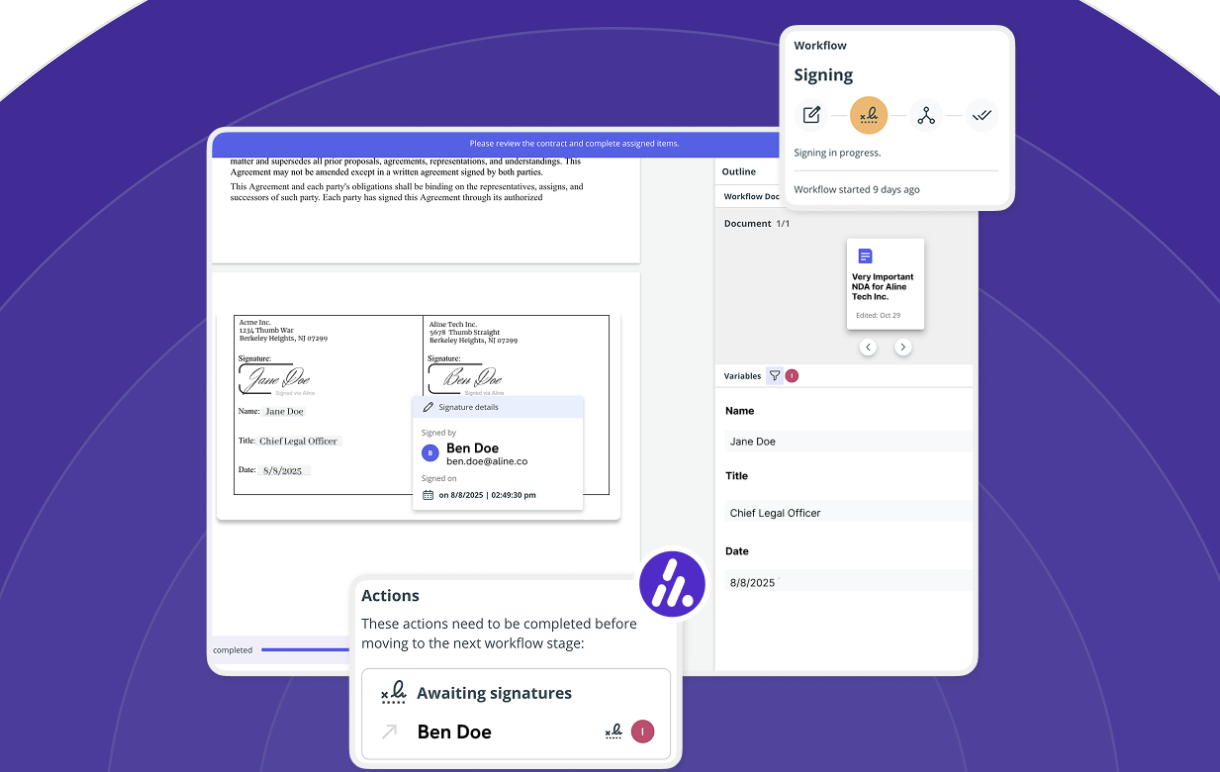
If your team only needs to send a handful of documents for signature each month, a basic e-signature tool like DocuSign CLM may be sufficient. Aline is built for organizations that manage 50–1500+ contracts per month and need faster drafting, optimized approvals, and centralized contract visibility, with AlineSign’s unlimited model removing per-envelope costs entirely.
Aline uses multi-model legal AI (ChatGPT, Anthropic Claude, Gemini, and others) to assist with drafting, reviewing, and analyzing contracts. Legal teams can generate first drafts, suggest clause edits, and review agreements significantly faster than manual processes. This, in turn, helps teams have 95% faster redlining and first-pass reviews.
Instead of manually reviewing long documents, teams can analyze complex agreements like NDAs from 45 minutes to <2 minutes.
It also provides:
Best Features
One of our clients mentioned that:
“Aline’s reporting has been a game-changer for us. It gives our legal team an immediate, dependable source of truth across every contract, letting us surface critical obligations and risk details in minutes instead of weeks” - Jamie Emmerich, Senior Corporate Paralegal, DailyPay.
Aline has helped DailyPay save 20+ hours per week in reporting, reclaim $60K annually, and analyze 20,000 agreements in real time.
Pros
Over 100 companies across 10+ countries and 2,000+ users rely on Aline to optimize contract workflows, with a 97% customer retention rate. Compared to point solutions, Aline enables teams to handle workflows 5–10× faster with full visibility into every agreement.
Start your Aline free trial today and see how quickly your team can move contracts from draft to signature.
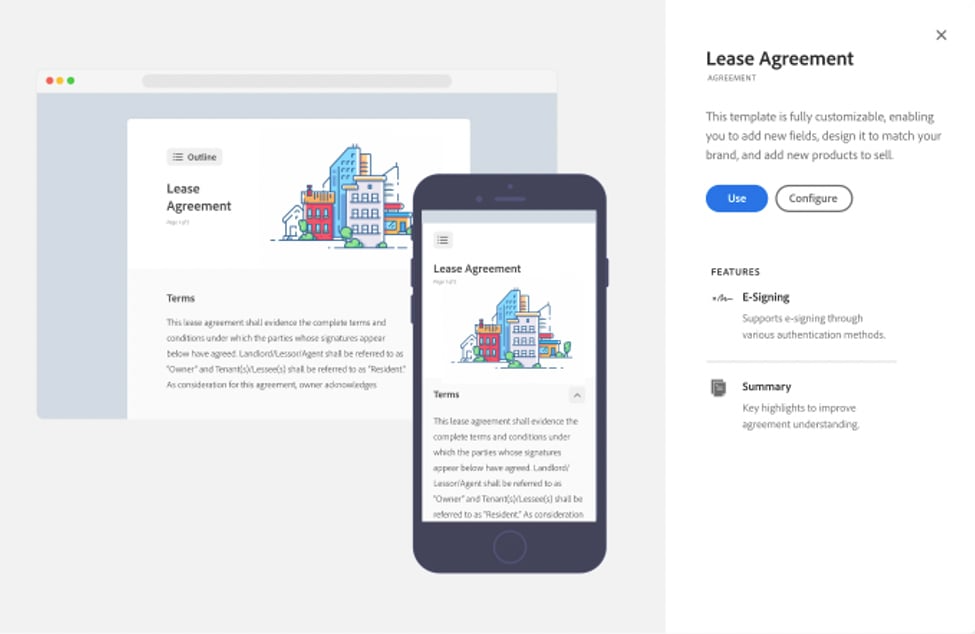
For businesses already deep into Adobe’s ecosystem, Adobe Sign is a logical step. It’s part of the Adobe Document Cloud, which means you get more than just electronic signatures.
You also gain comprehensive document management solutions built right into the apps you use every day.
Source: G2
Many former DocuSign CLM users switch to Adobe because it feels familiar and works smoothly with other apps like Microsoft 365, Google Workspace, and, of course, Adobe Acrobat.
Teams on a business plan often find it convenient that contracts can be drafted, shared, signed, and stored without leaving their preferred workflows.
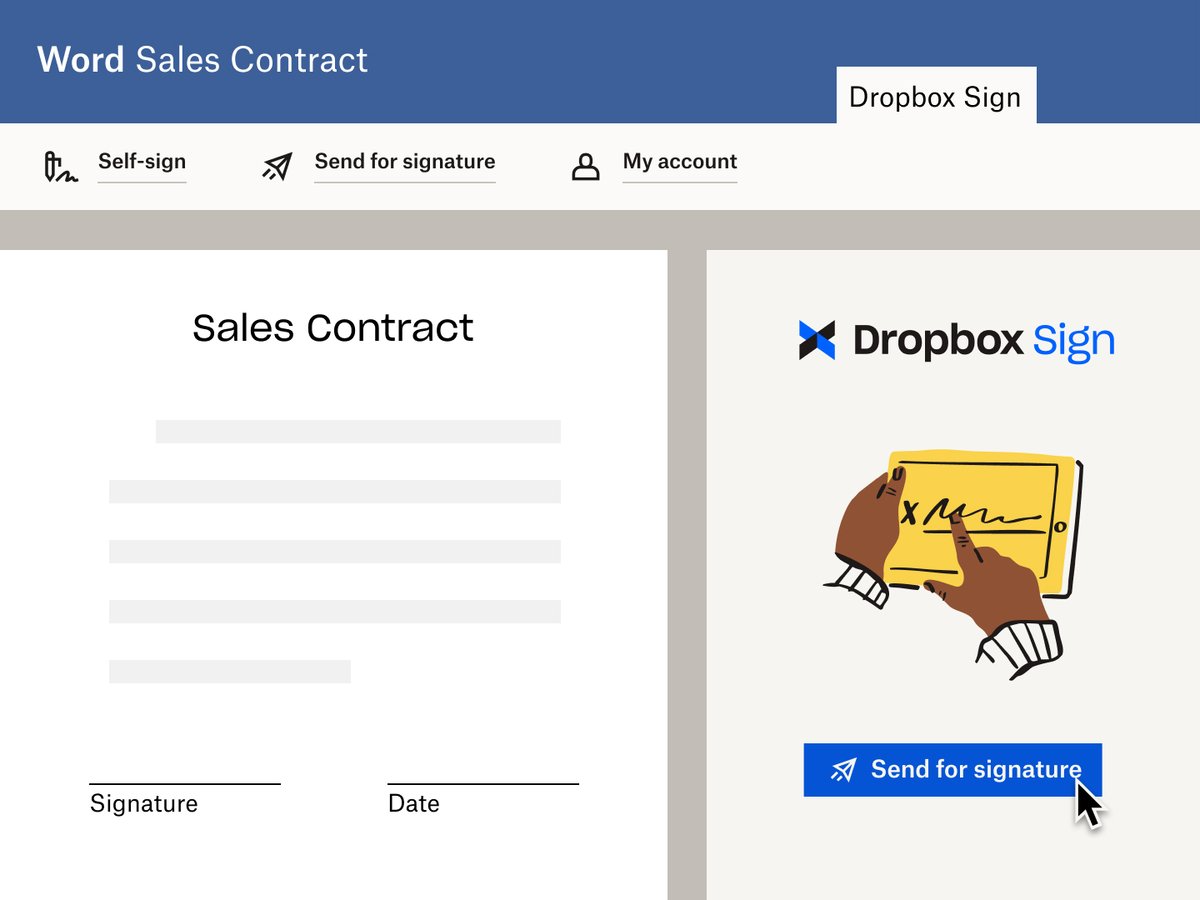
Formerly known as HelloSign, Dropbox Sign is a straightforward option for individuals and businesses that want an easy way to sign agreements and send documents.
Source: G2
It’s especially appealing if you already use Dropbox for contract storage since it integrates directly into your files. And for freelancers and small teams, the personal plan offers simple, affordable access to e-signatures without extra complexity.
Because everything lives inside Dropbox, managing PDF documents feels familiar. Signed files stay in your existing folders, which creates a simple document library without extra setup.
For teams with basic needs, that approach works well, though larger organizations may notice limited features when it comes to advanced workflows or contract automation.
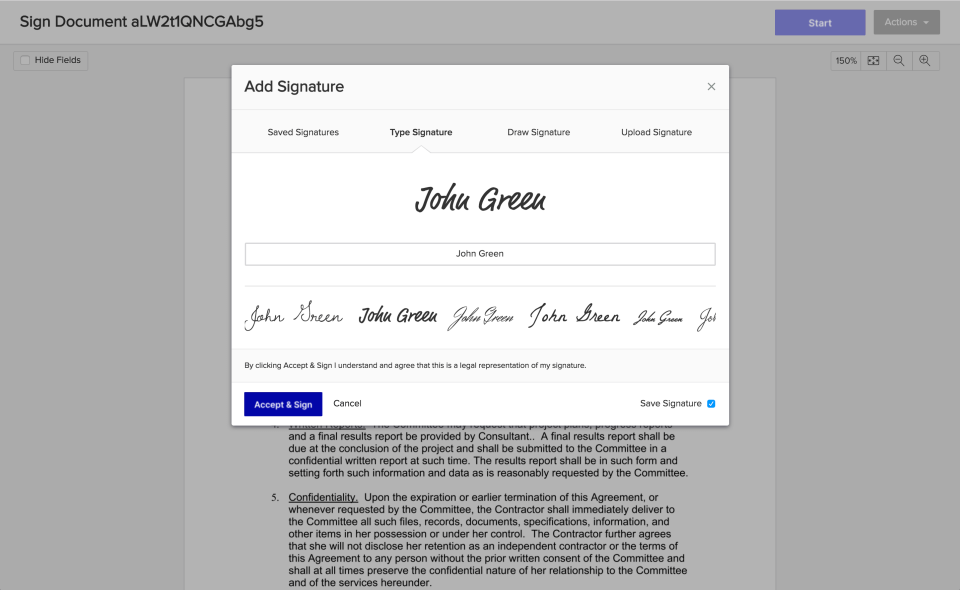
Xodo Sign gives you everything you’d expect from a modern e-signature tool: legally binding e-signatures, a clear digital audit trail, and flexible pricing that grows with your team.
Source: G2
If you’re running a small business, you can start on a basic plan with five documents a month. But as your needs expand, the professional plan makes it easy to add more users, branding, and advanced features without switching platforms.
Xodo Sign works well for creating documents and handling digital documents tied to everyday business contracts.
While it isn’t a full document editor, it supports common document workflows, especially when preparing agreements for signing and keeping records organized across your team.
Teams that work heavily with proposals, quotes, and contracts often turn to PandaDoc as a DocuSign CLM alternative. It goes beyond basic e-signatures by focusing on document creation and contract collaboration.
With Google Docs integration, a simple drag-and-drop tool, and plenty of reusable templates, you can put together professional documents in just a few minutes.
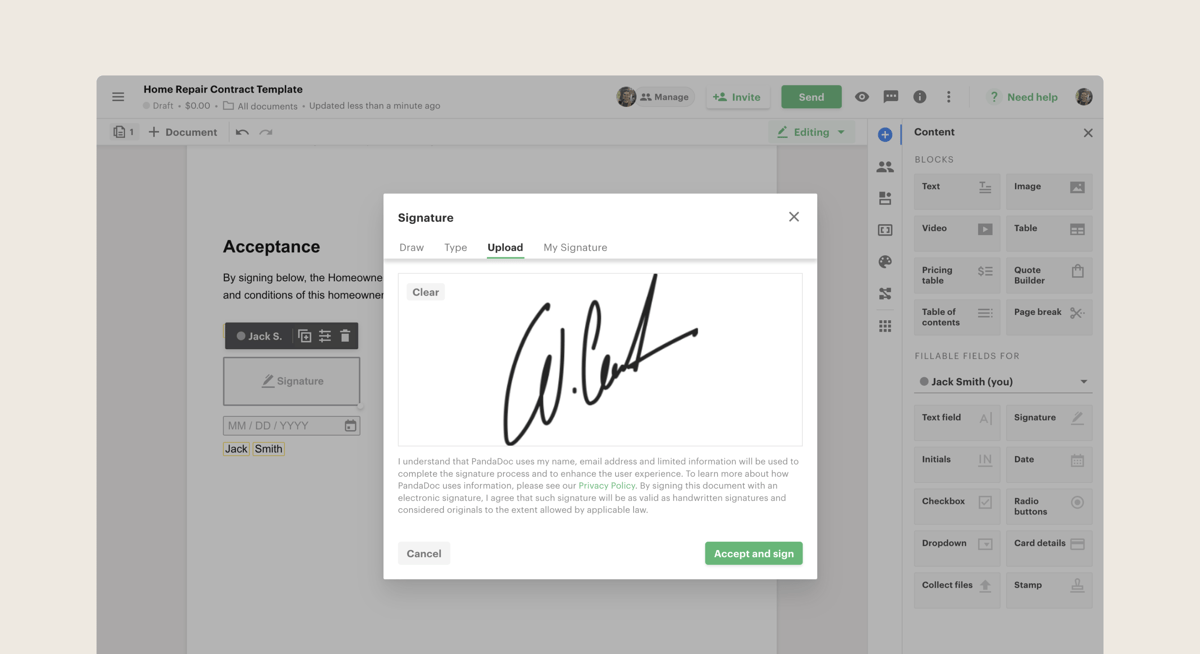
Source: G2
PandaDoc also helps track engagement, collect payments, and manage the process to renew contracts. These capabilities make it especially useful for sales and operations teams that need everything in one place.
When businesses look for DocuSign CLM alternatives that balance affordability with functionality, SignNow often makes the shortlist. It’s designed for companies that need to move contracts quickly without giving up flexibility.
For example, a sales team can prepare and send agreements in minutes, while still keeping documents polished through custom branding.
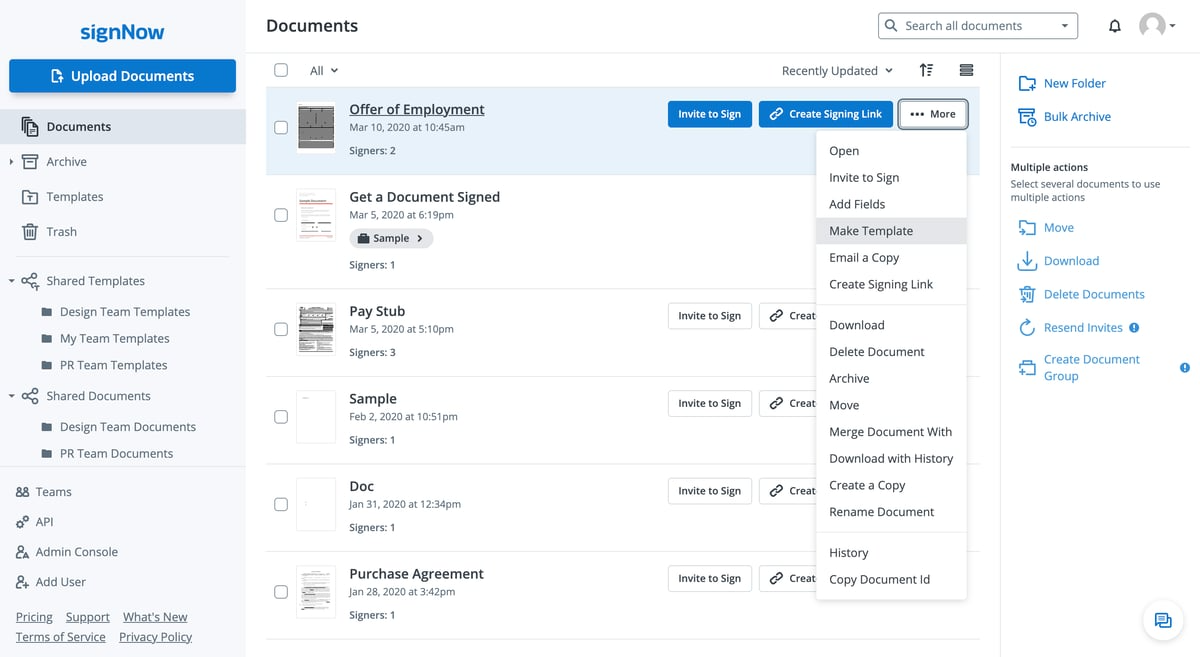
Source: G2
Beyond that, SignNow plays well with everyday tools. You can pull in files directly from Google Docs, handle PDF files with ease, and even bulk send contracts when you’re dealing with large groups of clients.
SignNow also supports advanced electronic signatures to give teams more control over how agreements are prepared and approved.
Unlike DocuSign, its pricing and feature structure appeal to companies that want strong signing capabilities without committing to higher-tier plans too early.
Juro is an all-in-one platform to manage your entire document workflow. Unlike some competitors, Juro combines contract creation, editing, collaboration, and signing in one browser-based workspace.
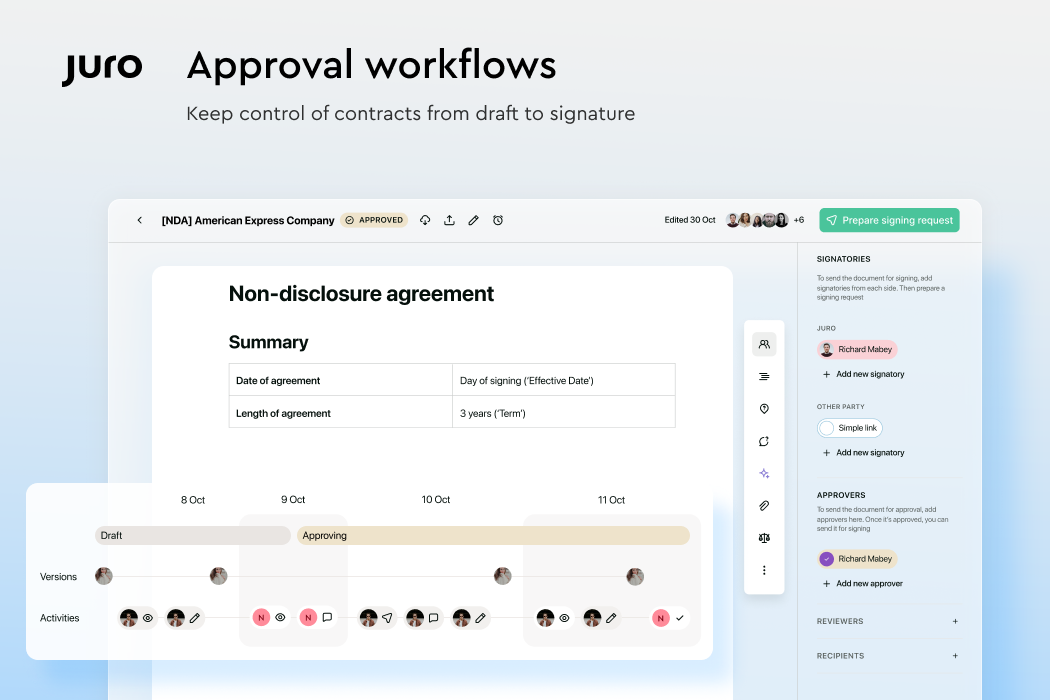
Source: G2
Teams that need to draft, negotiate, and sign without switching between multiple tools will find Juro especially convenient.
Legal, sales, and HR teams can work together in real time, which helps keep the whole contracting process clear and organized from start to finish.
Zoho Sign is a smart pick if your business already uses other Zoho apps like Zoho CRM or Zoho People.
Since it’s part of the larger Zoho suite, it connects e-signatures directly into your existing workflows without extra setup. That makes it easy to keep contracts, approvals, and client records all in one ecosystem.
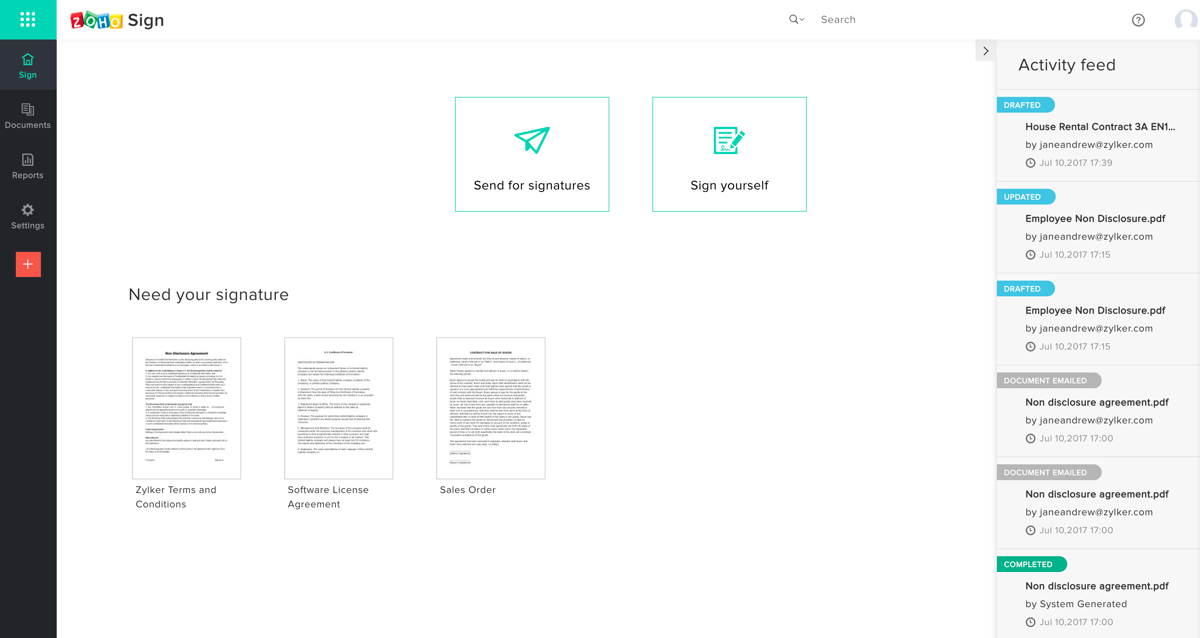
Source: G2
On top of simple signing, Zoho Sign offers advanced workflows that let you route documents, set up automated reminders, and track contract approvals from start to finish. It’s secure, compliant, and designed to work well across industries of different sizes.
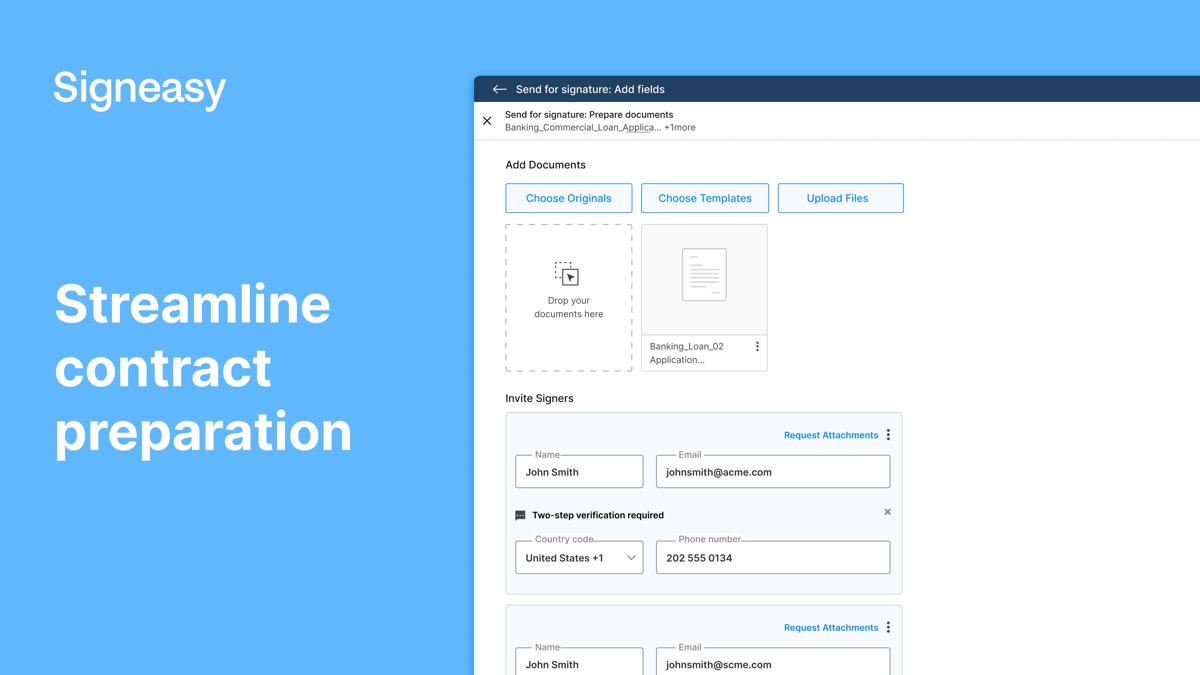
Among the many DocuSign CLM competitors, Signeasy has built its reputation on being simple, reliable, and mobile-friendly.
Source: G2
It’s a great option for professionals who need to sign and send contracts quickly, even when they’re away from the office. With a clean design and easy setup, Signeasy makes handling agreements, forms, and approvals straightforward.
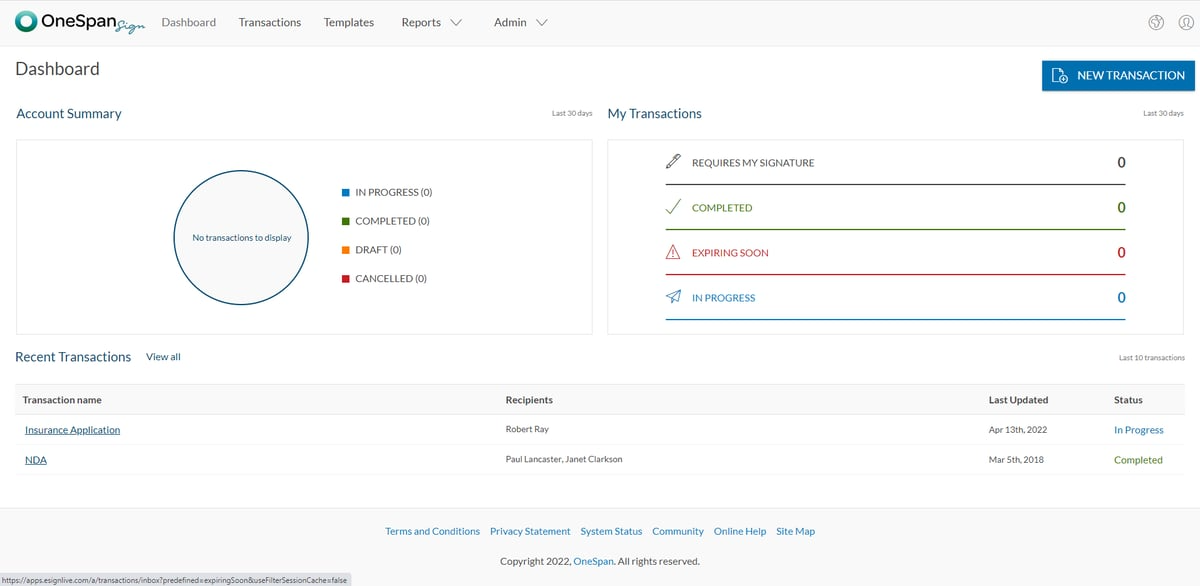
OneSpan Sign is for organizations that need more than basic e-signatures. It combines electronic signing with advanced authentication, compliance tools, and detailed tracking. All of this makes it a common choice in industries like banking, insurance, and government.
Source: G2
Companies that handle sensitive information value the platform’s flexibility, as it can be deployed in the cloud or on-premises depending on security requirements.
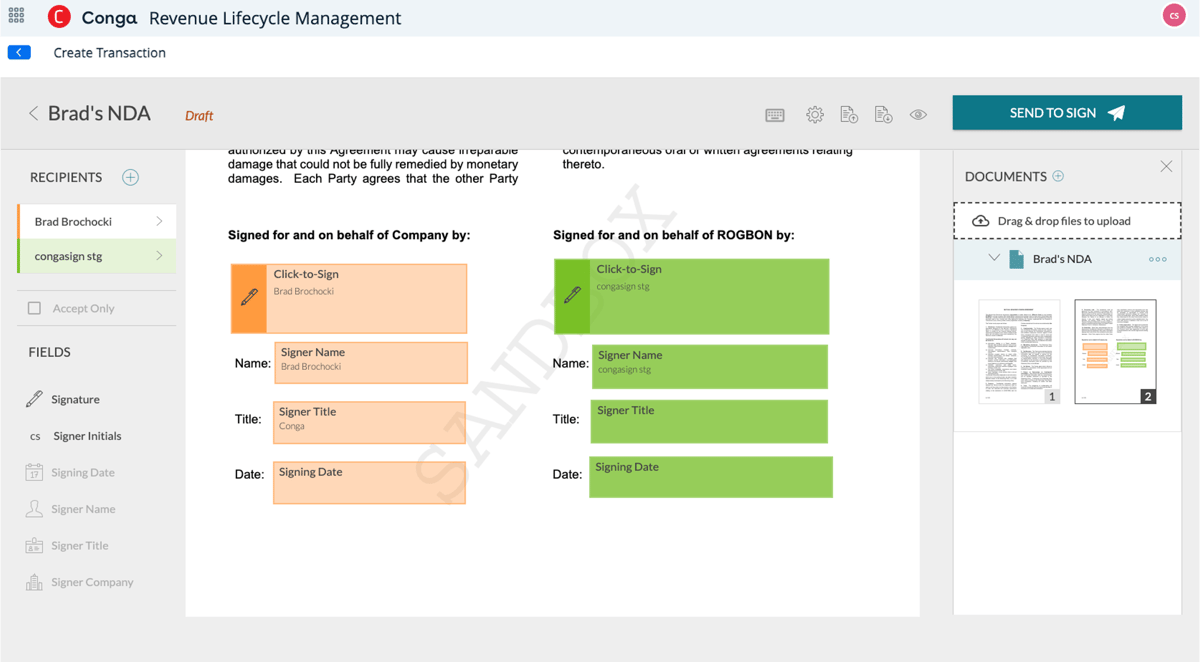
Conga Sign fits naturally into the Conga ecosystem, which many businesses already use for proposals, quotes, and contract management.
Source: G2
Adding it to the legal workflow means you can create, send, and sign agreements without needing extra tools. Essentially, it’s designed for companies that want e-signatures to work hand in hand with broader business processes.
With easy-to-use features, Conga Sign also supports online forms and structured approvals, which help teams keep agreements consistent as they move through contract review and signing.
Managing contracts effectively requires more than a tool that simply captures signatures. Drafting, negotiation, approvals, storage, and post-signature visibility all shape how efficiently agreements move across the organization.
When these steps happen across multiple tools, teams lose time coordinating updates, searching for documents, and tracking obligations.
Aline brings the entire contract workflow into one system. Teams can draft agreements, collaborate on redlines, route approvals, collect signatures, and analyze contract data from a centralized repository. This structured approach helps legal, sales, and operations teams stay aligned while keeping every agreement searchable and accessible.

Teams using Aline already see measurable improvements, saving over 20 hours per week on contract redlining, analyzing thousands of agreements in real time, and achieving annual savings of around $60K by reducing dependence on external legal support.
Here from our client:
"I can confidently say Aline has saved me hundreds of hours analyzing over thousands of documents during the last year. Getting familiar with the tool has been very simple." - Larissa V. Pimentel, Sr. Legal Advisor, Sophos.
For teams looking to optimize contract operations and gain better visibility across agreements, Aline gives you a practical way to manage the full lifecycle from drafting to renewal.
Book a demo with an Aline specialist to see how your team can:
The best choice depends on your user business needs and how contracts move through your organization. Some teams choose Aline for AI-driven contract workflows, others prefer Adobe Acrobat Sign for PDF-heavy processes, while Signeasy works well for mobile-first use. Each option serves different priorities around volume, collaboration, and control.
DocuSign CLM remains a widely trusted platform, but some users have raised concerns around pricing complexity, lower-tier plans with tighter limits, and support access tied to higher subscriptions. As the market has grown, newer tools have introduced more flexible features, clearer pricing, and broader functionality, which has shifted attention toward alternatives rather than replacing DocuSign CLM outright.
User interface preferences vary, but Aline is often highlighted for bringing drafting, collaboration, and signing into one clear workspace. The layout keeps contract work organized from start to finish, which reduces app switching and helps the team members stay focused. Platforms like PandaDoc and Juro are also recognized for clean interfaces, especially for document creation and collaboration.
Several DocuSign CLM alternatives offer more accessible support options, especially on a team plan. Aline, Adobe Acrobat Sign, Zoho Sign, OneSpan Sign, and Conga Sign commonly include chat or phone support on business and enterprise tiers, which appeals to teams that want hands-on help during onboarding or scale-up.

Brent is an attorney, a full-stack JavaScript engineer and the CEO of Aline.


Subscribe to our newsletter to receive new posts straight to your inbox 👇









