Contracts rarely break in one obvious place. They slow down bit by bit, in documents, emails, approvals, and signature tools, until teams lose visibility into what is signed, pending, or at risk.
For companies with 50 to 1,000 employees, this fragmentation creates a measurable impact. In fact, 95% of organizations lack full visibility into their contractual obligations, increasing the chance of missed deadlines, delays, and revenue leakage.
The consequence shows up differently from team to team:
GC and legal ops: Spend time reviewing repetitive, low-risk contracts instead of enforcing standard workflows
Sales: Lose deal momentum when agreements like NDAs sit unreviewed for 48 to 72 hours
Procurement: Misses renewal windows and inherits unfavorable vendor terms
Finance and RevOps: Struggle to extract contract data for reporting on contract value, forecasting, and exposure tracking
Leadership: Lack a clear view of obligations, risks, and commitments throughout the business.
Contract lifecycle management (CLM) software brings these steps into a single system. It manages contracts from drafting and negotiation to signing and post-execution tracking, so teams no longer rely on disconnected tools.
Each team evaluates the continuous workflow based on a specific outcome:
Legal and Legal Ops: Less manual review, consistent workflows
Sales: Faster contract cycles and quicker deals
Procurement: Vendor contract visibility
Finance and RevOps: Usable contract data
Leadership: Risk and obligation visibility
So with the right tool, the focus is on consolidation. CLM platforms like Aline replace multiple tools and act as a single source of truth for contracts.
Instead of sitting alongside existing tools, Aline brings drafting, approvals, and execution into one system while centralizing contract data teams can actually rely on.
This list covers the 7 best CLM tools in 2026, focusing on which platforms truly replace fragmented workflows. We'll also assess where Aline fits in this change and how it compares in key workflows.
AI-Native vs Traditional Platforms: What Should Your Team Choose in 2026?
Most CLM tools solve different parts of the contract lifecycle. The variations become clearer when you look at how they structure workflows and contract data.
Category
Best for
Avoid if
Tools in this category
AI-native CLM
Teams that want AI-driven workflows, structured contract data, and minimal manual intervention from day one.
You operate in an environment where rolling out process changes to multiple teams is difficult.
Aline
Traditional CLM platforms
Teams looking for established solutions for legal, sales, or enterprise use cases.
You need fast time-to-value without long implementation cycles.
Which 7 Contract Lifecycle Management Tools Are Worth Evaluating in 2026?
TL;DR: A Quick Comparison of the Top CLM Software Options
Platform
Core strength
AI capabilities
Implementation time
Best for
Key limitation
Aline
End-to-end AI-native CLM (draft → sign → track)
Multi-model AI (GPT, Claude, Gemini), playbooks, clause analysis
3–4 days
Fast-moving legal, sales, and ops teams
Not for teams wanting manual or fragmented workflows
DocuSign CLM
Strong e-sign + structured workflows
Limited AI, more workflow-driven
3 months (ROI 12 months)
Teams already in the DocuSign ecosystem
Expensive at scale, slower ROI
Ironclad
Structured workflows for legal and sales alignment
Basic AI for custom clauses, import, and insights
4 months
Teams prioritizing workflow clarity
Limited AI insights without manual tagging
Leah AI
Broad AI-powered legal platform
AI drafting, negotiation, analytics
5 months (ROI 17 months)
Enterprises exploring AI in multiple departments
Slow deployment, complex adoption
Agiloft
Highly customizable CLM workflows
Minimal native AI for review, obligation tracking, automation
Up to 5 months
Enterprises needing deep customization
Complex setup and learning curve
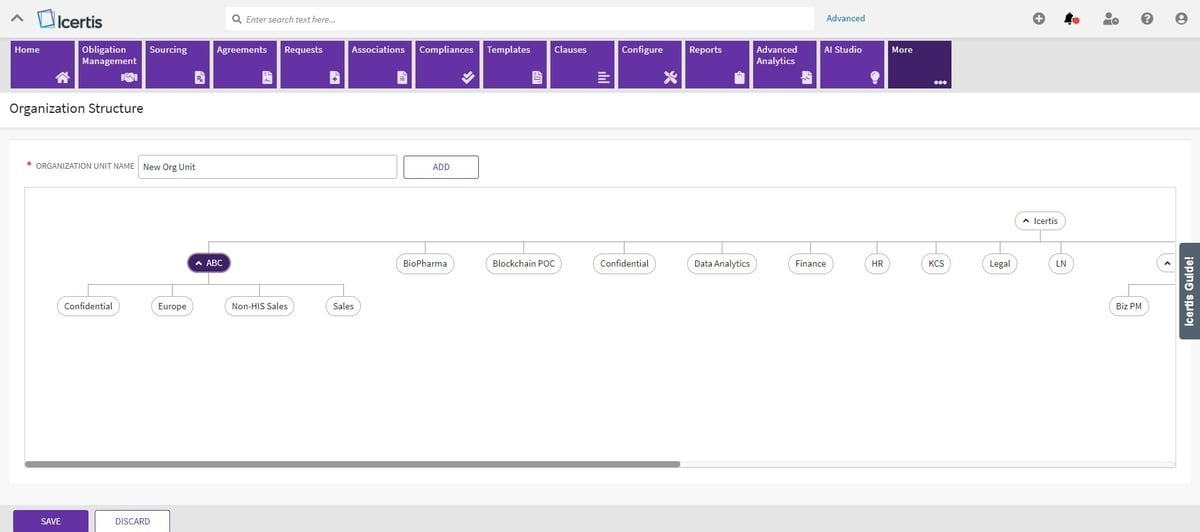
Icertis
Enterprise-grade compliance + scale
AI focused on governance (playbooks, analytics)
6 months (ROI 22 months)
Global enterprises with high contract volume
Expensive, long implementation
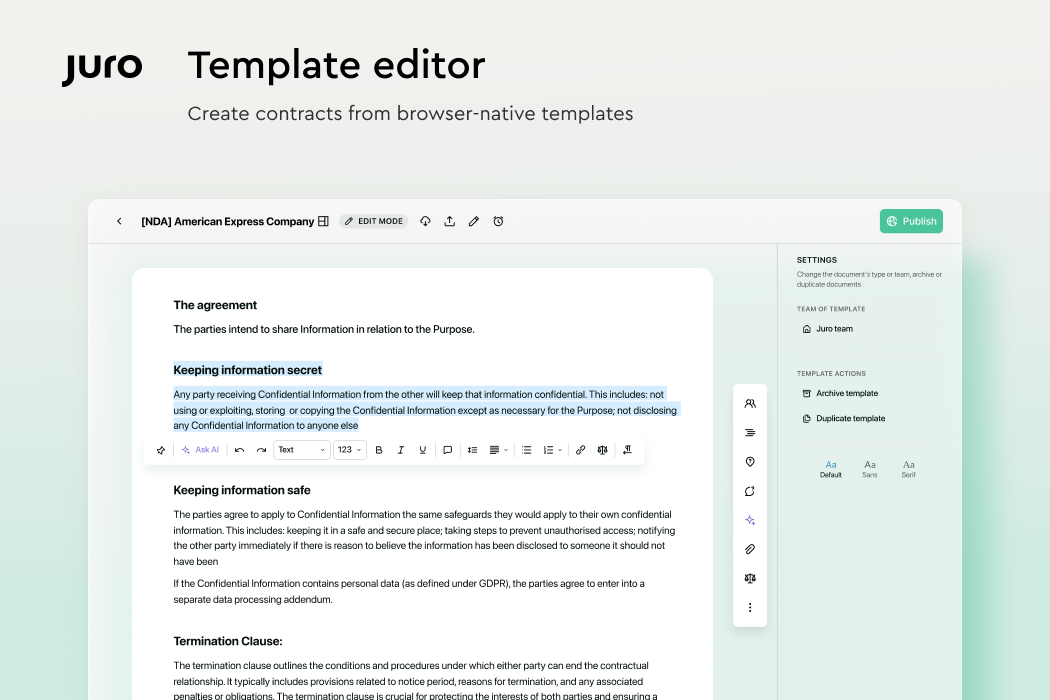
Juro
Simple, browser-based CLM
Lightweight AI for drafting, summarizing, reviewing
2 months
Startups and mid-market teams
Limited enterprise features and integrations
1. Aline
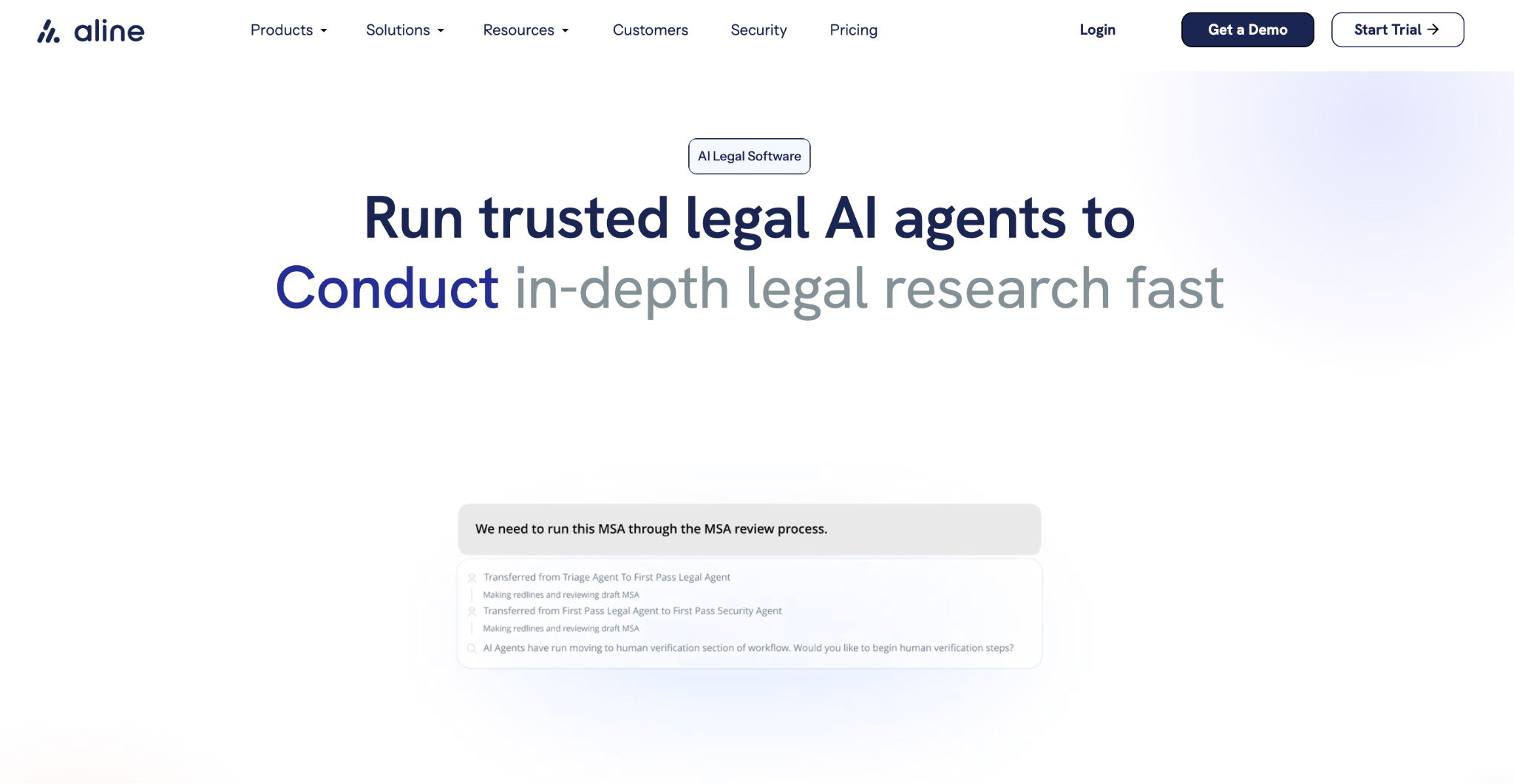
Aline is an AI-powered CLM platform built for teams that want contracts to move faster while staying organized at every step. It brings AI contract drafting, review, approvals, signing, and tracking into one connected system, so contract work feels clear rather than scattered.
What makes Aline stand out is how naturally it supports the way contract work actually unfolds. You begin with structured templates that reflect how agreements are written in practice, which removes a lot of early friction.
From there, contract reviews move forward in a clear order, so progress stays visible without constant follow-ups. As contracts reach the finish line, signing happens inside the same system to keep momentum intact.
Throughout the process, AI support speeds up drafting and review, while final decisions stay with the people responsible for the outcome.
Most teams are live in 3-4 days, since the workflows come structured rather than built from scratch.
Key Features
AI-assisted drafting and redlining: Helps prepare first drafts, suggest edits, and flag language that falls outside approved playbooks.
No-code dynamic templates: Generates contracts from structured inputs and keeps language consistent without manual copy-paste.
Automated approvals and routing: Moves contracts to the right reviewers based on rules, roles, or contract type.
Built-in e-signatures: Handles signing directly inside the platform with support for multi-party workflows.
Central repository and renewal tracking: Stores all agreements in one searchable place and keeps key dates, expirations, and obligations easy to monitor.
Teams working entirely in Microsoft Word with tracked-change DOCX workflows, since Aline replaces rather than extends Word-native workflows
Teams handling <20 contracts/month with a single reviewer, where volume is too low for CLM ROI to compound
Enterprises operating in 20+ jurisdictions with heavy compliance or ERP-linked workflows, which require deeper regulatory and system-native orchestration
Teams where the only gap is e-signature, where a tool like DocuSign is sufficient without a full contract lifecycle management system
If contracts are slowing down your team, it's time to fix the process. Teams using Aline have cut redlining time by 10x and saved 20+ hours every week.
10x Faster redlining and 20+ hours saved every week for teams that swap fragmented reviews spread over Word, email, and shared drives for a single AI-driven workflow.
What to Know Before Adopting Aline (Quick Buyer View)
How long does CLM implementation take?
Most traditional CLM platforms take 3–12 months to fully implement based on configuration, integrations, and workflow setup. With Aline, teams typically get started in 3–4 days as workflows are already structured around how contracts move, not built from scratch.
Do we need technical expertise or IT involvement?
Not necessarily. Aline is purpose-built so that legal, sales, and operations teams can use it directly without relying on IT for setup or day-to-day changes. Features such as AI playbooks and structured workflows reduce the need for extensive configuration.
Our contracts are non-standard. Will this still work?
Yes, and this is where Aline is actually stronger. Instead of forcing contracts into rigid contract templates, Aline learns from your existing documents, builds AI playbooks based on your preferred terms, and applies fallback positions during drafting and review. This helps flag risky clauses and maintain consistent negotiations.
We already pay for DocuSign. Is switching worth it?
It depends on what you're trying to solve. If your main need is signing documents, tools like Docusign work well. But if your challenge is everything before signing, like drafting delays, approval bottlenecks, and a lack of visibility into contract status, Aline replaces that fragmented workflow by handling drafting, review, approvals, and signing in one place while keeping contract progress visible without constant follow-ups.
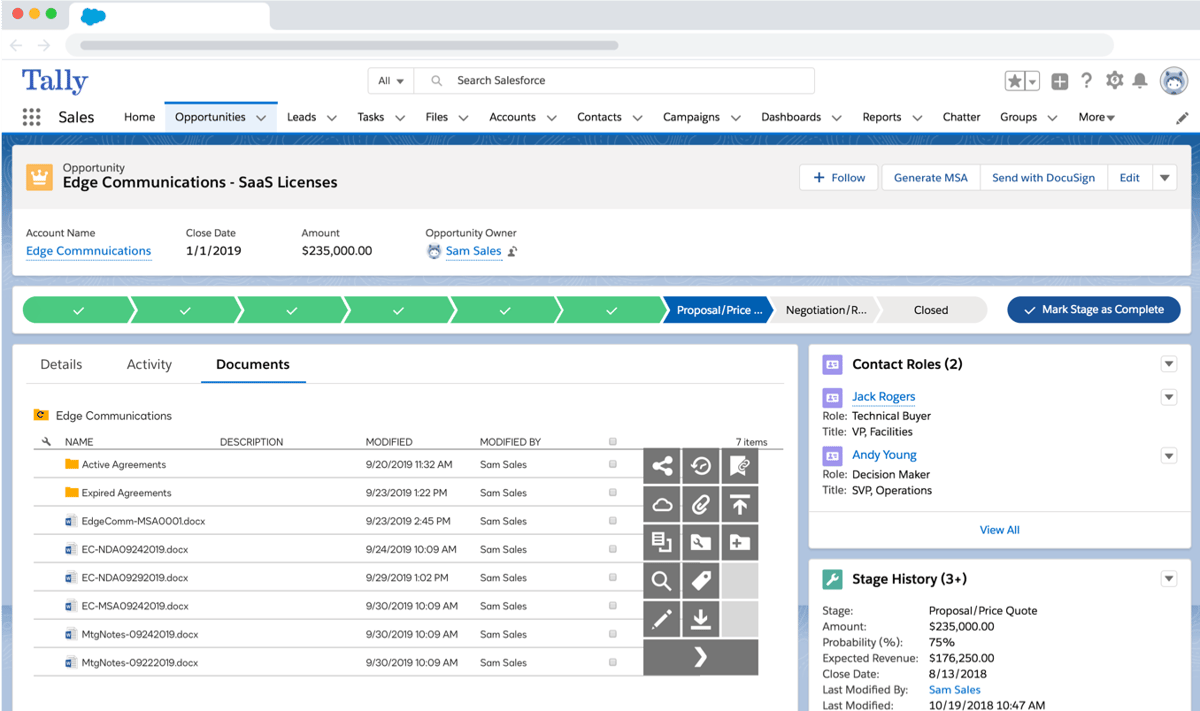
2. Docusign CLM
Docusign started out as an e-signature tool, and for many teams, that's still how they first encountered it. Over time, it expanded into full contract management software by adding tools that support contract drafting, approvals, storage, and tracking alongside electronic signing.
That shift made it a familiar option for companies already working with digital contracts and looking to manage contracts efficiently in one ecosystem.
Image source: G2
Today, Docusign CLM is used by both legal and business teams that want tighter control over how contracts move from creation to signature. It brings structure to drafting and review, connects approvals to defined workflows, and keeps signed agreements accessible after the deal closes.
Key Features
Guided contract drafting: Supports standardized templates and clause libraries to keep contract drafting consistent.
Integrated e-signatures: Keep signing connected to the rest of the contract process.
Centralized contract storage: Organizes executed contracts with contract search and filtering tools.
Reporting and visibility: Offers insight into contract status, cycle times, and key milestones.
Pros
Familiar setup for teams already using Docusign
Keeps digital contracts and signatures connected to drafting and approvals
Works well for legal and business teams at scale
Strong option for organizations standardizing contract workflows
Best For
Teams already using Docusign who want the full contract lifecycle in one ecosystem
Enterprises needing strong integrations and compliance workflows
Organizations prioritizing centralized contract management and approvals
It Is Not For
Teams that need a quick ROI, as the implementation can take up to 3 months, with returns only after 12 months
High-volume use cases, as costs increase with contract volume and envelope usage
3. Ironclad
Ironclad is designed for teams that handle a steady flow of contracts and want more structure around how those agreements take shape. As a contract lifecycle management platform, it focuses heavily on the front and middle of the process, especially contract creation, negotiation, and approvals.
It's commonly used by legal teams working closely with sales teams, where sales contracts need speed and consistency just as much as oversight.
The platform centers on guided workflows that help draft contracts using approved contract language while keeping reviews organized. Contract requests come in with context, draft contracts move through defined contract approval paths, and changes stay visible as terms evolve.
That setup helps teams keep better control over an organization's contracts as volume increases, without losing track of who owns what at each stage.
Key Features
Guided contract creation: Uses structured inputs to generate draft contracts with consistent language.
Workflow-based approvals: Moves contracts through legal and business reviews in a clear sequence.
Central contract repository: Stores finalized agreements for easy access and reference.
Reporting and visibility: Tracks contract status, cycle times, and review progress.
Pros
Strong fit for sales teams working closely with legal teams
Clear structure around drafting and approvals
Keeps ownership and progress visible to every department
Scales well as contract volume grows
Best For
Teams needing intuitive workflows and fast adoption among legal and business users
Organizations focused on automating contract processes and approvals
Companies looking for strong integrations (Salesforce, Docusign)
It Is Not For
Teams needing advanced search or AI-driven contract insights without manual tagging
Mid-market teams looking for a quick setup, due to integration dependencies and limited native reporting
4. Leah AI (formerly ContractPodAi)
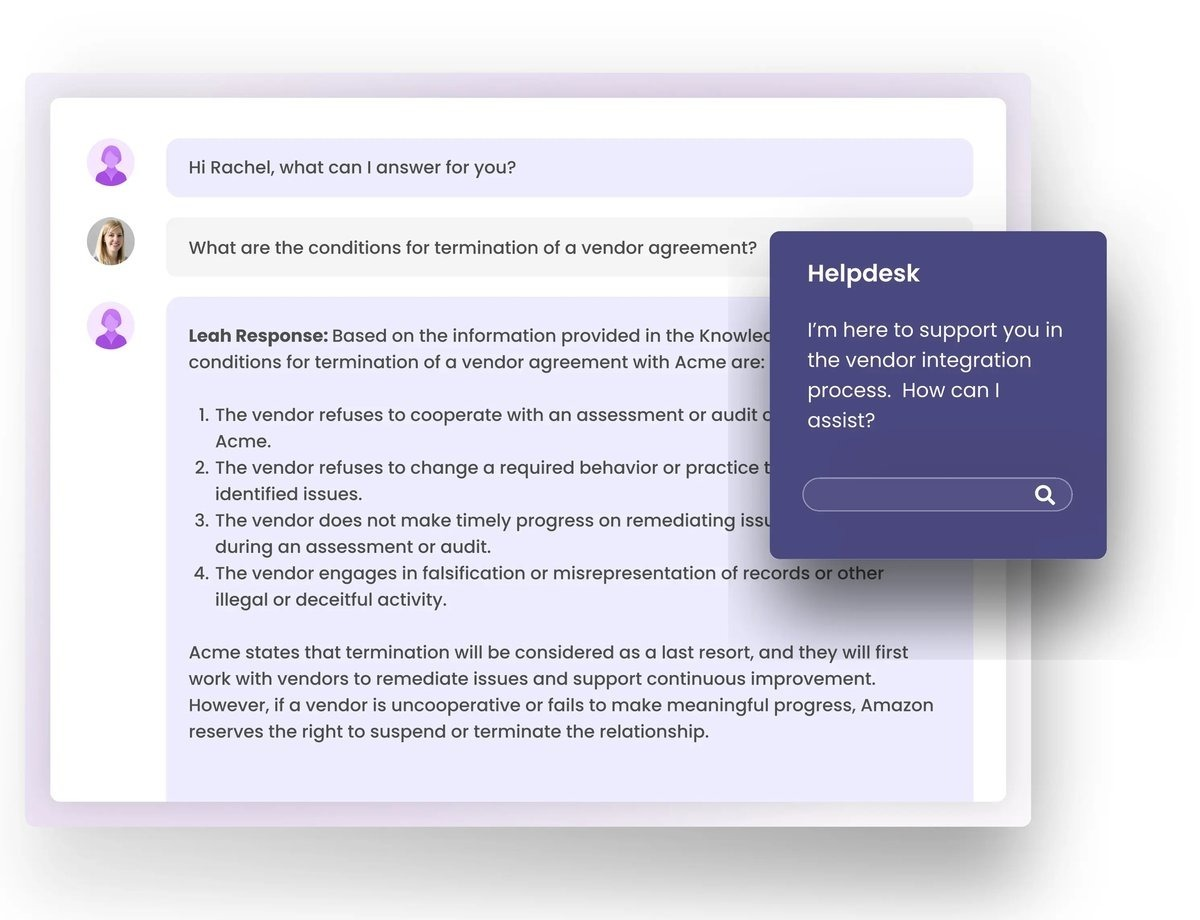
ContractPodAi has rebranded and evolved into Leah, bringing the core CLM system you'd expect, along with a broader intelligent AI platform that supports work spanning legal, procurement, finance, and more.
Image source: G2
What used to be a strong contract lifecycle management solution now sits inside a more expansive contract lifecycle management platform powered by agentic AI. Now, the platform aims to help teams work faster and with greater clarity at every stage of contracting.
Leah's CLM offering focuses on helping both legal and business teams manage contracts efficiently while maintaining visibility and control. It guides you from contract creation through negotiation and execution, with AI that understands your contracts and can surface insights, suggest clauses, and help track obligations throughout your organization's contracts.
Key Features
AI-enhanced contract creation: Lets business and legal users generate agreements from templates with pre-approved clauses.
Negotiation support: Uses AI to suggest smart language during review and negotiation, backed by your own playbooks.
Workflow automation: Configures review and approval paths that match how your teams actually work.
Centralized smart repository: Keeps contracts and key data in one searchable place.
Analytics and reporting: Helps teams spot trends, risks, and performance patterns in their contracts.
Pros
Built to support efficient contract management for every function
AI-powered drafting and negotiation guidance
Works well for legal teams and other business teams alike
Centralized visibility into contract data and performance
Best For
Enterprises planning to extend CLM into AI-driven workflows in multiple departments
Teams looking for a broad, all-in-one legal and procurement platform
Organizations investing in agentic AI experimentation in legal ops
It Is Not For
Teams needing quick implementation or fast ROI, as deployment takes 5 months and returns take 17 months
Teams prioritizing intuitive access to advanced capabilities without friction
5. Agiloft
Agiloft is a CLM platform often chosen by companies that want a high level of control over how business contracts are created, reviewed, and tracked.
It's commonly used by legal departments that manage complex agreements and need flexibility to match internal processes. Plus, many companies rely on Agiloft when contracts play a direct role in supporting broader business goals, not just legal oversight.
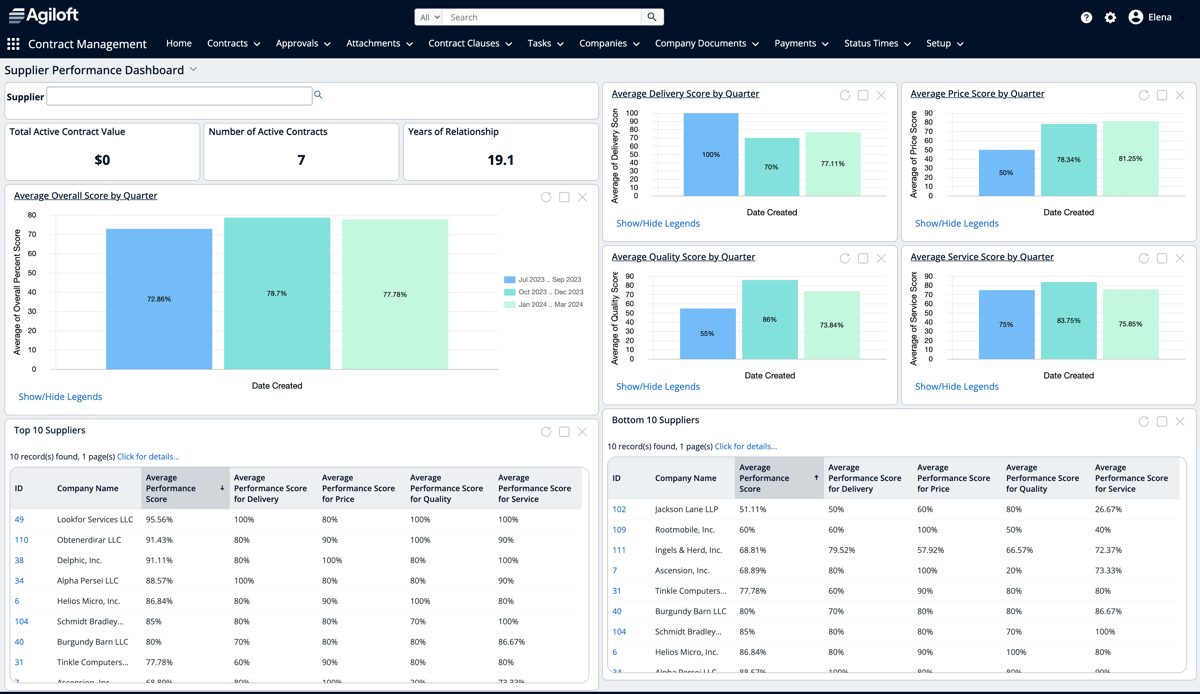
Image source: G2
The platform puts a strong emphasis on structure and customization. Teams can organize contracts around contract type, owner, or stage, while keeping contract negotiation and approvals aligned with internal rules.
Agiloft also places focus on contract performance, which gives teams ways to track obligations, timelines, and outcomes over time. That makes it a good fit for organizations that want CLM features they can tailor closely to how they operate.
Key Features
Customizable contract workflows: Adapts review and approval paths to fit different contract negotiation processes.
Central contract organization: Helps teams organize contracts with detailed fields, tags, and search tools.
Contract performance tracking: Monitors key dates, contract obligations, and milestones tied to active agreements.
Contract reporting and dashboards: Provides visibility into contract activity and performance trends.
Integration support: Connects contract data with other business systems.
Pros
Strong flexibility for legal departments with complex needs
Useful for tracking contract performance over time
Supports detailed contract negotiation workflows
Well-suited for companies managing large volumes of business contracts
Best For
Enterprises needing deep customization through low-code/no-code workflows
Teams managing complex contract processes that span departments
Businesses that want a centralized contract repository with scalable workflow expansion
It Is Not For
Teams needing a quick learning curve, as the platform can be complex for new users
Users expecting simple, intuitive customization, as configuration can take up to 5 months and is layered
6. Icertis
Icertis is a contract management solution for organizations handling a large number of new contracts spanning teams and regions. The platform is popular among legal teams working closely with business users, especially in environments where legal requirements and internal policies carry real weight.
Essentially, it supports contract execution at scale while keeping key stakeholders aligned as contracts move forward.
Image source: G2
A big focus for Icertis is ensuring compliance without slowing down day-to-day work. Teams can automate workflows for drafting, review, and approvals, which helps reduce manual effort while supporting business growth.
Additionally, contract data stays connected from creation through execution. That means teams get a clearer view of obligations, performance, and risk throughout the entire contract lifecycle.
Key Features
Automated workflows: Helps teams automate workflows for drafting, review, and contract execution.
Compliance controls: Supports ensuring compliance with legal requirements and internal policies.
Stakeholder collaboration: Keeps key stakeholders involved at the right points in the process.
Contract data management: Tracks contract terms, obligations, and performance over time.
Enterprise reporting: Provides organization-wide visibility into contract activity.
Pros
Handles large volumes of new contracts well
Strong focus on compliance and governance
Works for legal teams and business users
Supports business growth without adding friction
Best For
Large enterprises managing global, high-volume contract ecosystems
Companies requiring advanced obligation management and tracking of contract commitments
Organizations needing deep SAP and Salesforce integrations and compliance coverage
It Is Not For
Teams needing quick implementation or low setup effort, as deployments are long (6 months) and ROI takes 22 months
Smaller teams or budget-conscious companies that may find the platform complex and expensive to manage
7. Juro
Juro is built for teams that want to create contracts quickly while cutting down on manual effort. It's a browser-based CLM tool that moves contract work away from long email threads and heavy reliance on Microsoft Word.
Legal professionals often turn to Juro when they want a simpler way to handle contract review, updates, and approvals without constant version swapping.
Image source: G2
Juro focuses on keeping everything in one place. Contracts are created directly in the platform, changes are tracked, and reviewers always see the latest version. That reduces manual data entry and makes contract changes easier to manage as deals evolve.
Accessing contracts later is also straightforward, which helps teams stay organized once agreements are signed.
Key Features
In-platform contract creation: Lets teams create contracts without starting in Microsoft Word.
Live contract editing: Keeps contract changes visible as multiple people review and edit.
Streamlined contract review: Supports comments and approvals without back-and-forth emails.
Reduced manual data entry: Captures contract data automatically as contracts are created.
Central access to contracts: Makes it easy for teams to access contracts after signing.
Pros
Cuts down manual effort during drafting and review
Clear alternative to Word-based contract workflows
Easy for legal professionals and business users to adopt
Built-in version control keeps contract changes organized
Best For
Teams wanting a browser-native, easy-to-use CLM for collaboration
Startups and mid-market companies prioritizing speed and simplicity
Teams using template-driven, comprehensive contract workflows for speed and consistency
It Is Not For
Large enterprises needing conditional formatting and advanced contract layout features
Teams needing deep integrations (for example, HubSpot mapping) or higher customer visibility, as contracts can be overlooked
What Makes the Best Contract Lifecycle Management Software in 2026?
Choosing the right CLM tool is no longer about basic contract storage or template management. For in-house legal teams, legal operations, and cross-functional teams, the real question is whether a platform improves how contracts move through the business without adding operational overhead.
The best contract lifecycle management software in 2026 meets a few non-negotiable criteria:
AI-native drafting and review: Contracts should not rely on manual drafting or static templates. The system should generate, review, and redline agreements using AI trained on your templates and past contracts, turning them into usable contract intelligence.
Multi-model AI: The platform should use multiple AI models with validation layers, rather than relying on a single model for all outputs.
Low deployment time: CLM tools should have quick deployment (typically within a week), configuration, and no deep IT involvement to deliver value. Enterprise software implementations that take 3–12 months delay time-to-value for teams that need faster adoption.
Cross-team self-serve workflows: Sales, procurement, and operations teams should be able to generate and move contracts forward without relying on legal for every step. Contracts can delay deals by 3–4 weeks on average when workflows depend heavily on inefficient processes.
End-to-end lifecycle coverage: The platform should handle drafting, approvals, signing, storage, and reporting without requiring multiple tools. This reduces delays, version confusion, and lack of visibility between teams.
Which Contract Management Platform Replaces the Full Contract Stack in 2026?
Most contract management tools address only a specific part of the contract process. One handles signing, another manages storage, and another adds approval workflows. The result is still a stack that teams have to coordinate manually.
Aline takes a more unified approach by supporting drafting, redlining, approvals, signing, and post-signature tracking within a single system.
This shift matters most to teams already feeling the strain of contract volume. When agreements move between multiple systems, delays often come from handoffs between steps. Reviews slow down, approvals require follow-ups, and once a contract is signed, its data rarely flows back into procurement systems, financial systems, or reporting tools.
Aline changes that by keeping the entire lifecycle connected, so contracts flow without constant coordination, and removes the need for external counsel, helping teams reclaim $40K annually.
Another factor is how quickly teams can start using the system. Aline typically goes live in 3–4 days, which reduces the need for long implementation cycles or dedicated setup resources. In comparison, traditional CLM platforms often involve longer timelines and a longer return-on-investment period.
While enterprise solutions can range from $60,000+ annually, Aline starts at $24,000/year and replaces several tools used throughout the entire contract process. Sales gets the speed it needs, legal stays closely involved, and contract data stays visible to finance teams long after agreements are signed.
Teams using Aline are already reducing delays, improving visibility, and scaling contract workflows without added overhead.
The main types of contract lifecycle management CLM tools include AI-native platforms like Aline, enterprise systems like Icertis and Agiloft, legal-first platforms like Ironclad, sales-focused options like Juro, and e-signature-led suites like DocuSign CLM. They differ mostly in AI depth, implementation time, and how much of the lifecycle they cover.
What is CLM used for?
Teams use CLM to streamline contract management from the first request to post-signature tracking. It covers day-to-day contract administration, approvals, signing, and reporting, giving every team one contract management process instead of scattered tools and email threads.
What are the 5 stages of CLM?
The five stages of the contract lifecycle management process usually include request and drafting, review and negotiation, approval, execution, and post-signature management. That last stage covers things like contract renewals, ongoing obligations, and visibility into performance over time.
What is CLM vs CRM?
CLM and CRM serve different purposes. A CRM focuses on customer relationships, while CLM supports contracts themselves. That said, many CLM tools offer seamless integration with CRMs so sales, legal, and procurement teams can stay aligned.
What's the best contract lifecycle management tool?
The right CLM software depends on how your team works, but Aline stands out for its balance of structure and flexibility. It supports contract analytics, real-time negotiation functionality, and strong risk management features that help reduce legal risk while keeping deals moving.
A master service agreement is a legally binding agreement that outlines the responsibilities and expectations of each party. Find out all about them here.