A sales agreement is ready to close, but procurement is waiting for legal's approval. Finance still needs to verify the commercial terms, while the sales team is asking for an updated timeline.
By the time everyone signs off, the latest version of the contract is buried in an email thread, renewal obligations live in a spreadsheet, and no one is certain which changes were approved.
If you're a General Counsel, chief legal officer, head of legal operations, procurement director, or commercial operations leader at an enterprise, this situation probably isn't unusual.
As your contract portfolio expands across business units, regions, and departments, manual workflows start to break down. Disconnected systems and limited contract visibility slow approvals, create operational blind spots, and make governance harder to maintain.
The impact reaches far beyond the legal team:
As organizations look for better ways to manage these contract issues at scale, enterprise CLM is becoming a core part of the legal operations stack, with 42% of departments now using these platforms in 2025.
Enterprise CLM platforms, however, aren't built the same. Some require months of implementation, dedicated administrators, and extensive consulting before your teams can fully adopt them.
Also, most enterprise CLM platforms added AI to existing workflow engines. Aline takes an AI-native approach and is the only platform in this comparison that runs five AI models in parallel, validating outputs against playbooks built from your own agreements.
Unlike many traditional enterprise CLMs, Aline can be deployed in days rather than months, without dedicated platform administrators, lengthy consulting engagements, or months of configuration, while still maintaining enterprise-grade governance.
Choosing the right platform depends on far more than feature lists. In this guide, you'll compare 7 of the best enterprise CLM software options for 2026, including their strengths, limitations, ideal use cases, and implementation considerations.
The right enterprise CLM platform depends more on the problem you're trying to solve (than the feature set it offers). Starting with your biggest contract bottleneck is usually the best way to narrow down the right solution.
| If your challenge is... | You need... | Best fit |
|---|---|---|
| Every contract requires manual legal review, slowing down even routine agreements. | AI-native CLM with automated review, playbook enforcement, and workflow automation | Aline |
| Managing high contract volumes across multiple entities, jurisdictions, and regulatory requirements. | CLM built for complex governance and compliance requirements | Icertis |
| Replacing email-based approvals with structured review and approval workflows. | Workflow-focused enterprise CLM | Ironclad |
| Managing contracts within an organization that already relies on the DocuSign ecosystem. | A contract management platform integrated with document generation and e-signatures | DocuSign CLM |
| Adapting contract workflows to fit highly specific internal business processes. | Configurable CLM with extensive workflow customization | Agiloft |
| Finding and analyzing information across a large repository of executed contracts. | A contract management tool with strong repository search and contract analytics | LinkSquares |
| Tracking supplier obligations and contract performance after agreements are signed. | CLM focused on post-signature supplier and obligation management | Sirion |
Enterprises need a CLM tool that can handle contracts at scale. At the very least, the right platform should give you:
Choosing the right enterprise CLM tool gets easier when you look at how each platform supports your actual contract process. Here are seven options worth comparing as you build your shortlist.
| Tool | Best for | Limitation | Implementation timeline | Pricing |
|---|---|---|---|---|
| Aline | Teams looking for an AI-native CLM with faster adoption | May not suit teams with low contract volumes and businesses only requiring point solutions | Less than a week; many teams operational in 3-4 days | Starts at $200/full user per month (billed annually) |
| Icertis | Large enterprises managing complex global contract portfolios | Long implementation cycles and enterprise-level complexity can make it less suitable for teams needing faster deployment | Around 6 months | Custom quote; estimated $100,000-$300,000 first year |
| Ironclad | Legal teams that want structured contract workflows | Workflow configuration can require dedicated effort, especially for teams managing complex processes | Takes around 4 months | Custom quote; estimated $30,000-$150,000+ annually |
| DocuSign CLM | Organizations already using DocuSign eSignature | Not ideal for teams looking for quick setup, as workflow configuration and onboarding can require additional effort | 3 months | Estimated $3,000-$8,000/month for mid-market teams |
| Agiloft | Enterprises needing highly configurable CLM processes | Its flexibility can require more planning and customization effort before teams reach full adoption | Around 5 months | Estimated $65-$150/user/month |
| LinkSquares | In-house legal teams focused on contract analysis and collaboration | Less suitable for teams needing broader legal workload management beyond contracts | Typically takes about 3 months | Estimated $30,000-$100,000+ annually |
| Sirion | Enterprises managing supplier contracts and performance | Advanced features may require additional time for users to learn and adopt | No standard implementation timeline available | Not publicly disclosed |
Aline takes an AI-native approach to contract management. It goes beyond storing agreements by supporting drafting, redline review, playbook enforcement, and contract analysis within the same workflow.
It also covers your entire contract management lifecycle, from drafting and review to storage, analysis, and handling post-signature obligations.
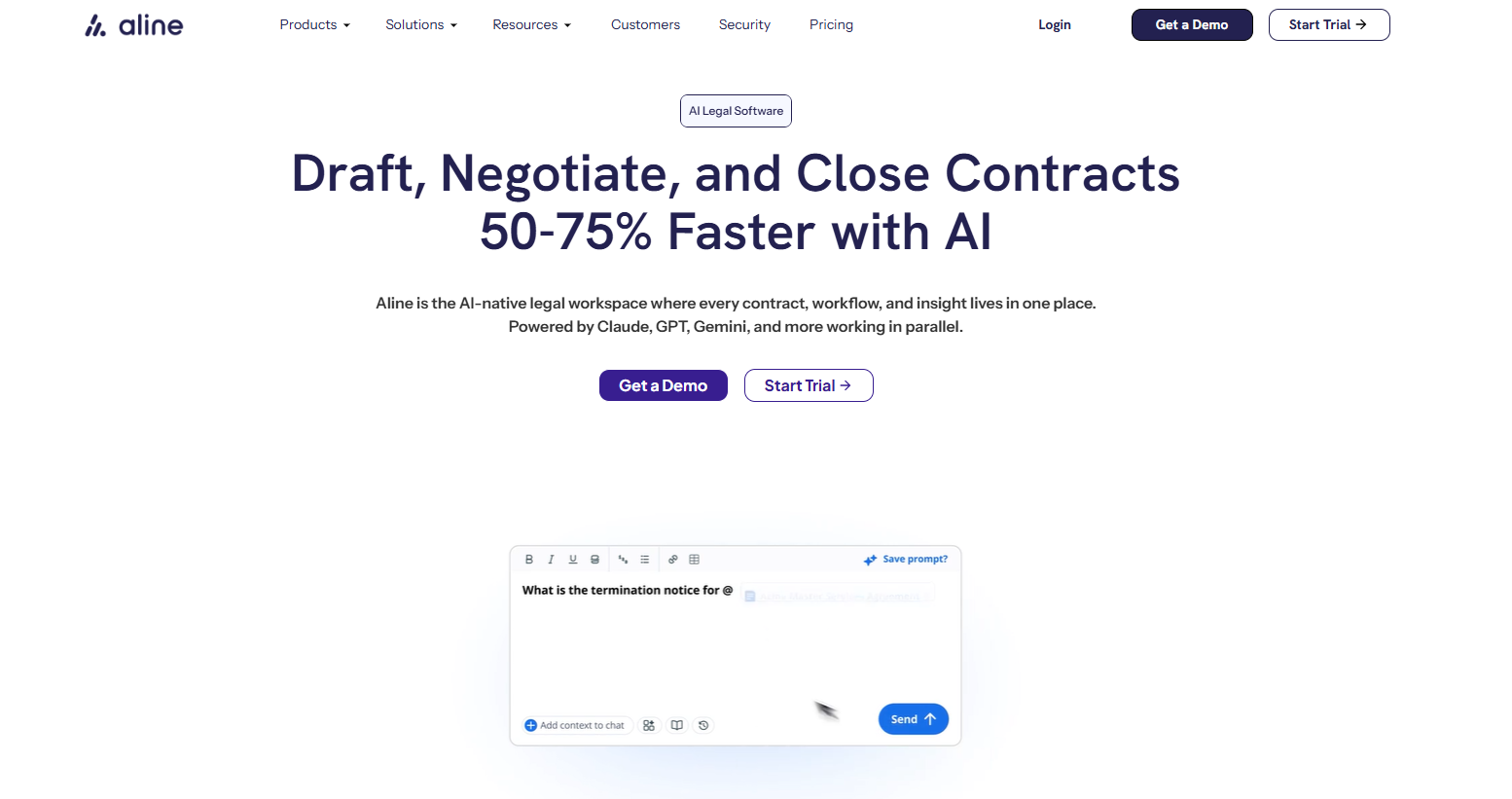
The platform also extends into the earliest stages of your legal work through its agentic legal intake feature. Unlike a single-purpose intake bot, Aline can understand requests, route them, launch the right process, and draft next steps across web chat, Slack, and email.
It checks existing templates and processes first, uses them when there is a match, and can create a new draft for review when needed. This helps legal teams reduce manual triage, avoid unnecessary back-and-forth, and move requests into the right process faster.
You can also get started with Aline without the long implementation cycle common with other enterprise CLM platforms. It typically takes less than a week to deploy, with many teams becoming operational within 3-4 days. This allows you to move from setup to active contract workflows faster.
Also, while many traditional CLM tools come with custom pricing, Aline provides transparent pricing. It starts at $200/full user/month (billed annually). Every support user costs $50/month. This helps you estimate costs upfront and compare options before making a commitment.
Our clients say:
There are 8,400 contracts in the Aline platform. Answering questions about our data or risk used to take hours, days, even weeks. Now I can just ask.
Kimberly Paine, General Counsel at TRG Screen

10x more output without outside counsel.
It's very expensive for outside counsel. Creating something in Aline costs a fraction, and we can draft, refine, and send contracts immediately in the same tool.
Mike Quattrochi, CEO at WarehouseNow

Even if I went to my local LLM, I still have to go do the copying and the pasting back and the formatting and the wordsmithing, versus it truly just taking it from A to Z like it's doing here. That's pretty cool.
Ben Poynter, CFO at SPOTIO

Does Aline integrate with Salesforce and our existing tech stack, or will our teams still need to manage manual data syncing?
Aline includes native integrations with Salesforce, HubSpot, and more than 10 CRM, HR, and storage tools, keeping contract data, clauses, and deal fields synchronized automatically. That reduces duplicate data entry and helps legal, sales, and RevOps teams work from the same contract information instead of manually updating multiple systems.
We tried a CLM before, and the implementation consumed our legal ops team for six months. How is Aline different?
Traditional enterprise CLMs often take months to implement because workflows, approval rules, clause libraries, templates, and integrations need to be configured before your teams can start using the platform. That often leads to longer onboarding, outside consulting costs, and more administrative effort.
Aline takes a lighter approach by building on your existing templates and workflows instead of requiring extensive upfront configuration. Most teams are up and running in less than a week rather than waiting through the 3-6 month deployments common with many legacy CLM platforms.
Teams using Aline see 80% less manual tracking and 25% fewer surprise rollovers. See how the platform can help you take control of contract obligations and renewals. Book your demo today.
Icertis is an enterprise contract management solution built for large organizations with complex agreements, high contract volumes, and detailed compliance needs.
It works well for companies that need a unified platform to manage the contract management process from request and drafting through contract negotiation, approvals, storage, and performance tracking.
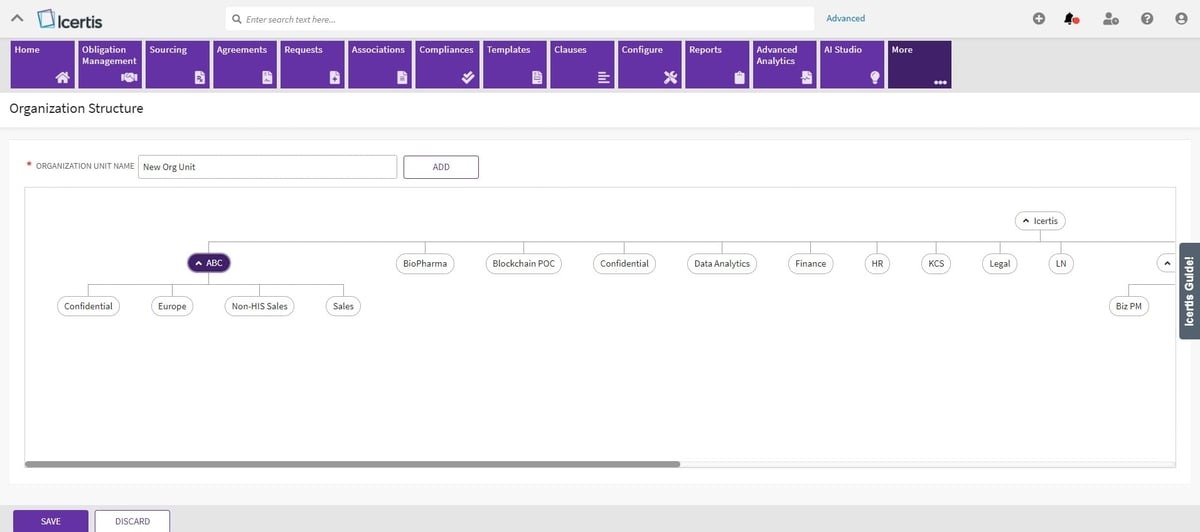
One of the key benefits of Icertis is its focus on visibility and control. Teams can use the platform to gain real-time visibility into contract status, obligations, risks, and business impact.
For enterprises with global teams, supplier networks, and layered approval structures, that level of oversight can make contract decisions easier to manage.
Icertis also places a strong focus on risk. Features like risk scoring, obligation tracking, and compliance controls help teams mitigate risks before they turn into bigger issues.
So, it's a decent fit for enterprises that need a structured CLM system with deep governance, advanced reporting, and support for complex commercial agreements.
Icertis doesn't have a public pricing model. Third-party estimates place first-year enterprise costs between $100,000 and $300,000, including licensing, implementation, onboarding, and training. Actual costs vary based on the number of users, deployment scope, and selected modules.
The upfront quote doesn't account for the internal effort needed to configure, maintain, and upgrade a personalized deployment. Several customers mention ongoing administrator involvement and additional time spent maintaining customizations during platform upgrades.
Ironclad is a well-known enterprise CLM platform popular among teams that want to replace manual processes with cleaner contract workflows.

A big part of Ironclad's appeal is its workflow builder. Teams can create repeatable processes for different agreement types, route contracts to the right people, and keep work moving with fewer back-and-forths.
Plus, the platform supports clause libraries, templates, and collaboration tools, which can help maintain consistency as contract volume grows.
Ironclad is also useful for companies that want stronger visibility into the entire contract lifecycle. From the first request to post-signature storage, teams can track status, review history, key terms, and business data in one place.
Custom quote. Third-party estimates place annual licensing costs between $30,000 and $150,000+, depending on your company size and features selected. Implementation can add an additional $5,000-$50,000, increasing your total first-year investment.
The effort required to build effective workflows during the initial setup. Teams need to understand Ironclad's configuration logic, as decisions made during setup can create limitations if business processes change later.
DocuSign CLM is a practical option for enterprises that already rely on DocuSign for secure signing and want to connect that step with broader contract management. The platform helps teams prepare, route, review, approve, and finalize contracts from a centralized platform.
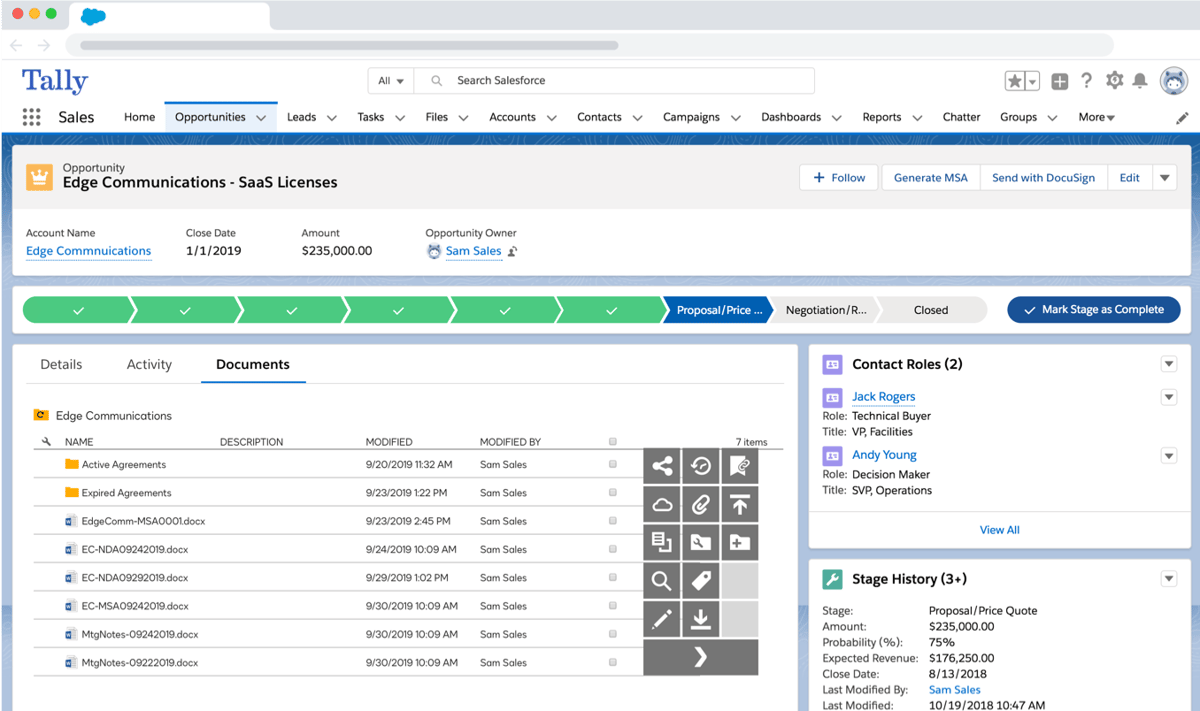
For many companies, the main appeal is familiarity. DocuSign already plays a major role in the signing process for many business teams, so adding CLM can feel like a natural next step.
Teams can use contract routing to send agreements to the right reviewers, keep approval steps organized, and reduce the back-and-forth that often slows down execution.
Moreover, DocuSign CLM works well for teams that want a smooth implementation with their existing agreement processes. It supports templates, workflows, clause management, contract storage, and reporting, which gives enterprises more control before and after signature.
Available on request. Reported costs for mid-market teams of 10-50 users typically range from $3,000 to $8,000 per month. Larger enterprise deployments are estimated to cost $50,000 to $200,000+ per year, with implementation fees commonly estimated between $10,000 to $30,000+ depending on your migration complexity and integration requirements.
The effort required to configure the platform during implementation. Initial setup can be complex and time-consuming, and non-technical users may need additional training to become comfortable with the workflow builder and advanced features.
Agiloft is a data-first contract lifecycle management platform built on a no-code system with AI inside. The company describes its platform as a CLM solution that helps teams automate contract processes, improve data visibility, and connect contract work to business outcomes.
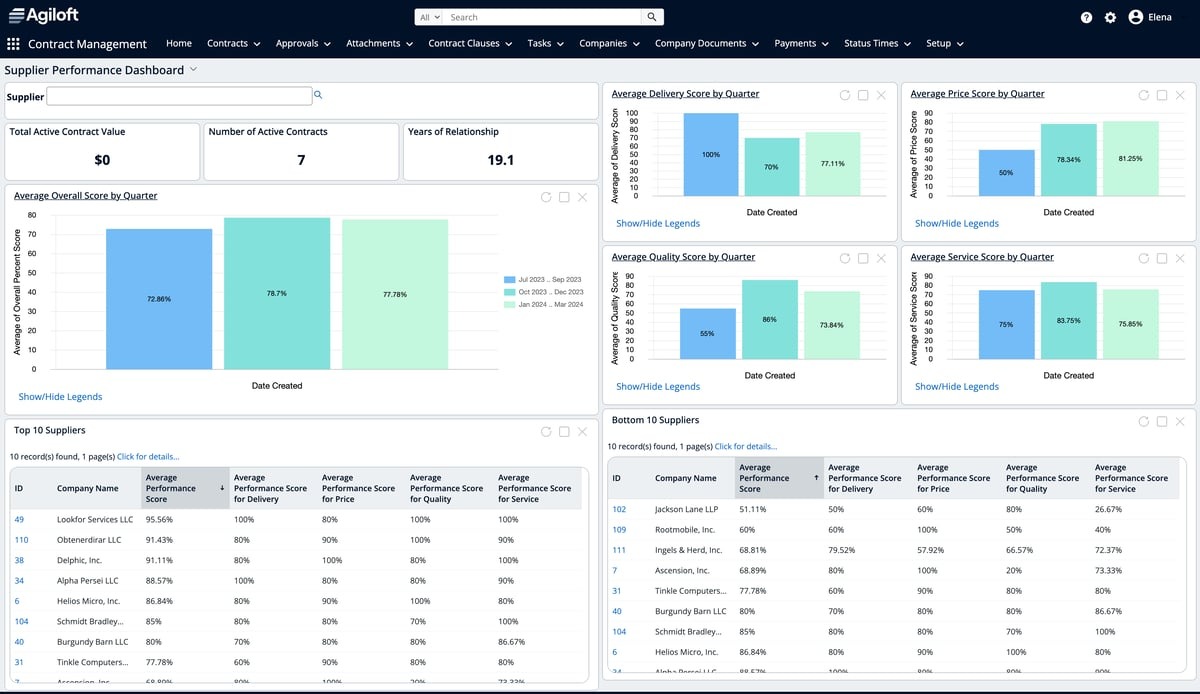
That no-code angle is what makes Agiloft different from many enterprise CLM systems. Some companies need a platform that they can adjust around complex approval paths, vendor management needs, department-specific rules, or existing workflows.
Agiloft gives teams more room to configure how contract work moves, rather than locking everyone into one fixed process.
It also puts a lot of weight on contract data. Legal, procurement, sales, and operations teams can use Agiloft to manage the entire lifecycle while tracking obligations, renewals, approvals, vendor details, and reporting from a centralized system.
For enterprise contract lifecycle management, centralized data can help teams make better strategic decisions and reduce process gaps that may lead to legal disputes.
Quote-based pricing. Third-party estimates place Agiloft licensing at around $65-$150 per user per month. Implementation costs are estimated separately at $20,000-$75,000 (one-time charge), depending on deployment complexity.
The expertise needed for certain customization changes. Some users report needing partner support when they want to modify the platform beyond their current setup.
LinkSquares is an AI-powered CLM platform designed for in-house legal teams that want faster drafting, cleaner approvals, and better contract analysis. Its product suite covers drafting and workflow in Finalize, signature tracking in Sign, and post-signature contract intelligence in Analyze.
The platform feels especially useful for teams that want to cut down on manual effort during contract review and approval. Legal teams can use pre-approved templates, workflow rules, and contract data extraction to create a more consistent process with fewer errors.

Moreover, LinkSquares supports seamless integrations with tools like Salesforce, Slack, and Microsoft Word, which help contract work fit into the systems teams already use.
LinkSquares is also strong on risk reduction and visibility. For example, its AI can extract key dates, renewal terms, and compliance obligations from contracts, then turn those details into reports and dashboards.
That makes it a helpful option for teams that want to keep contracts searchable, track contract obligations more closely, and maintain consistency as contract volume grows.
Does not provide public pricing. Independent estimates place LinkSquares at around $30,000-$100,000+ annually, depending on the modules selected and deployment scope. Implementation costs are estimated separately at $10,000-$30,000 for setup, migration, and onboarding.
The visibility needed to manage broader legal workload beyond contracts. While LinkSquares helps organize contract workflows, teams may still need separate processes to track non-contract legal requests, research, and advisory work.
Sirion is an AI-native contract lifecycle management platform for enterprise teams that need stronger control over contract creation, negotiation, performance, and compliance.
It's designed for legal, procurement, sales, and finance teams that manage complex agreements and need better visibility into risk, obligations, and contract value.

Sirion's biggest strength is its use of artificial intelligence throughout the contract lifecycle. Teams can use AI for contract data extraction, risk analytics, negotiation support, and contract search, which can reduce manual effort and help teams find important terms faster.
The platform also supports approval workflows, clause and template libraries, e-signature, and post-signature obligation management.
For enterprises with heavier regulatory compliance needs, Sirion can help reduce risk by making contract obligations, risky terms, and performance data easier to track. Finance teams may also find it useful because contract data can connect back to revenue, savings, service levels, and commercial commitments.
Sirion does not publicly disclose pricing, and third-party estimates for its platform are not available.
The process work needed before implementation. Organizations with less mature contracting processes may need extra time to define workflows and prepare for configuration before teams can fully use the platform.
Enterprise CLMs can look similar until you start evaluating implementation, pricing, and day-to-day usability. It's often the onboarding effort, configuration work, and ongoing administration that separate one platform from another.

Aline focuses on reducing that complexity. It brings legal intake, drafting, review, approvals, signing, and contract analysis into one platform, helping teams reduce contract cycles by 30-50% while becoming operational in less than a week. All this without the heavy setup process often associated with enterprise CLM platforms.
With transparent pricing, you know what you're paying from the start. Aline also replaces the patchwork of Word, email, spreadsheets, Google Drive, Slack, and other disconnected tools that often slow contract work. By bringing everything into one platform, you can replace 5+ tools and save up to $40K.
What teams using Aline say:
Aline is like having a lawyer on call for redlining. It's incredibly valuable. The ability to use AI to draft new documents instantly, analyze legal language, and redline contracts brought unmatched speed and accuracy.
Collin Clifford, Head of Legal at Superhuman

Superhuman saved $40K annually by reducing dependence on external counsel • 15+ hours saved per week in redlining.
You might have a five-page agreement, but you get fifteen pages back from Aline with helpful insight and an organized review. It prioritizes the highest-risk provisions and makes suggestions. It's really helpful and saves an enormous amount of time.
Dori Stephens, Sr. Contracts Manager at Mosai

Give your legal team back 15-20+ hours every week by reducing repetitive redlining, intake, and reporting work with Aline. Start your free trial with us today.
CLM stands for contract lifecycle management. In software, it refers to a platform that helps teams create, review, approve, sign, store, track, and report on contracts from one organized system.
CLM pricing depends on the vendor, number of users, contract volume, features, integrations, and setup needs. Enterprise CLM usually requires a higher initial investment than basic contract tools, but the right platform can reduce manual work and improve contract visibility over time.
Look for features that match how your team handles contracts day to day. Useful features often include templates, approval workflows, AI review, e-signatures, a searchable repository, reporting, permissions, and integrations with the tools your team already uses.
Enterprises use CLM software to streamline workflows, ensure consistency, and make contract work easier to manage as volume grows. It helps teams stay aligned during drafting, review, approvals, signing, renewals, and reporting.