Once teams enter the growth phase, volume increases faster than capacity. Legal and procurement functions are expected to handle more agreements without proportional hiring. This puts pressure on how they are created, reviewed, and tracked.
With LinkSquares, this shows up in execution. Workflow and template setup become harder to adapt as complexity increases, and AI extraction requires manual checks. Also, reporting needs additional effort to retrieve and work with contract data.
The end result is operational drag. Contracts take longer to move from draft to signature, approvals require more follow-ups, and teams spend more time coordinating across tools.
Alternatives to LinkSquares are typically evaluated at this stage, especially for:
But not every alternative you consider addresses the same challenge.
Some tools solve for a single layer, such as signing or storage. They can reduce turnaround time at that specific step by 20–30%, while still leaving teams to manage 3–5 tools to complete a contract.
But platforms like Aline eliminate this fragmentation by covering drafting, redlining, storage, approvals, execution, reporting, and analysis in a single workflow. By consolidating the entire contract lifecycle in one platform, it reduces handoffs and provides teams with clearer visibility into contract status and performance.
This guide compares the best LinkSquares alternatives based on how well they handle higher contract volume, streamline workflows, and make contract data more usable across teams.
Teams start evaluating LinkSquares alternatives as operational friction compounds across workflows, costs, and data reliability — more than a capability issue.
Across G2 and Capterra reviews, teams report friction in day-to-day contract work as usage expands beyond legal. It shows up during onboarding, execution, and deal management, where workflows involve multiple steps, systems, and teams.
Email communication during negotiations is not effectively integrated into the platform, leading teams to manage conversations externally. This breaks the continuity between contract discussions and the final agreement, making it harder to track decisions and maintain a complete audit trail.
“The email functionality is clunky and is therefore not used, which leads to additional manual work if we want to store any emails during negotiations.”
— Hayley, Director, Legal Operations, US Insurance Software. Source
What does this mean for execution? Teams already spend 28% of their workweek on email, and managing negotiations outside the system increases that load. For legal and sales, this results in fragmented communication, more manual tracking, and a higher risk of missed decisions or duplicate work.
When multiple agreements are executed together, only the primary document is automatically transferred into the repository. This creates gaps in how related agreements are stored and tracked, especially when contracts include multiple linked files.
“It would be nice if I could upload multiple agreements in Finalize all at once, instead of having to add them as attachments. Right now, once all the documents are executed, only the first agreement I uploaded gets transferred automatically into Analyze, and the other agreements still have to be uploaded manually.”
— Enterprise user, Staffing and Recruiting industry (1,000+ employees). Source
What does this mean for execution? Manual contract work costs $122 per hour, and handling multiple documents this way increases the time spent on admin tasks. For legal and procurement teams, this leads to higher costs and risk of incomplete or disconnected contract records.
Manual tagging does not end after onboarding. Since search and reporting rely on metadata, teams have to continuously update and correct contract information to keep it usable. This can create delays during reviews and approvals, especially when working against deal timelines.
“I believe one area that LinkSquares could be improved is the initial setup and data organization. When we first started using LinkSquares, uploading and tagging older contracts required a fair amount of manual effort, especially to ensure accurate metadata. The search functionality is useful overall, but sometimes results can depend heavily on how well documents are tagged, so consistency in data entry becomes important. A bit more automation or smarter suggestions in this area would make it even more efficient. Better native integrations with tools like Google Drive, Salesforce, and Slack would make the workflow even smoother.”
— Sneha D., Small business professional. Source
What does this mean for execution? Inconsistent metadata makes contracts harder to search, and teams can spend up to 2 hours locating specific clauses or data points. This slows down contract review and reduces efficiency.
Contracts are not automatically mapped to deal records, so teams have to manually associate agreements with opportunities to maintain context. This creates extra steps in the workflow, especially when managing multiple deals. It also increases the chances of incomplete or inconsistent data between systems.
“The platform currently lacks automatic agreement tagging to Opportunities when agreements are uploaded via the uploader. This would be a valuable enhancement to consider in a future release.”
— Nehal, Salesforce Admin, India. Source
What does this mean for execution? When contracts are manually linked to CRM records, it introduces additional data entry steps. For RevOps and operations teams, this creates mismatched contract and deal data and reduces reliability in pipeline tracking and forecasting.
Contract data is not structured to highlight key commercial terms, requiring users to analyze full documents or rely on legal input to extract relevant details. This reduces self-serve access and slows decision-making during deal execution.
“It doesn’t give sales as much self-service flexibility as we would like. I wish it would make it easier to spot the one or two clauses that actually matter for closing, rather than forcing me to navigate an entire document.”
— Todd L., Enterprise Account Executive, Mid Market. Source
What does this mean for execution? Contract workflows directly influence sales velocity, and delays in contract review and approval can extend deal timelines and impact revenue realization. For sales and legal teams, this increases dependency on legal review during active deals and slows turnaround at critical stages of closing.
In addition to workflow and data challenges, pricing also becomes a constraint as usage expands. LinkSquares follows a custom pricing model, but third-party data gives a clear range of what teams actually pay:
In practical terms, most mid-market teams evaluating full CLM functionality (repository, execution, integrations) land between $25,000 and $45,000 per year. Costs move into the $50,000+ range as deployments scale toward enterprise usage. Add-ons like Salesforce integrations, advanced AI capabilities, and onboarding support push costs higher.
If you need more than post-signature tracking, several tools offer broader features that cover the full contract lifecycle.
Below are the top LinkSquares competitors that give legal teams in various sectors a better understanding of their contracts before and after they’re signed.
Teams looking for LinkSquares alternatives experience execution gaps as workflows expand beyond storage to include drafting, approvals, and cross-team coordination.
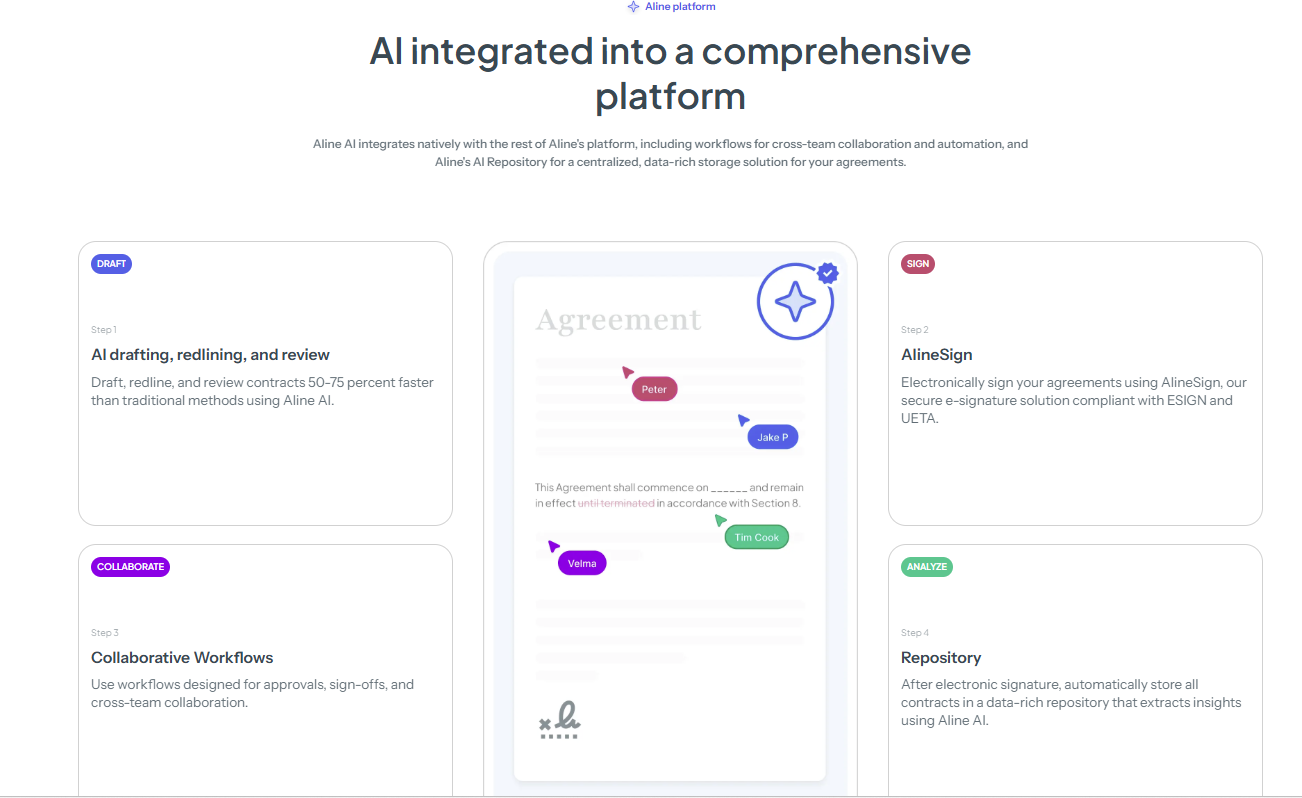
Aline changes how these workflows operate. Drafting, approvals, execution, and tracking are handled within a single system. This removes the need to coordinate across multiple tools (often 5–7 disconnected systems).
In practice, this leads to:
For teams handling 50 to 500 contracts per month, this enables higher volume without adding headcount while maintaining consistency across legal, sales, and operations.
What teams using Aline say:
“Within 20 minutes, I had a license I would have paid my outside firm $10,000 for.”
Ric Tilley, GC at FBM
“We were able to see renewal timelines and clauses across hundreds of contracts instantly. What used to be hours of searching now takes minutes.”
Erin Zasada, Legal Counsel at Bison Transport
Skip the hassle of disconnected tools. See what Aline can do for your team and start a trial today.
HyperStart CLM is built for in-house legal teams that want to speed up contract tasks while skipping the hassle of complex systems. It focuses on giving customers a clean, efficient way to manage drafting, approvals, and the contract review process in one place.
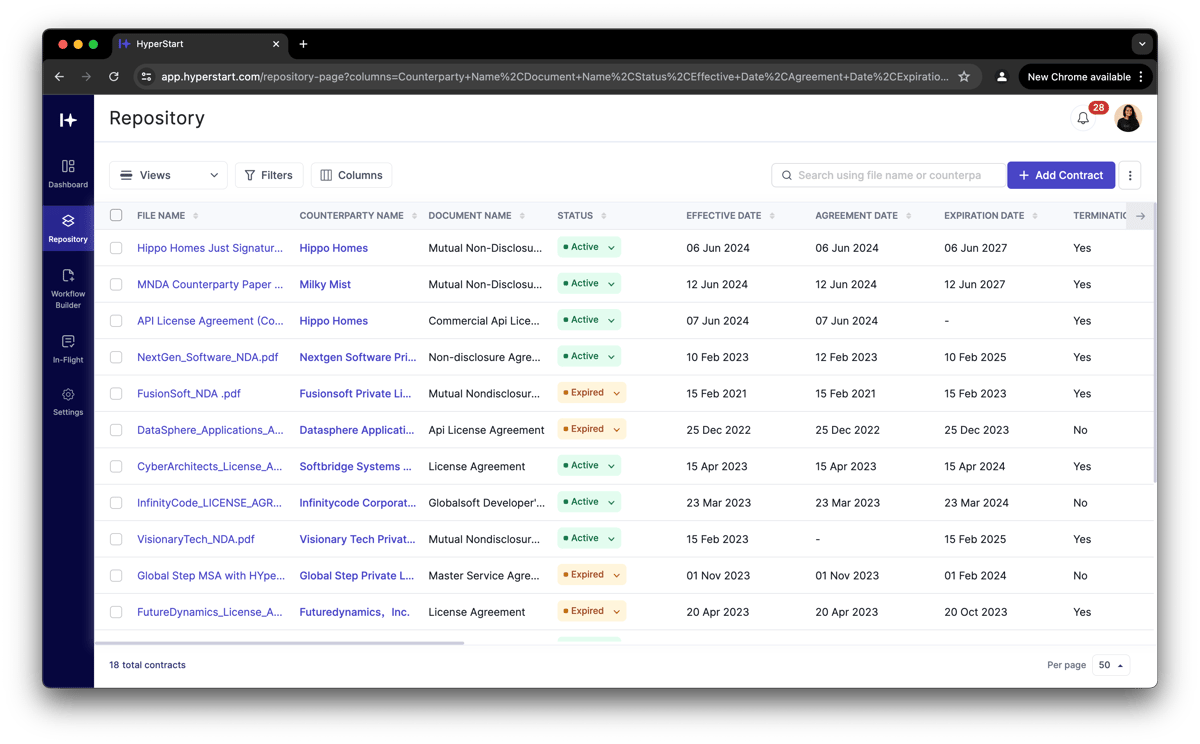
While it may not offer the deep AI capabilities of other platforms, it delivers reliable automation and strong task management features that help legal teams stay organized.
The platform is especially useful for midsize companies that need to move faster but still want oversight and structure. With its dashboard-style layout and simple workflows, HyperStart keeps contract processes moving without overwhelming the team with extra steps.
DocuSign CLM expands the capabilities of the well-known electronic signatures platform into a full contract management software.
Built for larger organizations, it offers more than just signing. It adds structure to the entire agreement process with tools for drafting, approval routing, and compliance tracking.
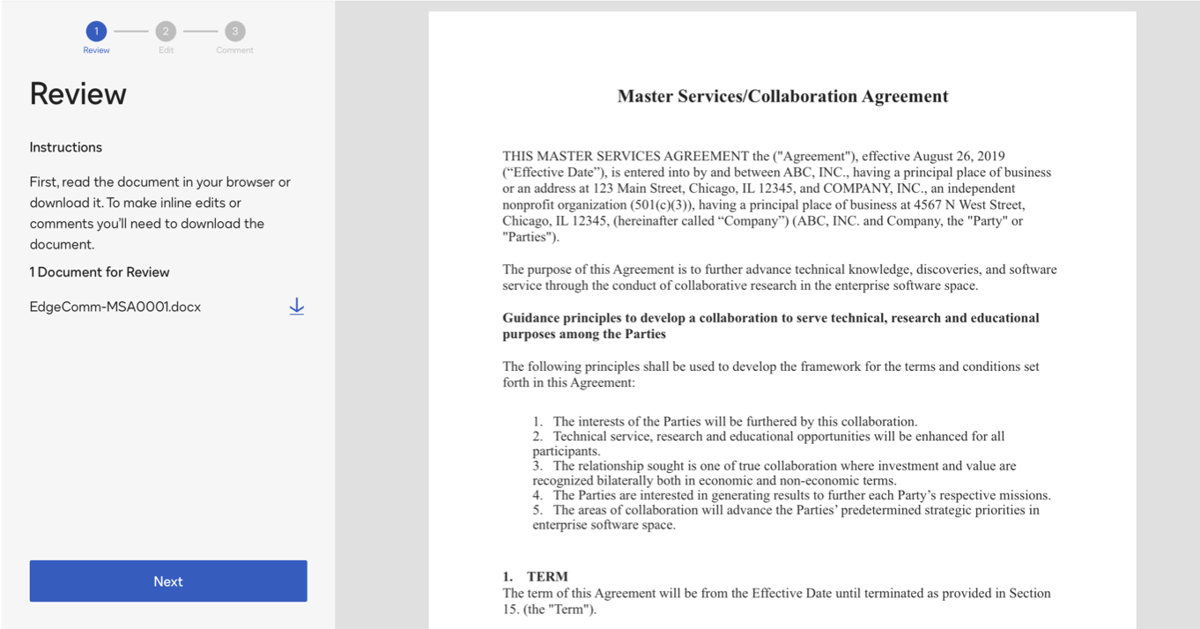
Essentially, it’s a solid option for teams already using DocuSign who want a more comprehensive platform without switching systems.
DocuSign CLM helps legal and business users stay aligned by automating routine steps and providing visibility into where contracts stand. Although the setup can be complex, the platform is highly configurable and integrates well with major CRMs and ERPs.
Juro is a modern contract management platform built for speed and simplicity. It’s especially popular with teams that want to collaborate on contracts without jumping between tools.
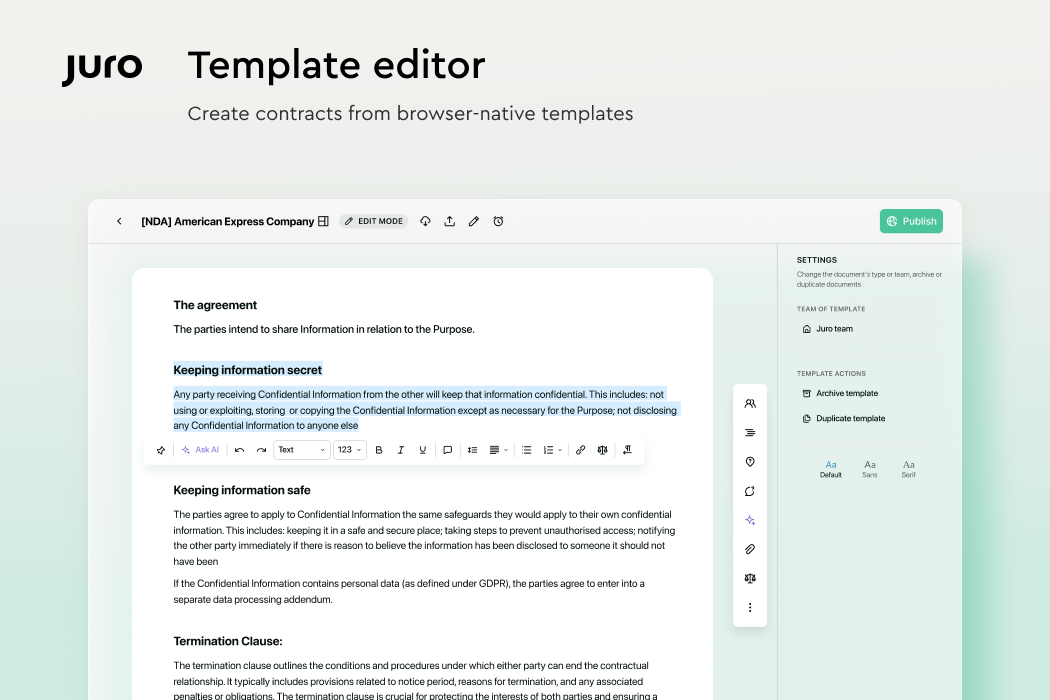
With a focus on browser-based editing and a shared workspace, Juro helps legal and business teams handle contracts faster while maintaining visibility and control.
However, it may not offer every advanced feature found in more complex systems. Nevertheless, it covers the basics well and supports customer satisfaction through ease of use and fast turnaround. Teams working in tech, SaaS, or fast-growing startups often choose Juro for its clean design and focus on smart workflows and contract data.
Icertis is another contract management solution built for large organizations handling thousands of agreements across teams, regions, and vendors. It’s especially useful for companies that need clear processes for contract creation, tracking, and compliance at scale.
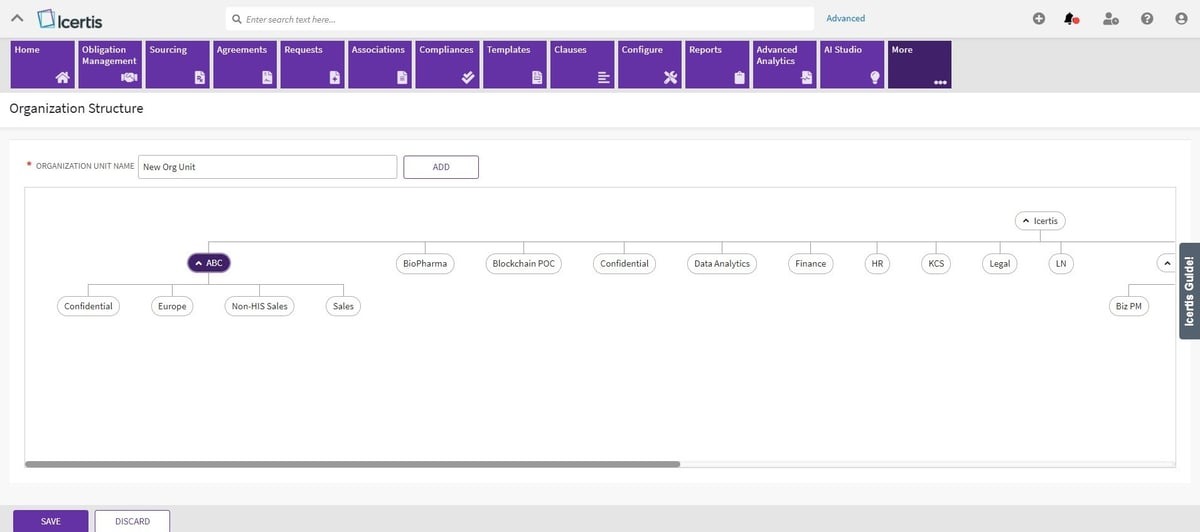
Legal and procurement departments use Icertis to manage risk, monitor obligations, and align contract terms with company goals. In addition, this platform is known for its depth. It supports complex workflows, integrates with major enterprise systems, and includes advanced tools for review and reporting.
Though the implementation process can take time, it’s built to support long-term structure and control across the contract lifecycle.
LinkSquares solves a specific problem well. It helps teams organize and analyze executed contracts. But contract work doesn’t start after signature. Drafting, negotiation, approvals, and cross-team coordination all happen before that point, making teams realize the limits.
As contract volume increases, workflows spread across Word, email, e-signature tools, and shared drives. This creates delays, inconsistent data, and growing operational overhead. Over time, the issue is a lack of control across the full lifecycle.

Aline is built to address that gap directly. It brings drafting, redlining, approvals, execution, and contract analysis into a single system, so teams don’t have to manage contracts across disconnected tools. Instead of adding another layer to the stack, it replaces the fragmentation itself.
Here’s how the team experienced this shift:
“Aline’s reporting has been a game-changer for us. It gives our legal team an immediate, dependable source of truth across every contract, letting us surface critical obligations and risk details in minutes instead of weeks.”
Jamie Emmerich, Senior Corporate Paralegal at DailyPay

Teams that make this shift do not just operate faster. Legal is no longer the function everyone routes around when deals approach closing.
Book a 30-minute demo with us, where our Aline specialists will walk you through how to:
All these will help you evaluate how Aline fits into your existing workflows.
Legal teams need more than just document storage. They need tools that support contract management from drafting to signing. Look for platforms that offer automation, risk management, contract review, version control, clear approval workflows, and integrations with tools your team already uses.
Yes. Some competitors, like Icertis, are built specifically for large enterprises and offer deeper compliance controls, ERP integrations, and vendor management tools that support complex workflows at scale.
Several alternatives support file storage integrations, including Google Drive, which makes it easier to keep documents connected and reduce friction during collaboration and submitting draft contracts.
Most top competitors include strong security features like encryption, audit trails, and role-based access. Some also offer a dedicated CSM to help with onboarding and long-term platform success.
Efficiency comes from more than speed. It’s more about removing back-and-forth. The most effective platforms help teams simplify approvals, automate routing, and reduce delays in request and review workflows, all through an intuitive interface. If you want to see a truly efficient contract management tool, start a free trial with Aline today.











