Contracts rarely get delayed for just one reason. A deal can slow down because redlines take too long, approvals sit with the wrong people, or legal ends up buried in review work that should have moved faster.
Add AI into the mix, and the question becomes pretty practical. Which tools can actually help you negotiate better, and which ones simply add another layer of software to manage?
In this guide, we’ll look at seven AI contract negotiation software tools that can help you review language faster, keep negotiations more organized, and get clearer visibility into the full process.
We’ll also cover what this type of software actually includes, where AI helps most, and why human review still plays a major role when contract terms carry real business and legal risk.
AI contract negotiation software helps with contract review, redlining, clause suggestions, fallback language, and approval steps during negotiations.
That said, there really are not many tools that focus only on contract negotiation. Most of them are part of a bigger contract management solution that helps you draft, review, sign, store, and manage contracts in one system.
That makes sense because negotiation usually connects to everything around it. Your team may need templates, version tracking, approval workflows, legal playbooks, and signature tools before the contract is done.
Hence, a lot of AI tools built for negotiation also come with contract collaboration features, reporting, storage, and workflow automation.
For legal teams and other groups involved in contract work, the main appeal is that these tools can help speed up review, keep contract language more consistent, and make it easier to see what changed, what still needs approval, and what is holding things up.
So, even though the category is called AI contract negotiation software, most of the tools are really broader contract platforms with negotiation features built in.
These seven tools can help you keep the contract negotiation process clearer and easier to handle:
Aline is an AI-powered contract management software platform that brings negotiation, drafting, approvals, signing, and reporting into one place.
If your team is still bouncing between Word docs, email threads, approval messages, and separate signature tools, it’s built to give you a cleaner way to handle the whole process.
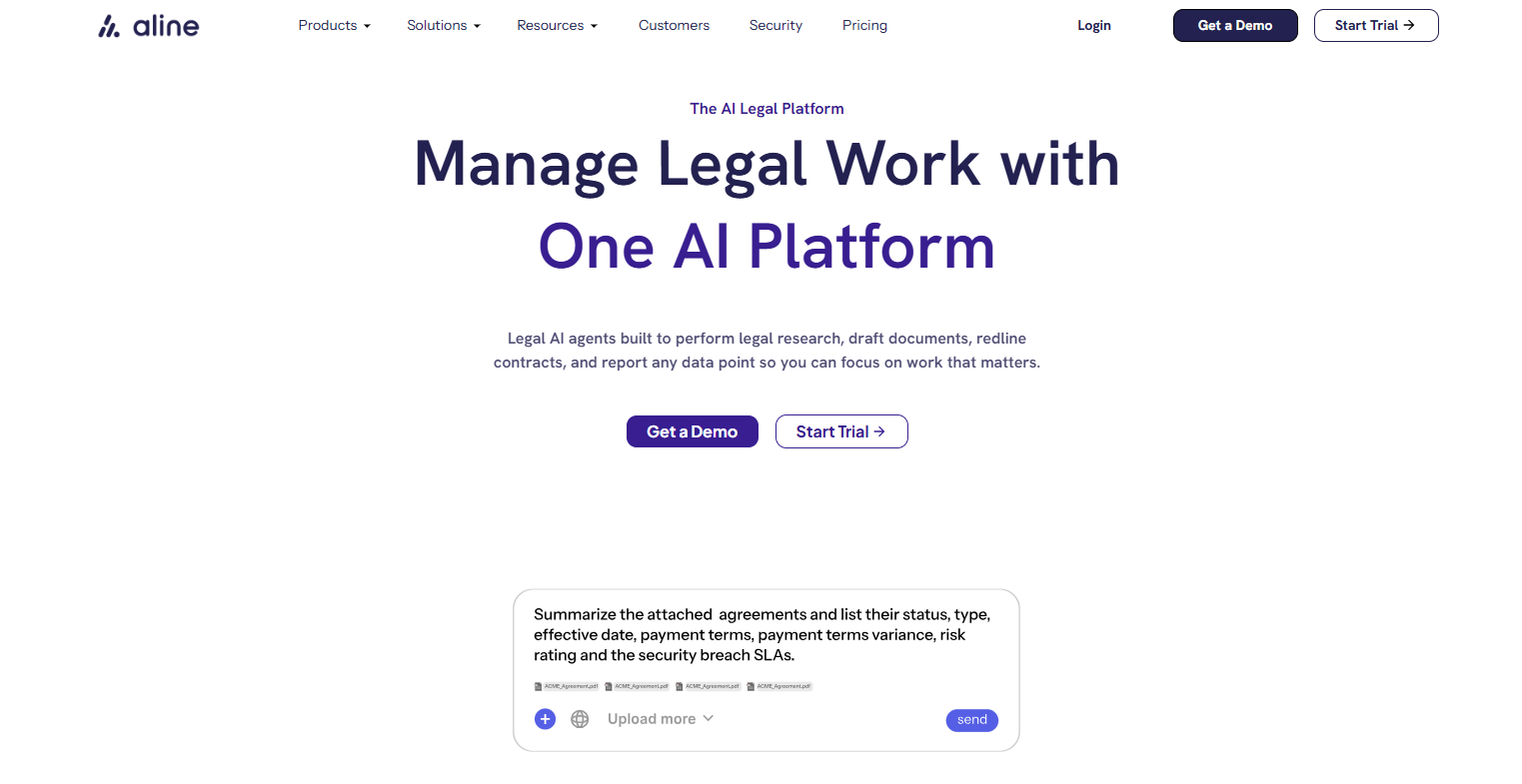
That’s a big reason it stands out in this category. Many tools can help with review, but Aline is designed to support the larger workflow around negotiation, too.
In other words, Aline is a strong fit for legal professionals who want more visibility during contract review and fewer manual handoffs between steps.
Its AI capabilities support drafting, summaries, redlining, grammar and tone suggestions, and playbook-based guidance, which can help your team review language with more consistency.
It also includes workflow automation, a no-code template builder, repository tools, reporting, and built-in e-signatures. So, if you want intelligent contract management that keeps negotiation work organized from start to finish, Aline covers a lot in one system.
Book a demo or start your trial today.
Ironclad is a contract lifecycle management platform with strong AI features for review and negotiation. It’s primarily made for teams that want to handle legal work inside one system rather than split it between separate tools.

Its connectivity makes it a solid option if your company needs support for the entire contract lifecycle, not just redlines during one review stage.
For teams working through a high volume of business contracts, Ironclad puts a lot of focus on speeding up first-pass review and keeping negotiations aligned with approved language. Its AI tools can flag risky or non-standard terms, support playbook-based review, and help legal move faster.
Plus, it connects negotiation work to contract approvals, collaboration, storage, and reporting, which makes it a good fit for companies looking for broader contract lifecycle management rather than a tool focused only on editing.
Juro stands out for teams that want contract review and negotiation to move faster without adding another clunky system to the mix.
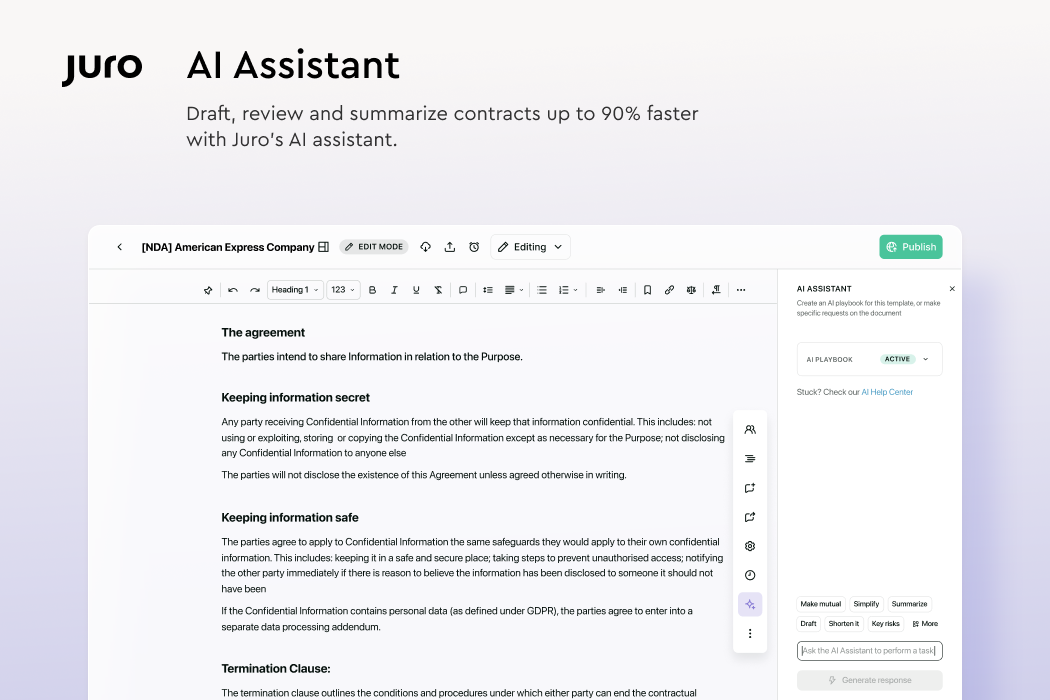
The tool is built around an AI-native contract workspace, with review tools that work in the browser and connect with places your team already uses, including Word, Slack, and Teams.
That makes it appealing when tight deadlines are the norm and slow handoffs keep dragging out the contract review process. Juro also puts focus on helping business teams and legal stay in the same flow, which gives it a different feel from heavier enterprise contract tools.
Juro is also a good match for teams trying to cut down manual review without losing control over contract standards. Its AI review tools can review contracts against playbooks, flag unusual language, suggest redlines, and pull out key terms from legal documents.
The full contract lifecycle connects back to the broader workspace, so review does not feel disconnected from signing, storage, or follow-up work.
Icertis is a better fit for larger companies that need negotiation tools tied closely to compliance, governance, and contract data.
It handles a wider scope than simple redline support, which makes it useful when your team deals with complex negotiations, layered approvals, and pressure around legal risk.

For in-house teams managing a high volume of agreements, the platform connects negotiation work to reporting, obligations, and broader business operations, which can make the full contracting process easier to control.
Much of its value comes from its focus on risk management and contract analysis. Icertis offers AI tools that help review language faster, flag risk, and compare terms against business rules and playbooks.
If your organization handles critical tasks tied to compliance or strict industry standards, Icertis has the depth to support that kind of work. It may also appeal to some larger law firms, though it feels most aligned with enterprise legal and procurement teams.
Luminance has a heavier focus on AI review, redlining, and risk visibility. It leans more into legal AI than some of the broader platforms in this category, which gives it a different feel from tools that center the whole contract management process first.

If your team spends too much time on time-consuming tasks like first-pass review, clause comparison, and issue spotting, Luminance is built to take that work off your plate.
It also connects that review work to a wider AI contract management software setup, so contract data stays useful after the negotiation is done.
A big reason teams look at Luminance is its focus on risk assessment, contract terms, and legal obligations. Its AI can flag unusual language, highlight risky clauses, suggest fallback wording, and help reviewers get through redlines faster.
Additionally, Luminance pushes beyond pure review with tools like Auto Mark-Up and Lumi Go, which are designed to cut down repetitive edits and reduce some of the administrative tasks that slow negotiations down.
DocuSign CLM makes a lot of sense for teams that already know DocuSign for signing and want contract review and negotiation to live in a more connected system. It covers creation, review, routing, approval, storage, and post-signature tracking, so it can handle far more than just signatures.
The wider setup is useful for non-legal teams too, especially when sales, HR, procurement, or operations need to help move new contracts forward.
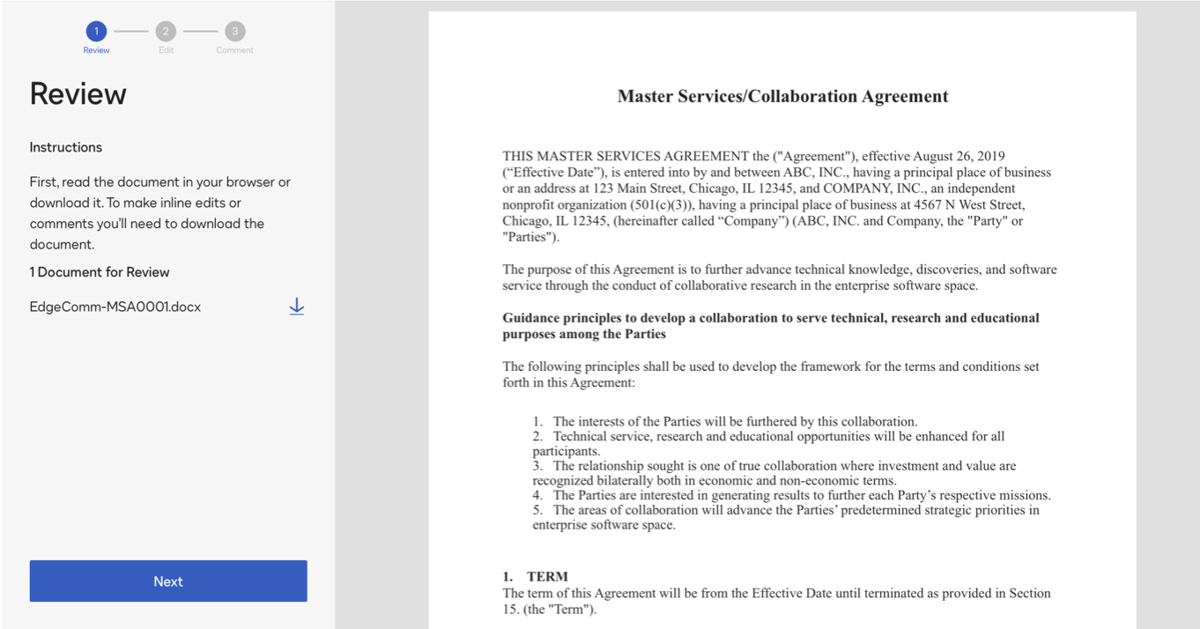
One reason it stands out is the mix of familiar workflow tools and newer AI features. DocuSign’s AI-Assisted Review can help teams compare terms against playbooks, suggest edits, explain clause changes, and support a more consistent negotiation strategy during review.
DocuSign Insight also uses AI technologies, including natural language processing, to analyze agreements and surface risks and opportunities.
For teams handling a wide range of agreements, including employment contracts, this can translate into fewer repetitive review tasks and better visibility into where contracts stand.
DocuSign also says its CLM+ offering combines CLM with AI and analytics to help companies move faster with greater transparency and lower risk, which points to potential real cost savings for organizations that process a large number of agreements.
Agiloft is a good option for teams that want strong review and governance tools without giving up flexibility. It has more of an enterprise CLM feel, but its newer AI features make it relevant for negotiation work too.
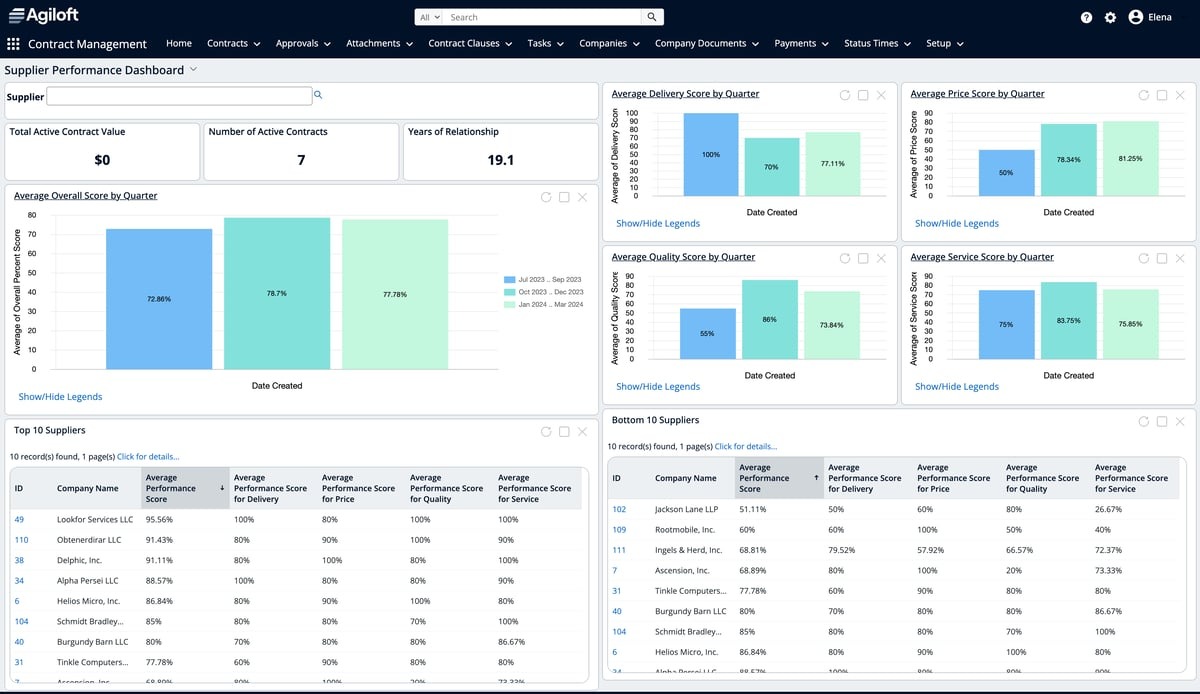
Agiloft gives teams handling complex contracts, layered review steps, and strict policy requirements a more structured way to analyze contracts and move them through the process.
Its broader system also helps connect review work to approvals, storage, reporting, and follow-up tasks, which can be useful when contract work plays a big role in strategic decision-making and business growth.
A big draw here is the mix of no-code CLM tools and newer AI review capabilities added through Screens by Agiloft. That gives teams access to playbook-based review, redline suggestions, contract summaries, and AI contract analysis inside a larger agreement platform.
For legal teams handling AI contract analysis software needs, that can help cut down repetitive review work while keeping more room for strategic thinking on the clauses that need legal expertise.
Agiloft also leans into contract data, which helps teams compare past agreements, track legal obligations, and spot issues tied to policy or relevant regulations.
The best results usually come from using AI to speed up the work that slows your team down, while keeping people in charge of the decisions that carry real risk.
A strong AI contract review software setup can help with things like contract creation, clause review, redlines, summaries, and obligation management. It can also act like an AI assistant during negotiations by surfacing issues, comparing language, and flagging possible compliance risks.
Still, AI should not make the final call on critical elements, such as sensitive terms, fallback language, or business tradeoffs. Those parts still need legal judgment, legal knowledge, and human expertise.
Keep in mind that a contract may look fine on paper, but still create problems tied to the relationship, industry rules, or internal policy. That is the kind of context AI can miss.
The right AI tool supports your team without replacing review, where careful thinking still counts most. It should help legal move faster, stay consistent, and spot issues earlier, while leaving room for humans to decide what is acceptable and what should never be approved.
That balance is usually what makes AI useful in contract negotiation in the first place.
When negotiations start dragging, it usually comes down to the same problems. Redlines pile up, approvals take too long, contract language gets inconsistent, and nobody has a clear view of what is still pending.
Aline helps you bring order to that process.

You can draft faster, guide negotiations with AI playbooks, review edits with more consistency, route approvals automatically, and keep signing inside the same workflow. That makes it easier to move contracts forward without losing track of changes or chasing updates in different tools.
You also get reporting, repository tools, and built-in e-signatures, so negotiation does not stop being visible once the document is signed. Everything you need stays connected, which helps your team work faster and keep better control over the full process.
AI contract negotiation software helps your team review, edit, compare, and negotiate contract language with support from AI. It can speed up redlines, flag unusual clauses, suggest fallback language, and keep approvals and version history easier to track.
Yes. Many tools can help review common agreements like vendor agreements and non-disclosure agreements, especially when your team already has approved templates, playbooks, or fallback language in place. That can make repeat negotiations faster and more consistent.
Not exactly. AI contract analysis software usually focuses more on reviewing contracts, extracting data, spotting risks, and summarizing terms. AI contract negotiation software often includes those features too, but it also supports redlining, collaboration, approvals, and back-and-forth review during negotiations.
No. AI can help speed up review and reduce manual work, but final decisions still need human judgment. Legal teams still need to review key business terms, risk exposure, and any language that could create problems later.











